- Help Center
- Wingtra Internal
- Known issues
WingtraHub crashes after processing base station
RINEX Files are corrupt which causes the program to crash
Solution: The quick fix is to remove all of the files except the .O file. The problem usually occurs when all 3 rinex files OGN are uploaded. Also remind the customer to try and update their GPS base station firmware or try another rinex converter as these programs if not updated can cause issues.
Cause: There are a few potential causes to this failure which are rooted within the structure of the rinex files. Sometimes the data does not format correctly or converted properly which causes the software to crash. Here are some examples:
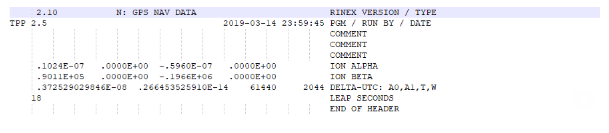
1.) Extra comment lines in the header.
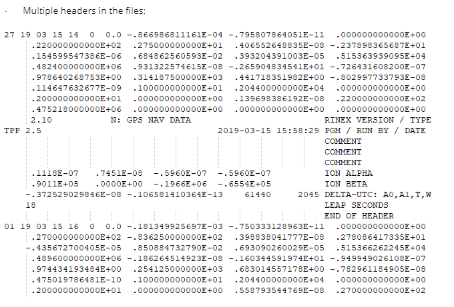
2.) Multiple headers in the file.
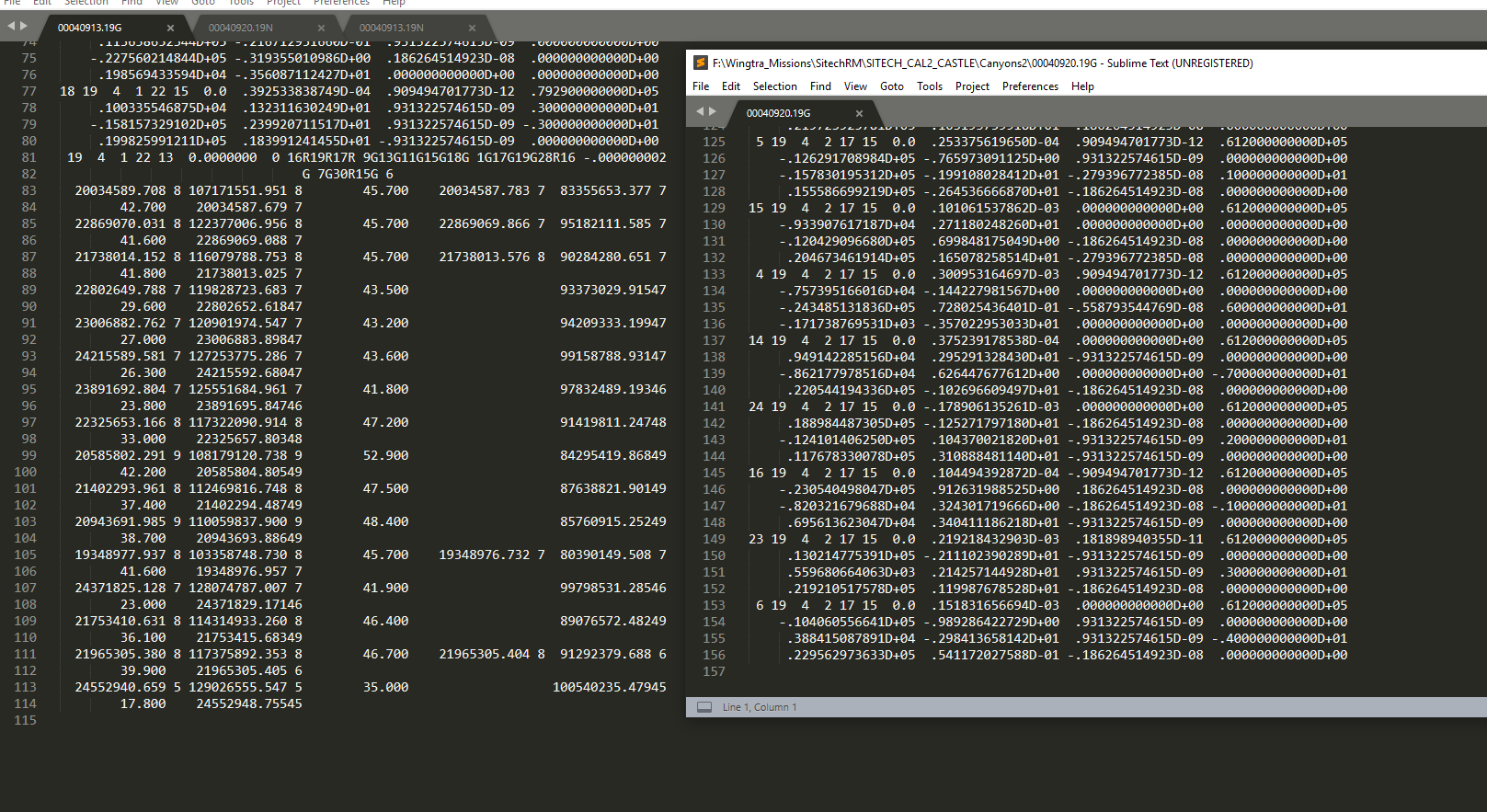
3.) Format error in file. Left side is format error compared to right side which displays normal structure.
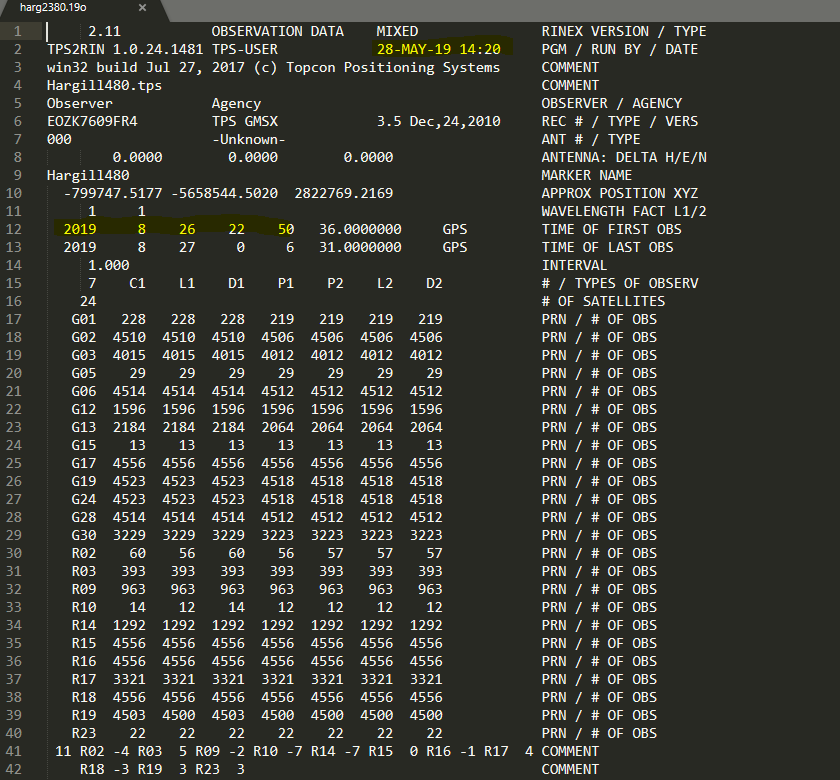
4.) The date is wrong. In this case the rinex is 6 months into the future which is impossible unless time travel is invented.
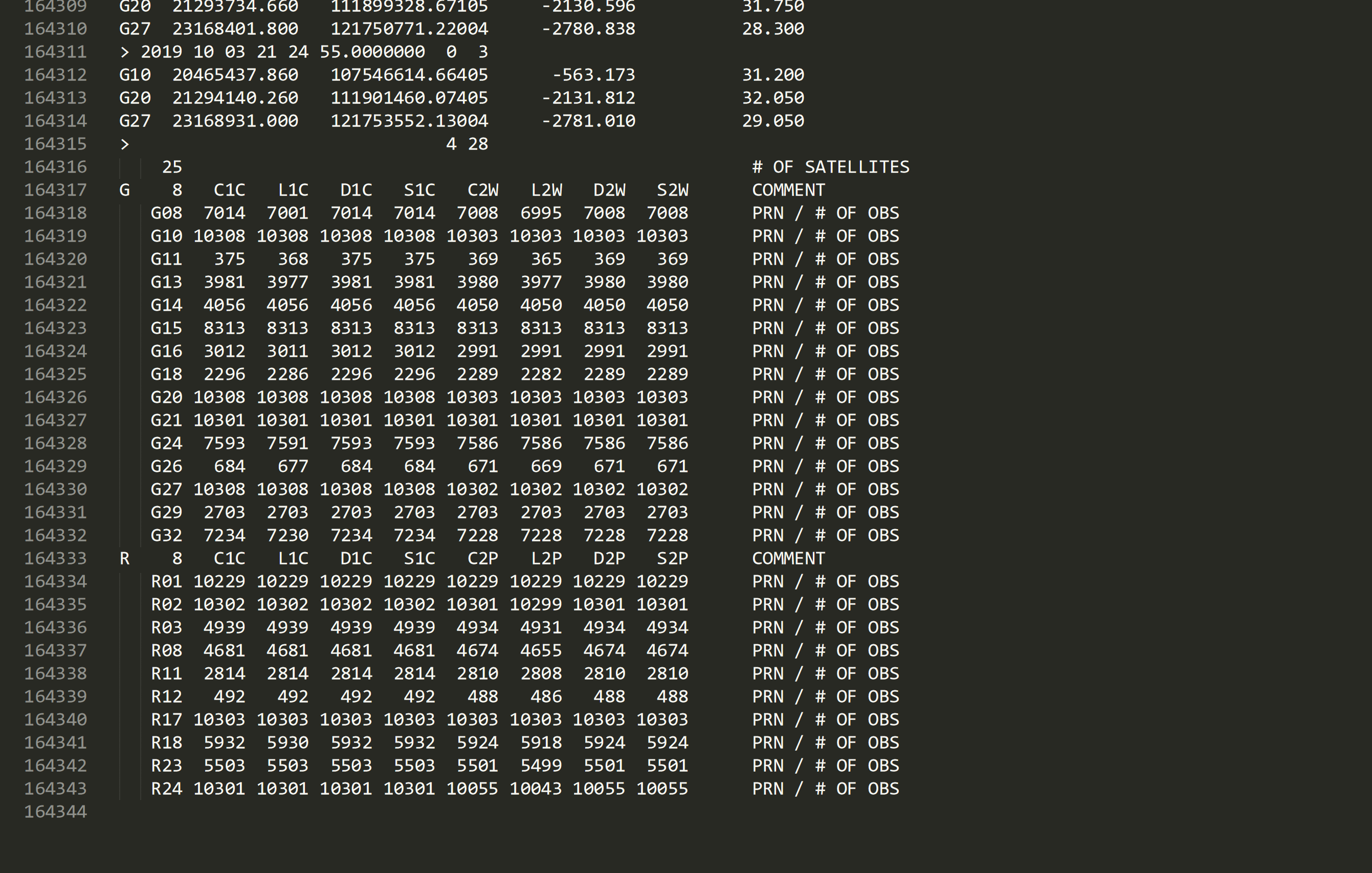
5.) Extra section at the end of the observation file. In this example, there is an extra section at the end of the file which needed to get deleted in order to process.
If there is a new cause not described in this email please contact support@septentrio.com to figure out why the PPSDK is crashing then add it to the list in this article. They will ask for the rinex files in question to test, and it helps if there are good rinex files from the same position or equipment to compare.