- Help Center
- Troubleshooting
- WingtraHub geotagging
WARNING: Base antenna type could not be auto-detected by WingtraHub
This article explains how the antenna offset can be entered manually if it is not automatically detected by WingtraHub.
This warning will appear in case the antenna type is not provided or can not be detected in the RINEX header.
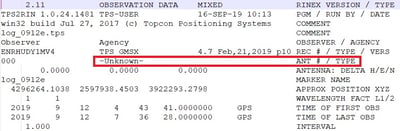
If this warning appears in WingtraHub, the antenna phase center offset (distance between mechanical antenna phase center and reference point) will not be included in the processing.
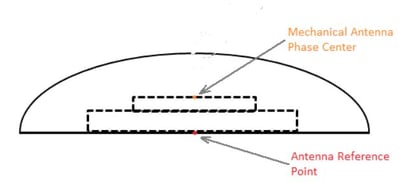
In this case, specify the “Antenna offset up” in the base location editor to include the distance between the antenna reference point and antenna phase center.
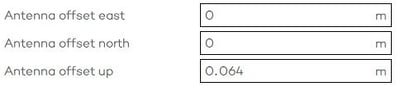
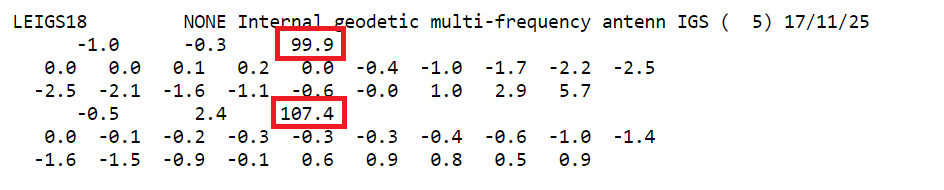
If you don't know the antenna offset of your receiver, you can look it up in the antenna calibration files from the NGS. Search for the corresponding antenna type here and open the ANTCAL file. Take the average of the two numbers at the position of the red boxes in the screenshot below and insert it in WingtraHub under "Antenna offset up". E.g. (99.9+107.4)/2 = 103.65 mm -> 0.10365 m
Here you find a list of antennas that can be detected by WingtraHub.