- Help Center
- Wingtra Internal
- Customer Success
Using drone records and metadata in Hubspot
Drone records in Hubspot display metadata and store drone properties. Since drone records are regular contacts, they can be associated with tickets and companies.
Everything described below is a prototype so far
Feedback and wishes are appreciated (to Basil)
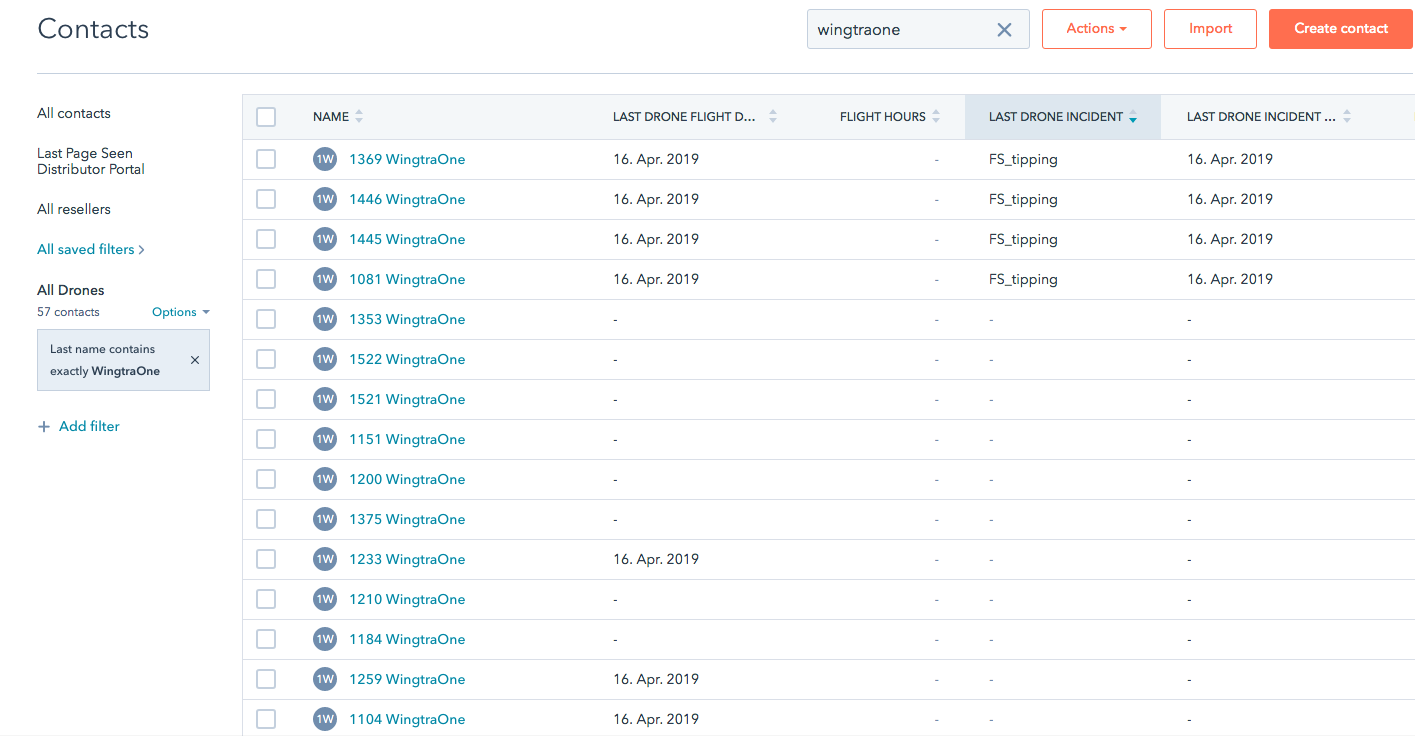
Find Drone Records
Every drone has its ID as first name and WingtraOne as last name. So you can filter the contacts list accordingly or search directly for the drone. Note that you can filter and sort for values like
- last drone flight
- flight hours
- last drone incident
- Number of tickets
- Number of errors
- etc.
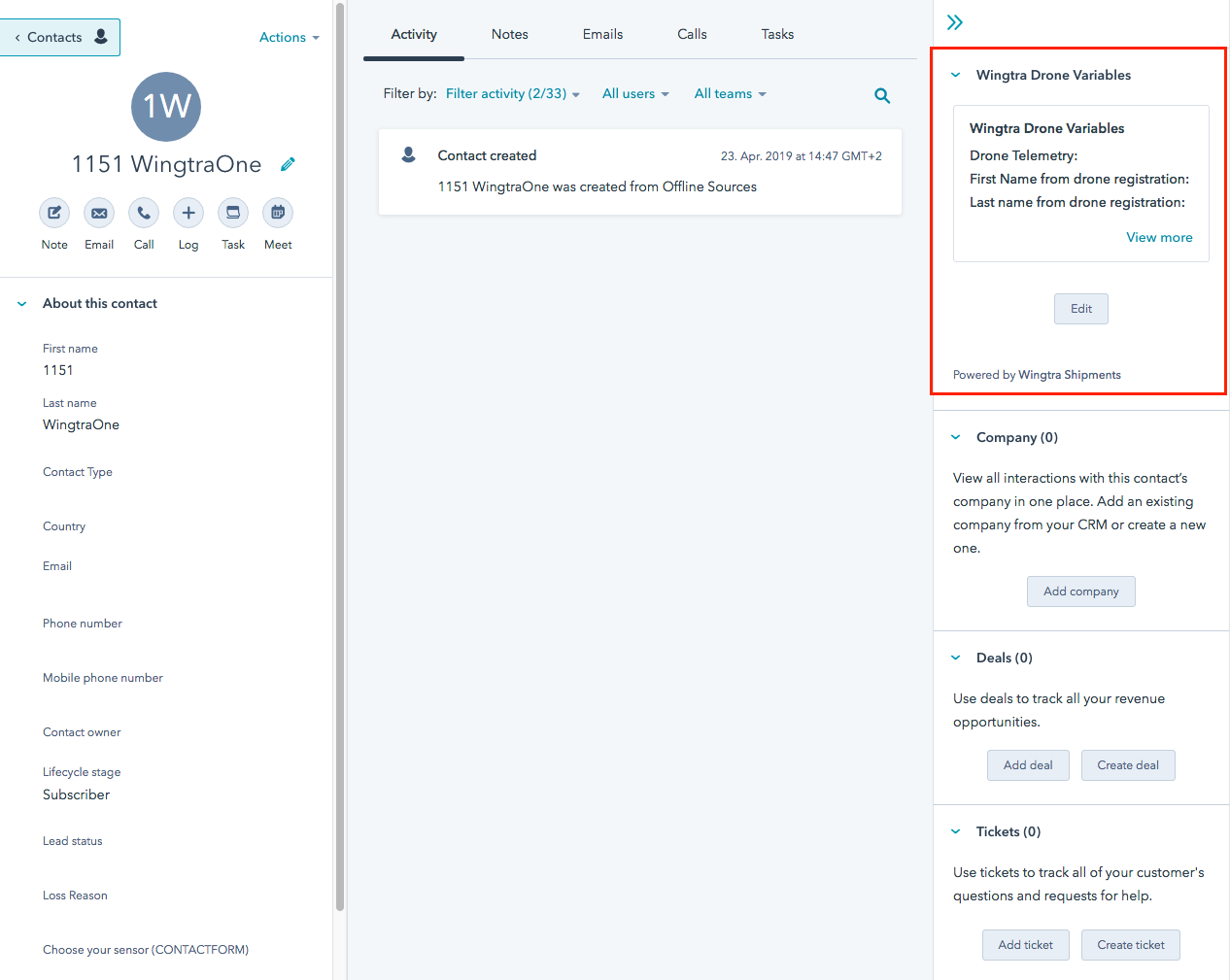
Edit Drone Properties
Drone properties are displayed in a custom group in the right hand sidebar (at the same time they can also be accessed on the left hand side using the show all properties button).
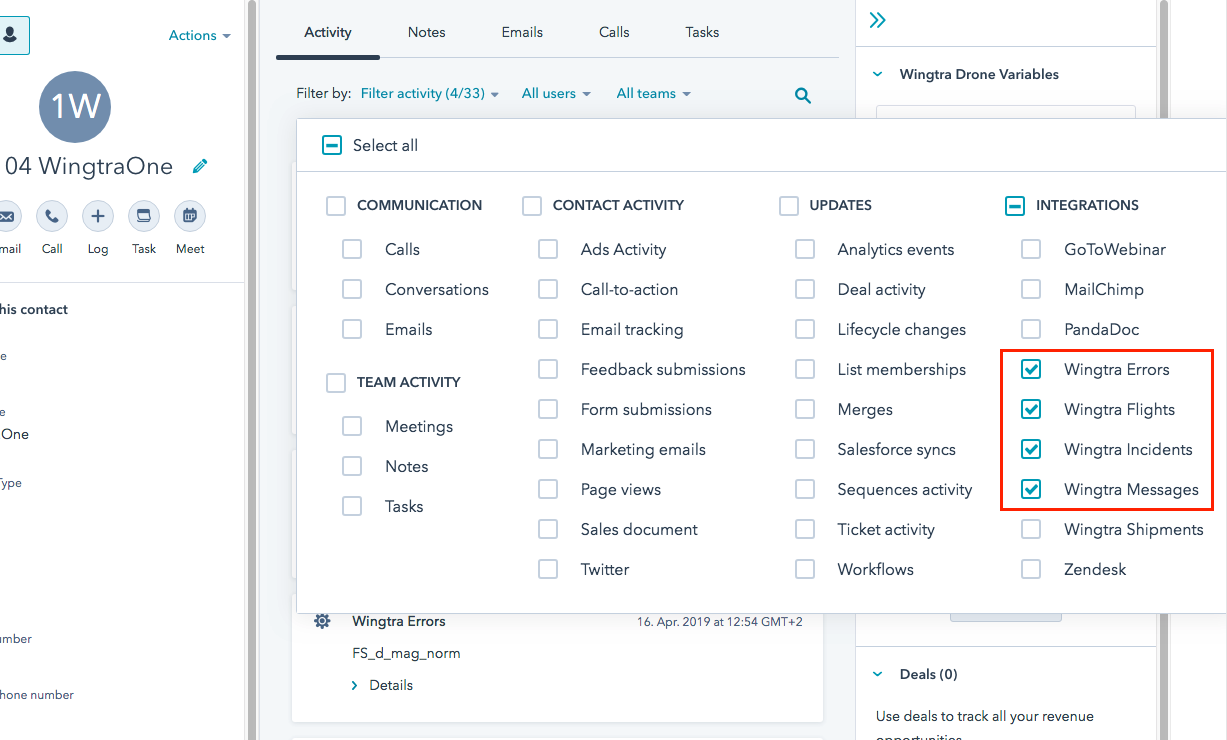
Show / Hide Metadata
To show the metadata, use timeline filters. Note that some aggregates (e.g. number of tippings) are written into drone properties.
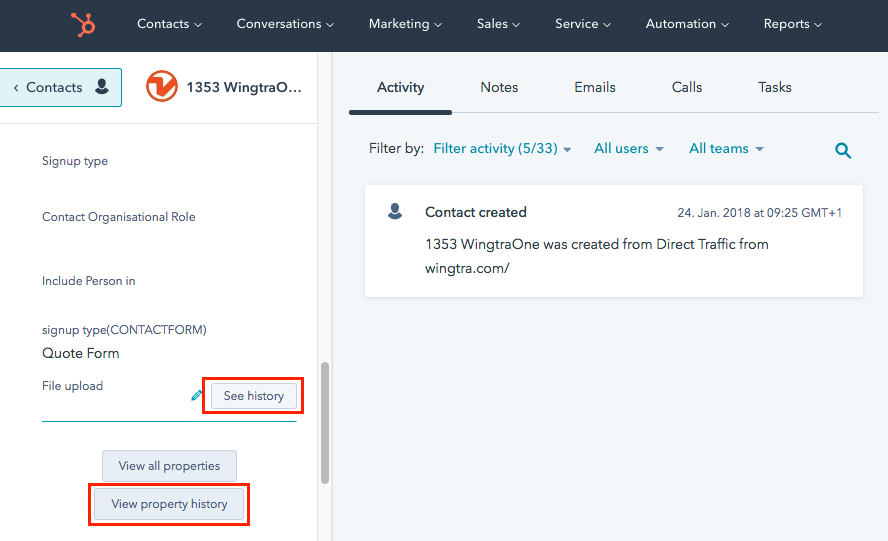
Access the History of Record or Property
You can access the property history for each property when hovering over the property on the left side bar or after clicking on "View all properties". There is also a global history for each record accessible via the "View property history" button.