Learn how to upgrade the telemetry antenna for the new Tab Active2.
This article is outdated. It describes the process to upgrade from the old to the TAB Active2 tablet. Some parts might be relevant for future articles.
Required Equipment
- WingtraOne
- Provided torx tool
- Content of Tablet Upgrade Set:
- New tablet with rubber sleeve and pencil
- New tablet holder including 2 screws + nuts
- Neck strap
- USB-C to USB-A charging cable
- USB-C to mini USB telemetry cable
- USB-C micro SD card reader
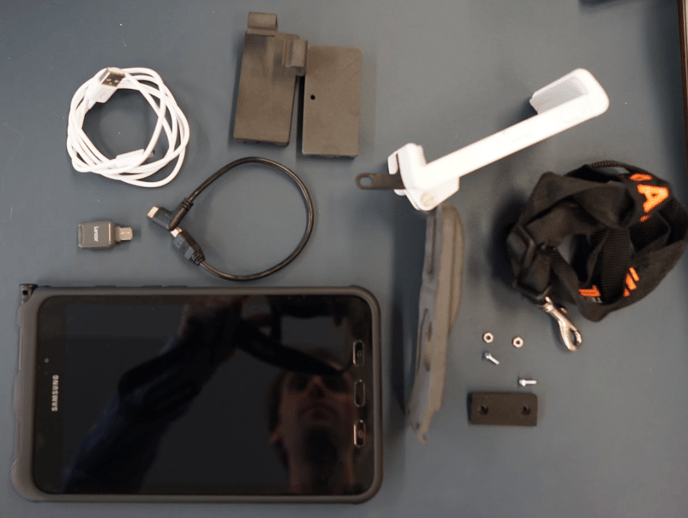
Step by step instructions
The instructions should be followed carefully. Deviating from the described procedure can lead to problems with the telemetry connection.
1. Exchange the telemetry housing
a. To be able to clip the telemetry onto the new tablet, the telemetry housing needs to be exchanged
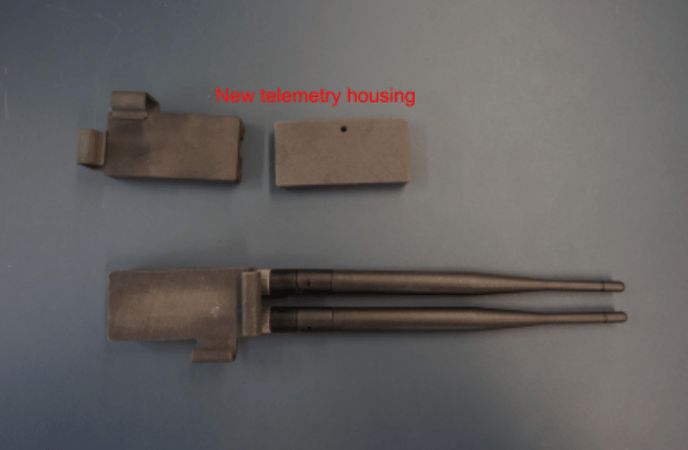
b. Unscrew the two antennas from the telemetry module
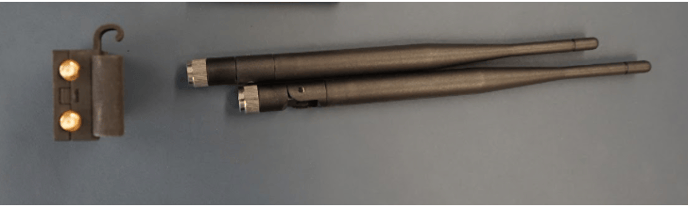
c. Use your fingernails to press down the latch on top of the module between the two antenna connectors, which holds the two parts of the housing together
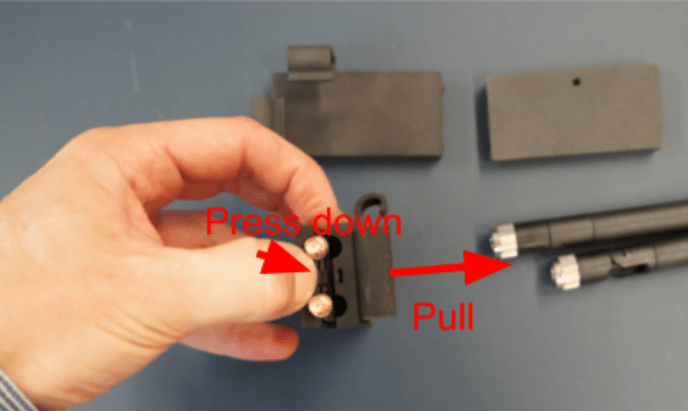
d. Lift out the electronics board. It is secured by three pins. You may use a screwdriver as a lever
Do not unplug the two electronics components.
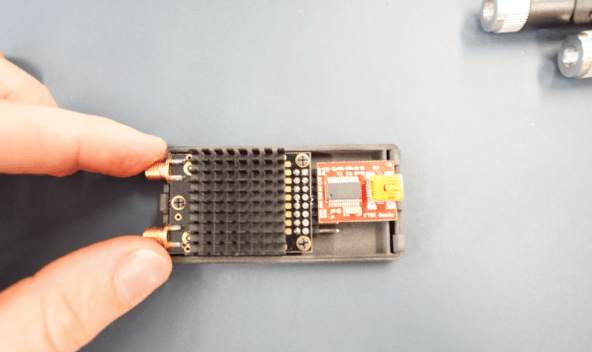
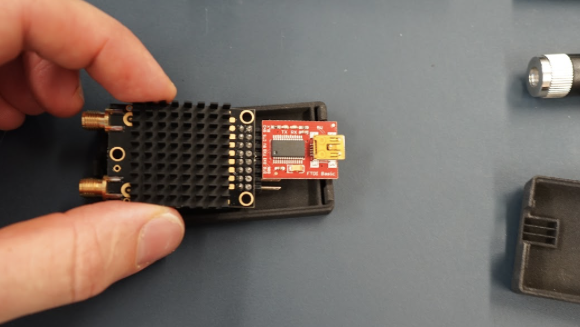
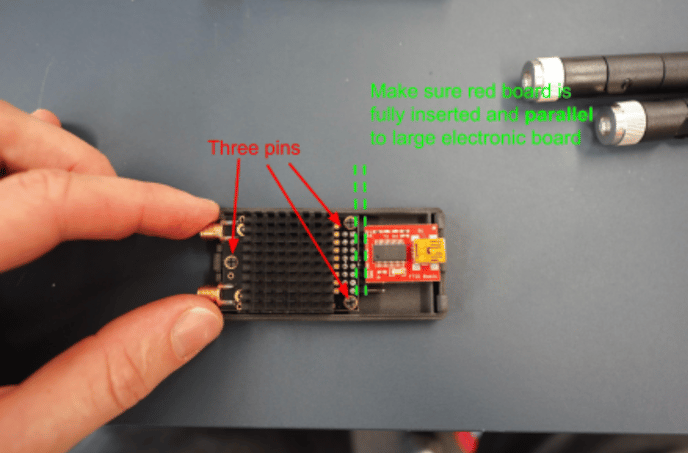
e. Insert the telemetry electronics to the new housing. Be careful not to break any of the three pins which secure the electronics module
f. Take the case part with the clip and attach it to the bottom of the base case into the small grooves and slide together the two parts of the case
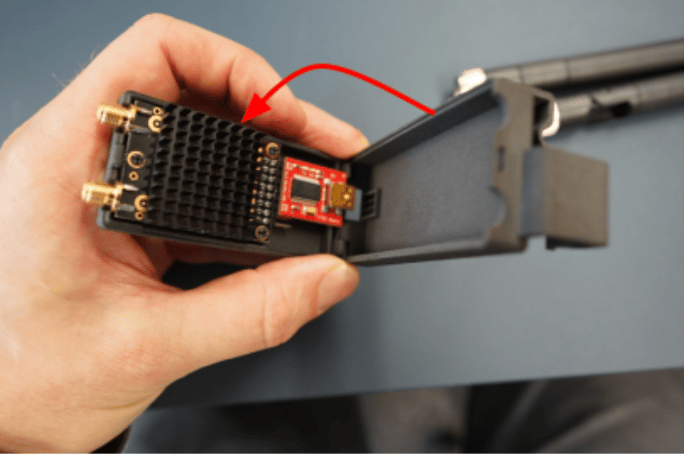
g. Make sure to have the bottom part well closed and push the two parts together. The latch on the top should snap in
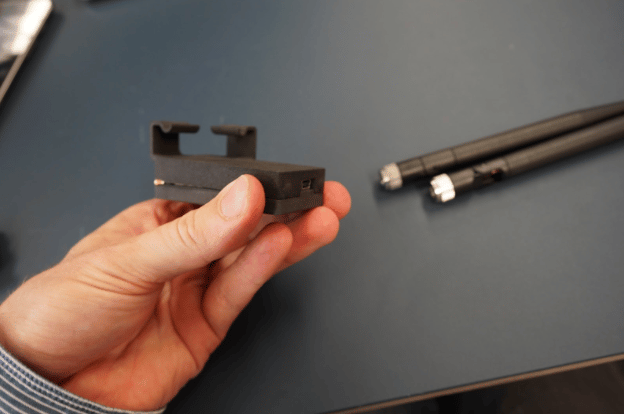
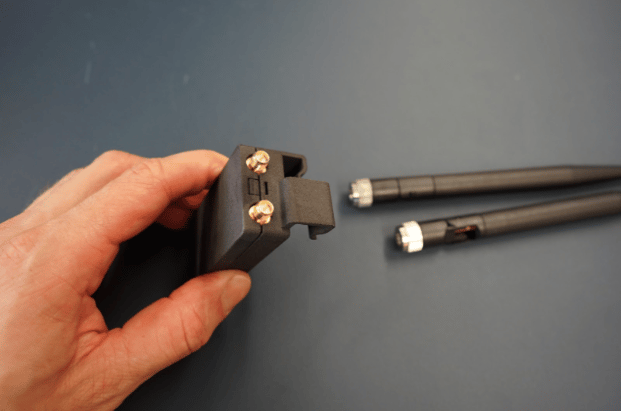
h. Rescrew the antennas to the module
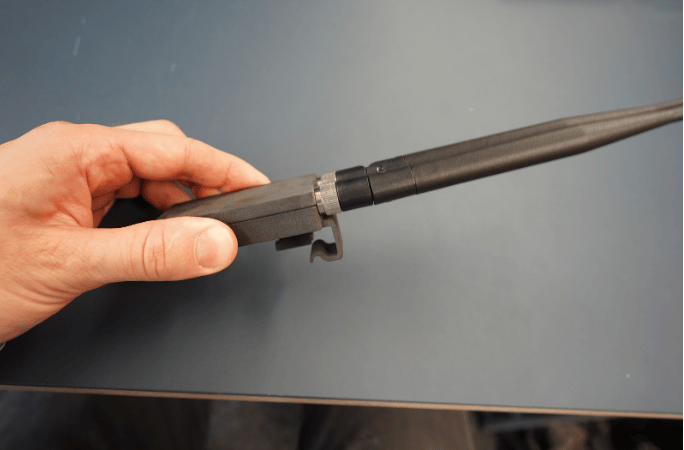
2. Verify functionality
a. Turn on the new tablet
b. Open the WingtraPilot app
c. Connect the short mini USB to USB-C cable to the telemetry module and connect it to the tablet’s USB-C port
d. Power on the WingtraOne
e. Wait until the telemetry connection is established. If you face any difficulties connecting to WingtraOne please contact support@wingtra.com
3. Notes on everyday usage
a. The tablet cannot stay mounted on the holder when stored in the pilot box. Remove the tablet from the holder before putting it into the box.
b. Remove the neck strap before folding the tablet holder and put it back into the pilot box.