- Help Center
- Wingtra Internal
- Customer Success
Time to first reply - fix
Fix time to first reply to the real value.
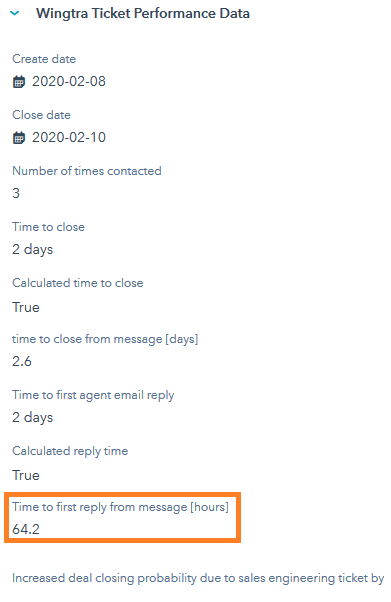
Sometimes the property "Time to first reply from messages [hours]" does not present the real value. The reason why can be different:
- The ticket was merged and the property is looking at the wrong timestamp.
- The ticket was created from a conversation that was, in the beginning, dealing with a different topic.
- The first reply happened outside of HubSpot, but the ticket was created for the records.
- The first reply was actually a call.
- Any other reason.
To fix the time to the first reply, you can change the property value in the HubSpot's sidebar "Wingtra Ticket Performance Data". Value can be manually overwritten (script will not alter populated fields). If you need to go back to the calculated value, simply clear the field and wait for 24h.
Make sure to leave a pinned comment on why was the value of the property "Time to first reply from messages [hours]" changed.