- Help Center
- Wingtra Internal
- Customer Success - Get Started
How to set up a Drone UseType, Shipment Type and Discount in a shipment in the shipment form.
Instructions on how to set up the Drone UseType, Shipment Type and Discount on List Price properties, when setting up a shipment.
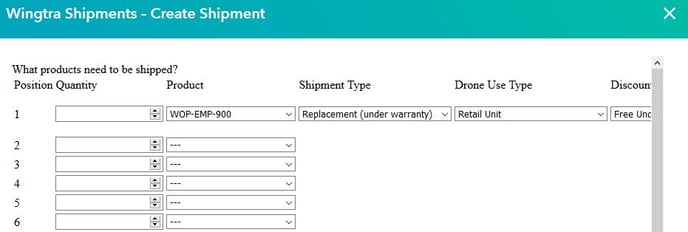
To set up the Shipment Type, Drone Use Type and Discount on List Price, use the different cases as shown below: “Shipment Type” // “Drone Use Type” // "Discount "
New retail unit
- Paid // Retail Unit // Paid Standard Discount
New demo unit
- Paid // Demo // Paid Demo Discount
New fresh Wingtra Inventory at distributor
- New/ additional WID// WID unit // WID not paid
Replace retail unit (under warranty)
- Replacement (under warranty) // Retail Unit // Free Under Warranty
Replace retail unit (paid)
- Replacement (paid) // Retail Unit // Paid Standard Discount or Paid Other Discount
Replace demo unit (under warranty)
- Replacement (under warranty) // Demo Unit // Free Under Warranty
Replace demo unit (paid)
- Replacement (paid) // Demo Unit // Paid Demo Discount or Paid Other Discount
Restock Wingtra Inventory at Distributor (used for warranty replacement of a retail unit)
- Replacement (under warranty) // WID Unit // WID not paid
Restock Wingtra Inventory at Distributor (used for warranty replacement of a demo unit)
- Replacement (under warranty) // WID Unit // WID not paid
Restock Wingtra Inventory at Distributor (used for paid replacement of a retail unit)
- Replacement (paid) // WID Unit // Paid Standard Discount or Paid Other Discount