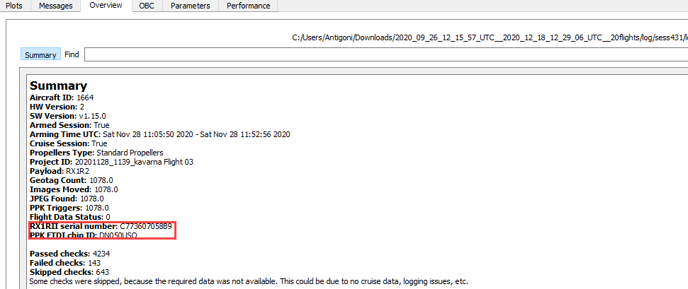
Electronic serial number
The serial numbers of the WingtraOne components can be found in the System Overview tab in WingtraPilot. These are the electronic serial numbers and are the same that we can see in the logs and the metadata.
Having the electronic serial numbers of the cameras (column D), you can look at the HW serial number that is printed on the camera case in the Components_in_use spreadsheet (for RX1 and for QX1) in column E. In column A of the same spreadsheets, you can find the serial number that is used by production and is used to track the camera in Odoo.
The camera mount serial number can be found only on a label on the mount. If a customer gives you this number you can check the hardware version for RX1 mounts here and for QX1 mount here.
For Gen2 drones that camera mount serial number will also be displayed on the System Overview tab in WingtraPilot.
The electronic serial number of the PPK module can be found in WingtraPilot. Having this serial number you can look for the number printed on the PPK board and the hardware version here.
Camera/case serial number
The camera/case serial numbers are found on the cameras:
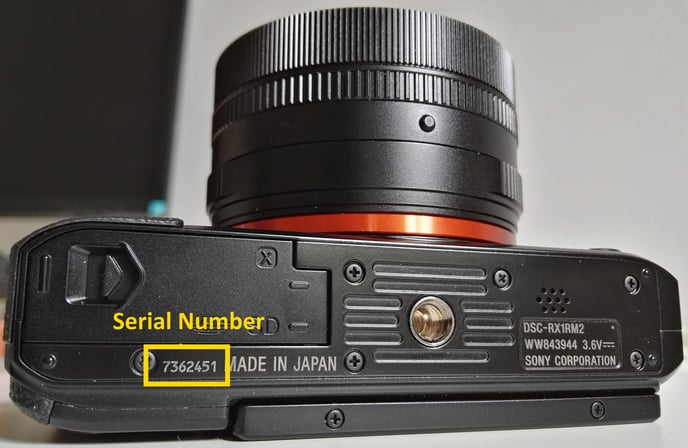
Sony RX1RII—the serial number can be seen at the bottom of the camera next to the battery and SD card opening:
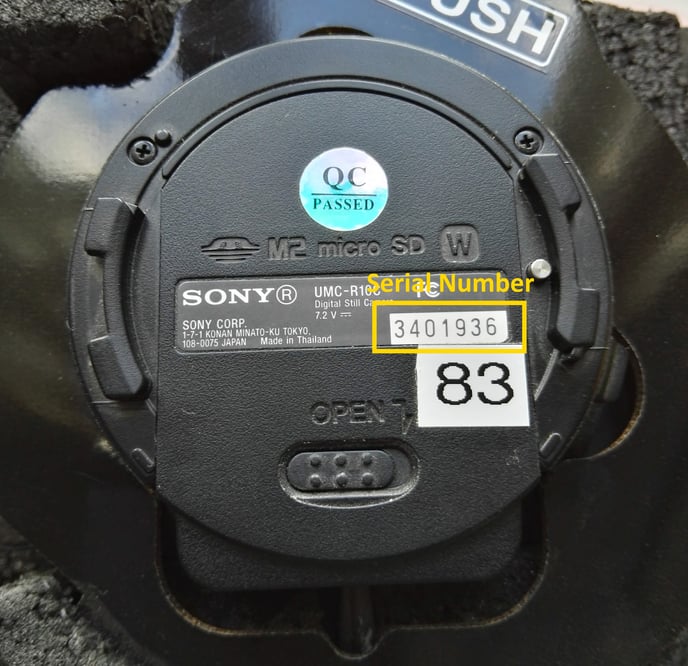
Sony QX1 —the serial number can be seen on the info sticker at the bottom of the camera:
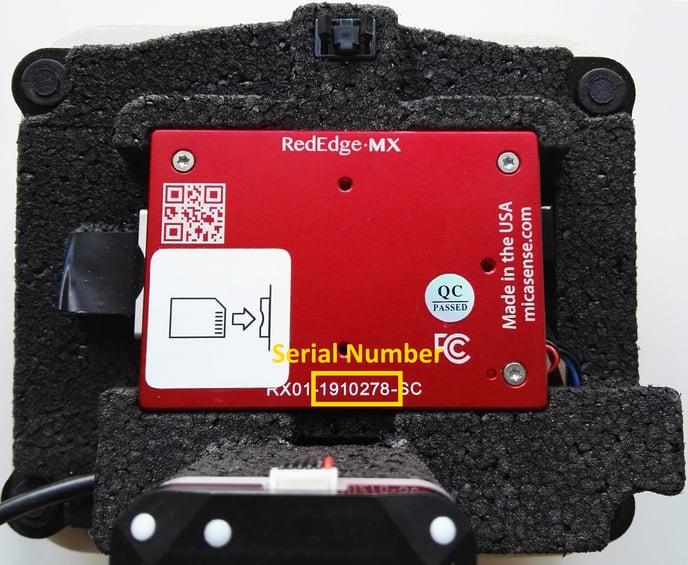
MicaSense RedEdge MX—the serial number can be seen at the bottom side of the camera:
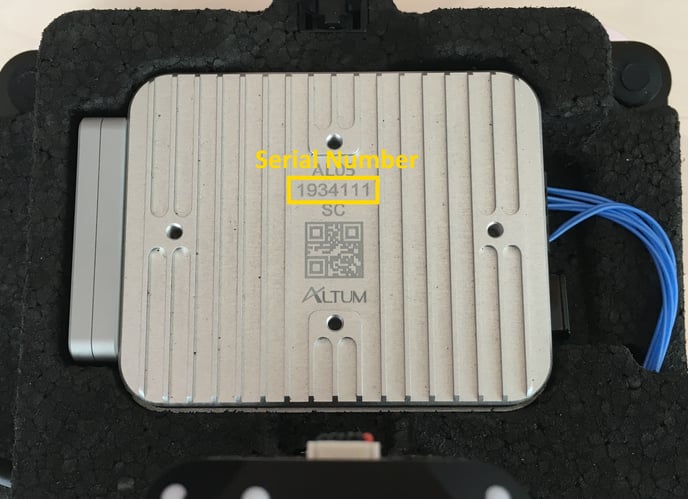
MicaSense Altum—the serial number can be seen at the bottom side of the camera:
PPK module serial number:
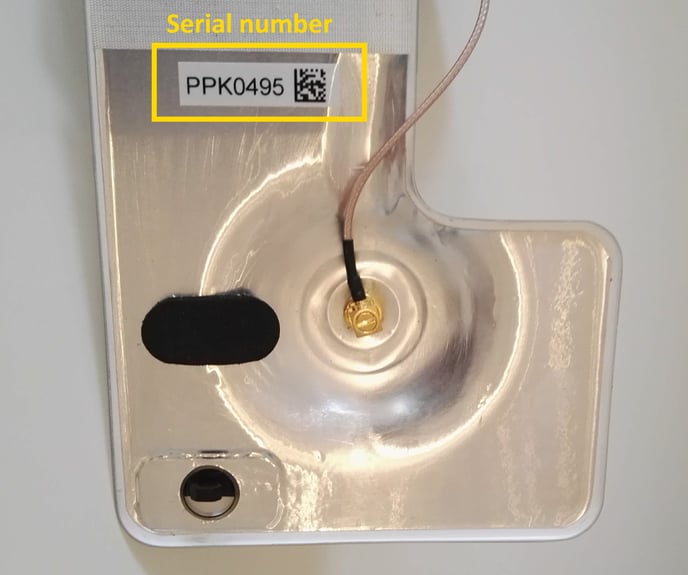
PPK module—the serial number can be seen on the inside of the PPK cover:
How to retrieve the electronic serial number of the camera and PPK from the flight logs
1. Use WingtraExplorer to navigate to a flight log session.
2. Go to the Overview tab.
3. Look for the camera serial number and the PPK FTDI chip ID