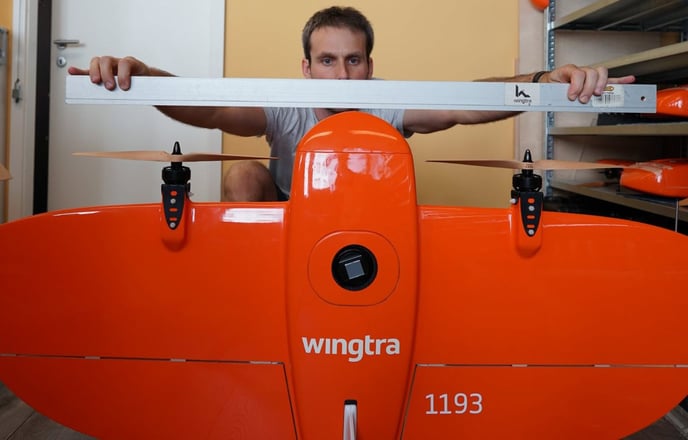
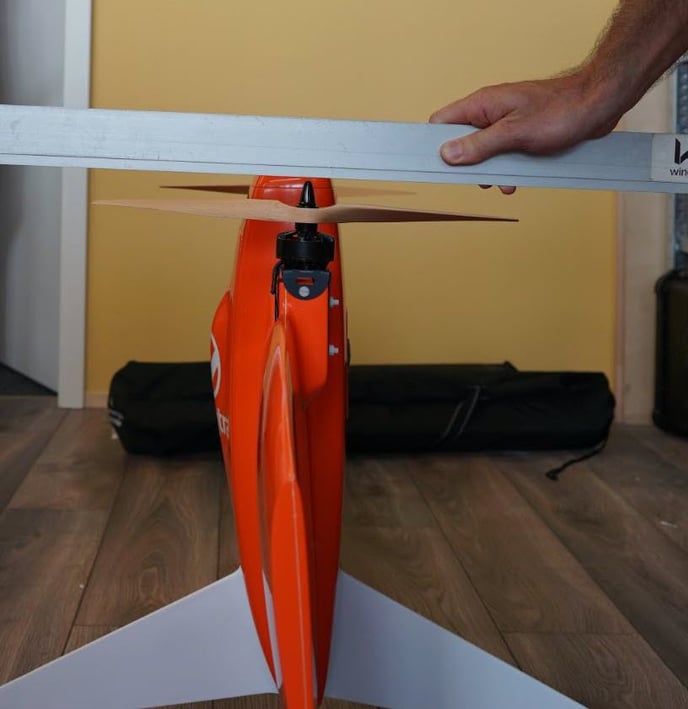
Learn how to check if a drivetrain is damaged and how you can replace it.
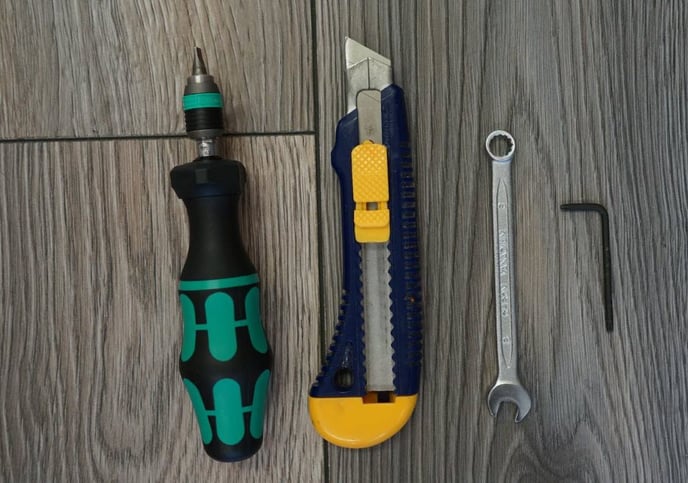
Required Equipment
- WingtraOne
- Open-end wrench 8mm or forceps or alike to hold on to nuts
- Slotted screwdriver - ideally torque controlled 0.4Nm
- Scalpel knife
- Heat gun or lighter
- 3x Nylon screws and nuts (5x50) - make sure to not reuse the screws but use the new screws
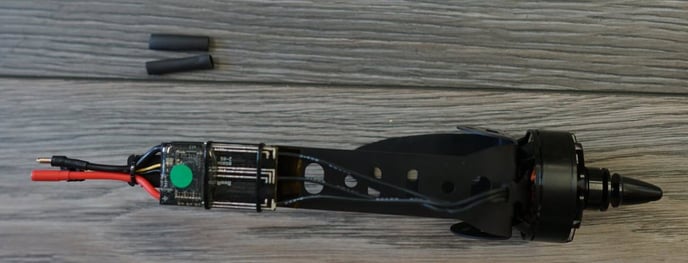
- Replacement power unit with matching color
- 2x 1cm piece shrink on tube Step
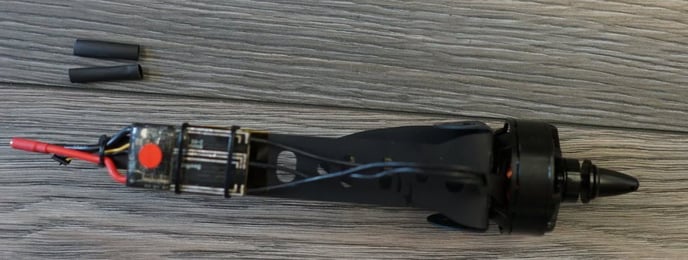
Step by step instructions
The instructions should be followed carefully. Deviating from the described procedure can lead to damage on the drive train and can make WingtraOne crash.
1. Make sure the WingtraOne is not powered
2. Insert the middle stand and place the WingtraOne on the ground or on a table
3. Locate the power unit to be replaced
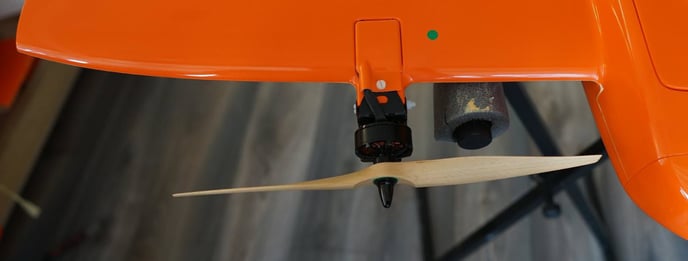
4. Open the nylon screw on the top of the motor mount using the slotted screwdriver and the open-end wrench and pull out the screw
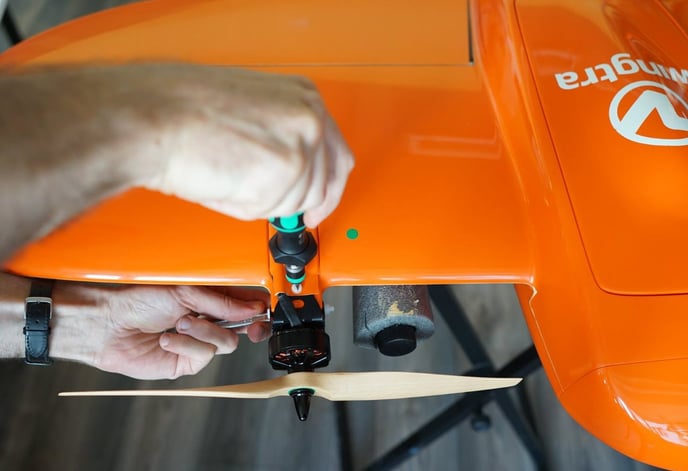
5. Remove the orange cover
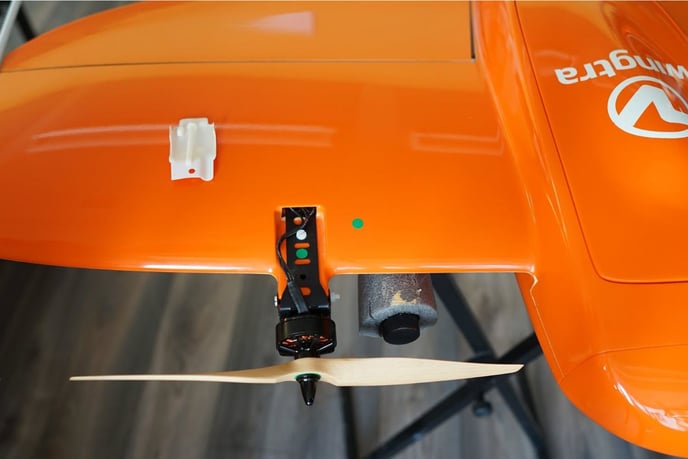
6. Open the second nylon screw on the top of the motor mount using the slotted screwdriver and the open-end wrench and pull out the screw
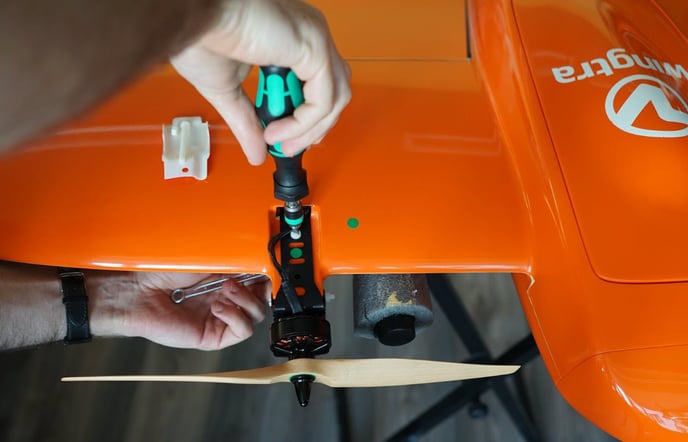
7. Open the third nylon screw on the side of the motor mount using the slotted screwdriver and the open-end wrench and pull out the screw
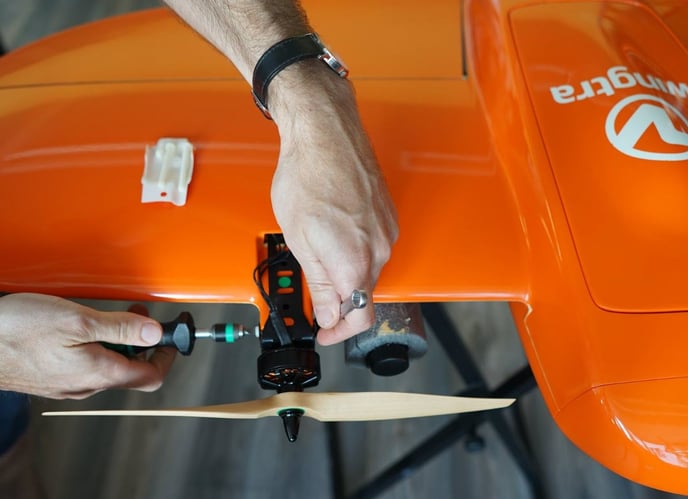
8. Prepare one stripe of scotch tape (5cm long) to secure the cables when the motor mount is pulled out
9. Pull out the motor mount until the entire black assembly comes out of thewing
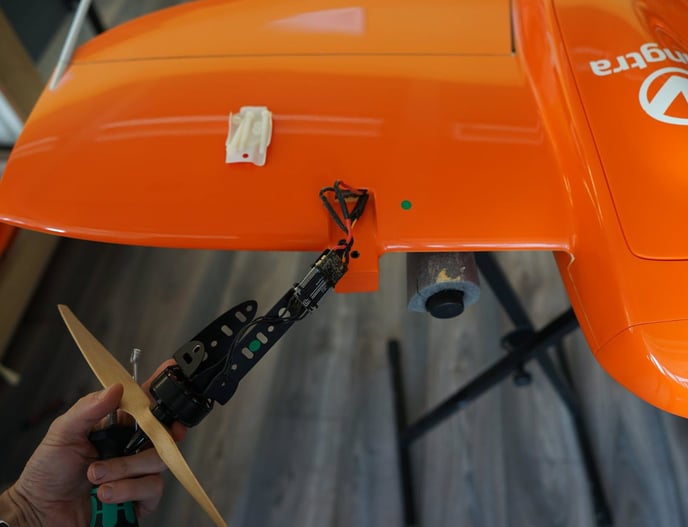
10. Unplug the signal cable (black 2 contact plug) and secure the plane side using the scotch tape
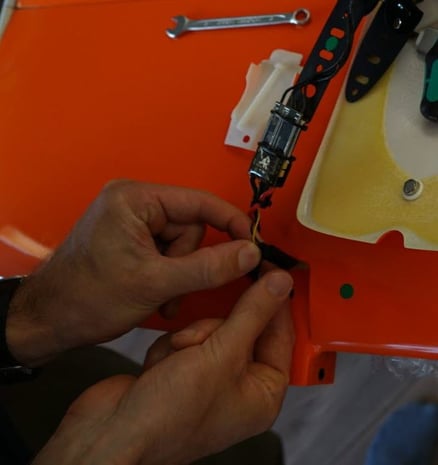
11. Cut the shrink on tube covering the power cables in the groove using the scalpel knife
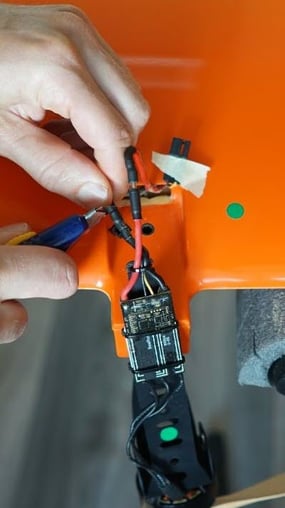
12. Unplug the power cables and remove residuals of the outer shrink on tube
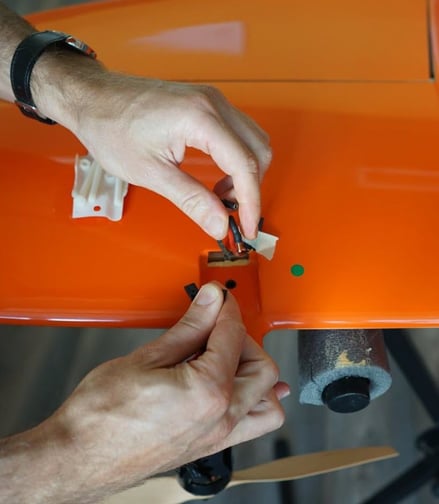
13. Add the two new pieces of shrink on tube to the plane side cables
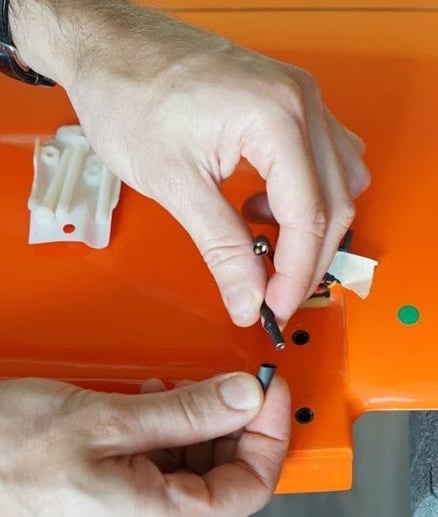
14. Plug in the new power unit assembly
a. Make sure the color matches (green-labeled to the green side and red-labeled to red side)
b. Connect the power cables. Make sure to connect the black cables to black and the red to red
c. Plug in the signal cable (two contact plug)
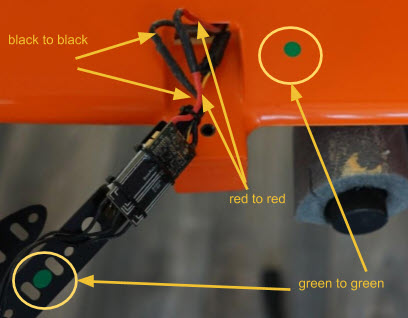
15. Move the shrink on tube over the power cable connectors ans use the lighter to shrink them
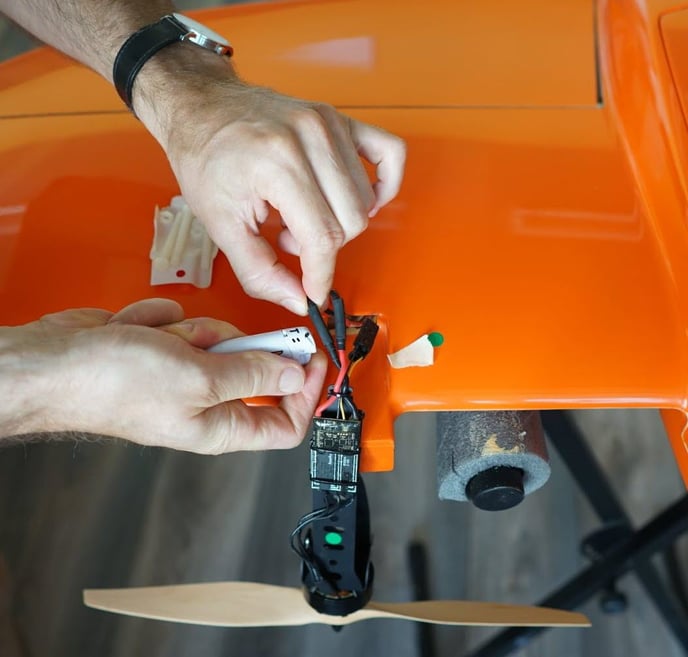
16. Re-insert the power unit assembly into the wing
17. Insert a new nylon screw from the side and tighten it with 0.4Nm
18. Insert rearmost nylon screw (new one) from the top side and tighten it with 0.4Nm
19. Add cover and insert the front nylon screw (new) from the top
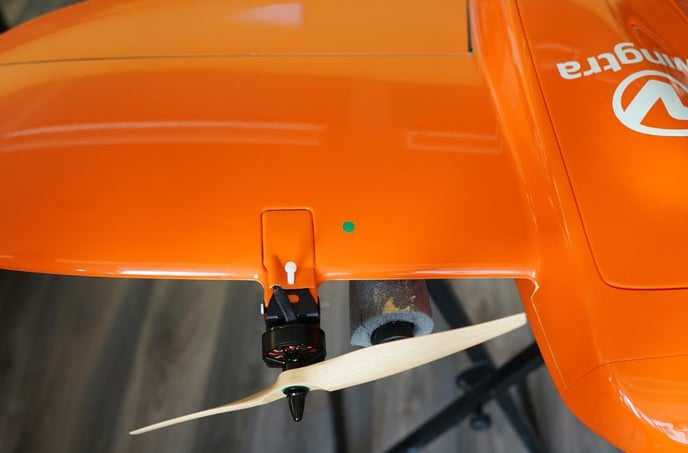
20.Tighten the last nylon screw with 0.4Nm
21. Reattach the propellers if required following the instructions in the article Service: Propellers
22. Double-check if propellers and plane match colors. Check if the propellers are straight. If you are unsure, take the following two pictures and send them to the Wingtra Support: