- Help Center
- Maintenance and Replacements
- Basic Replacements
Replace PPK fixation mechanism
Step by step instructions on how to replace the PPK fixation mechanism
Required Equipment
- WingtraOne
- Female push-to-release lock
- Long nose plier
- UHU POR or similar glue for expanded polystyrene (Styropor)
Step by step instructions
The instructions should be followed carefully. Deviating from the described procedure can lead to damage to the camera mount or insufficient fixation of the PPK module and hence missing or corrupt PPK data.
1. Make sure the WingtraOne is not powered
2. Lay down the WingtraOne on a flat surface and remove the top cover
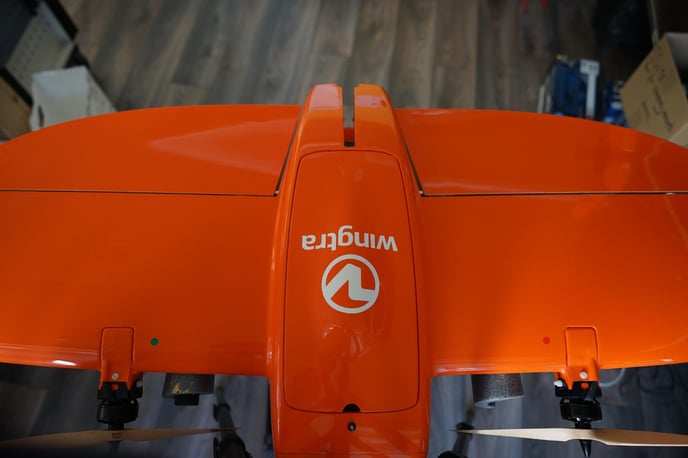
3. Open the top cover
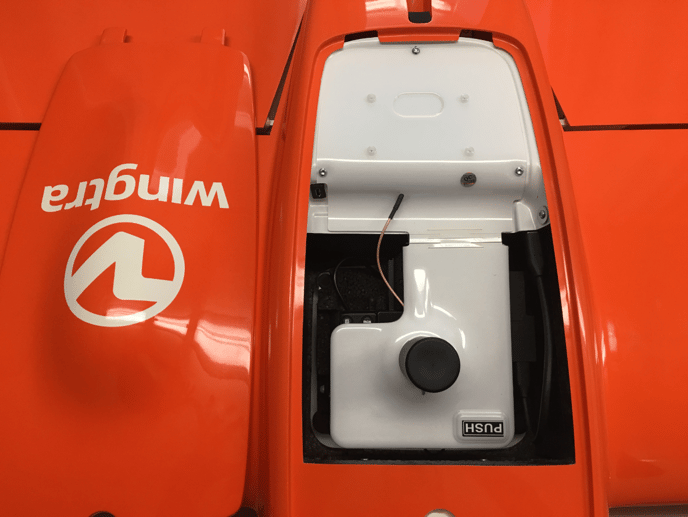
4. Open the PPK cover by using the PUSH button (if applicable)
5. Locate the broken female push-to-release lock of the PPK lid
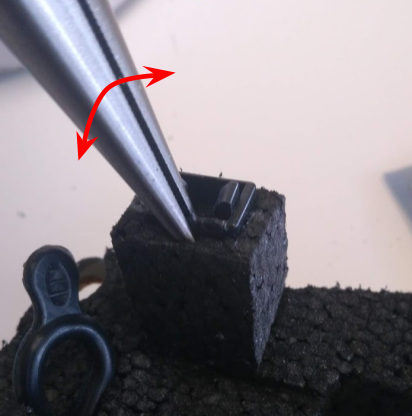
6. Take the long nose plier and grab the female-push-to-release lock. You may slightly push the plier into the foam. Now pull the push-to-release lock out, slightly wiggle as indicated in the image to ease pulling
7. Take the female push-to-release lock and apply UHU POR on the two small sides
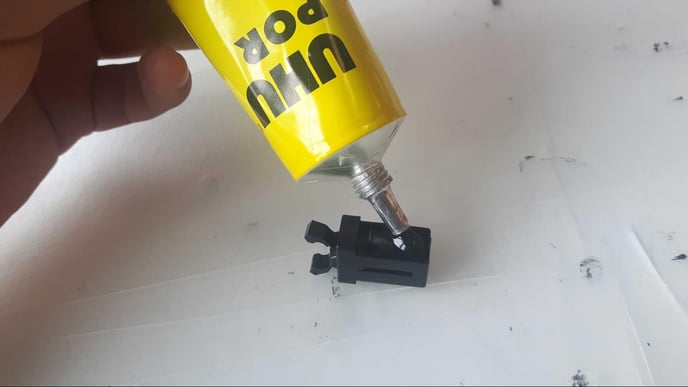
8. Put a small drop of UHU POR on both small sides of the hole where the push-to-release lock will be
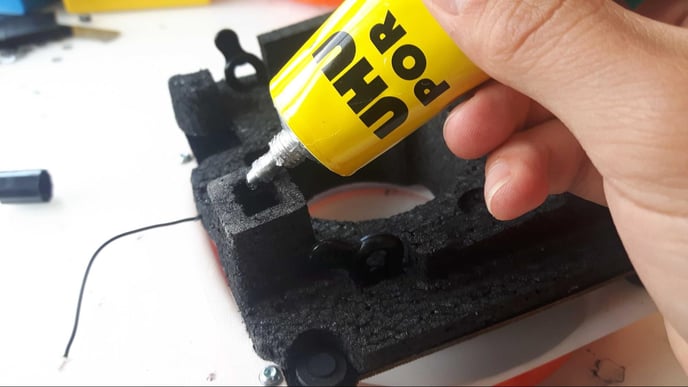
9. Let the glue cure according to instructions. For UHU POR the curing time is 20 minutes
10. After 20 minutes, mount the push-to-release button. Make sure it is flush with the surface of the foam
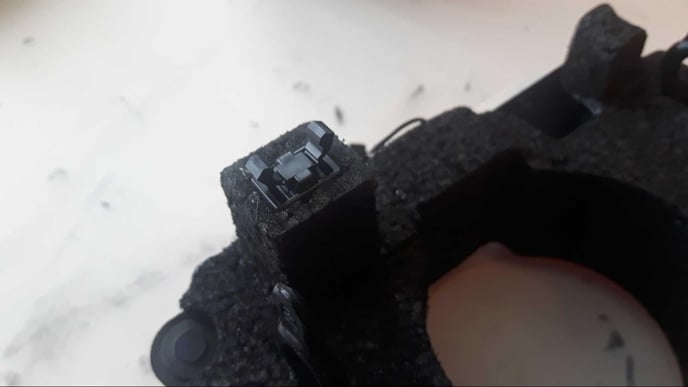
11. Close the PPK lid - check whether it locks correctly in the new push-to-release lock
12. Close the top cover.