- Help Center
- Maintenance and Replacements
- Payloads and SD cards
Remove the PPK module
Step by step instructions on how to remove the PPK module from a WingtaOne.
Required Equipment
- WingtraOne
- Torx screwdriver
Step by step instructions
The instructions should be followed carefully. Deviating from the described procedure can lead to damage on the sensor and hence to faulty images.
1. Make sure the WingtraOne is not powered
2. Lay down the WingtraOne on a flat surface

3. Open the top cover

4. Open the PPK cover by pressing on the Push button
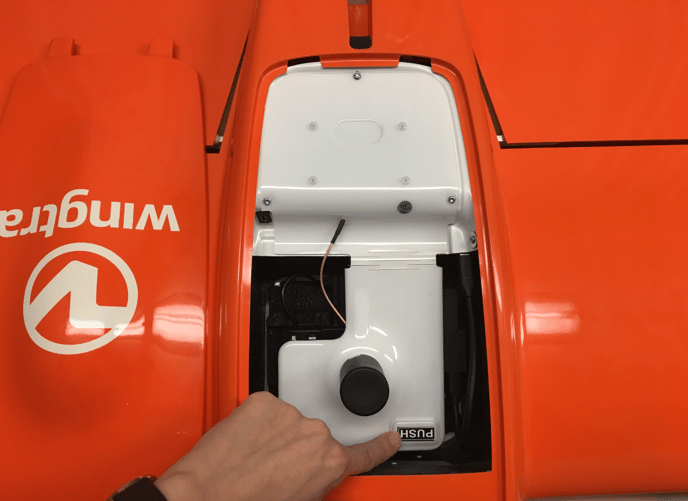
5. Open the three torx screws on the PPK module
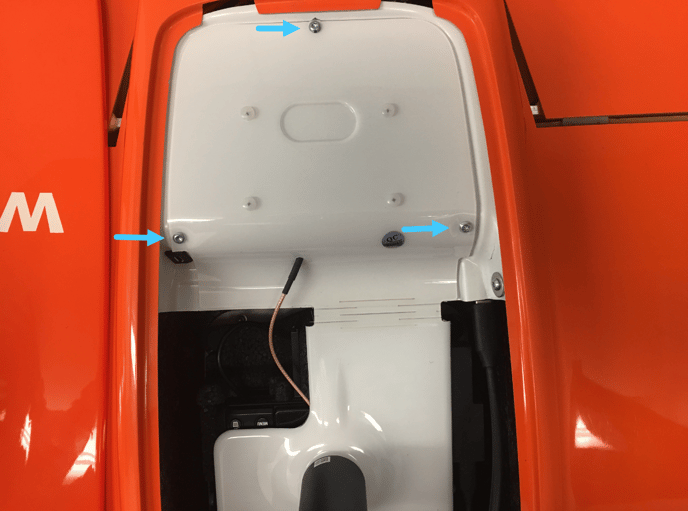
6. Carefully lift up the white module. Pay attention as it is still connected via one cable
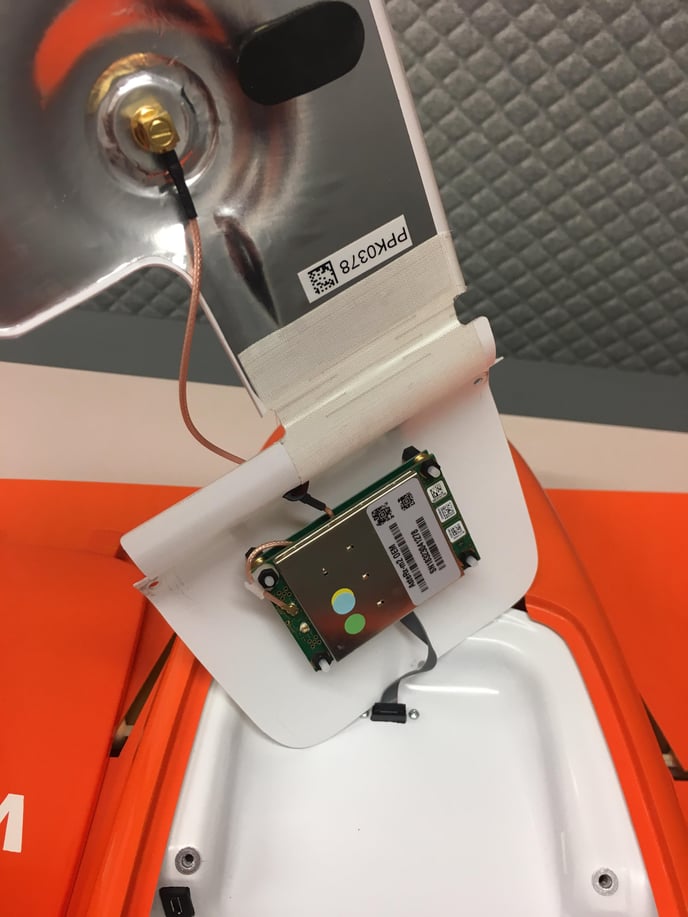
7. Unplug the connector on the plane side and remove the PPK cover. Store it safely at a secure place or the PPK case. Make sure to not lose the three screws
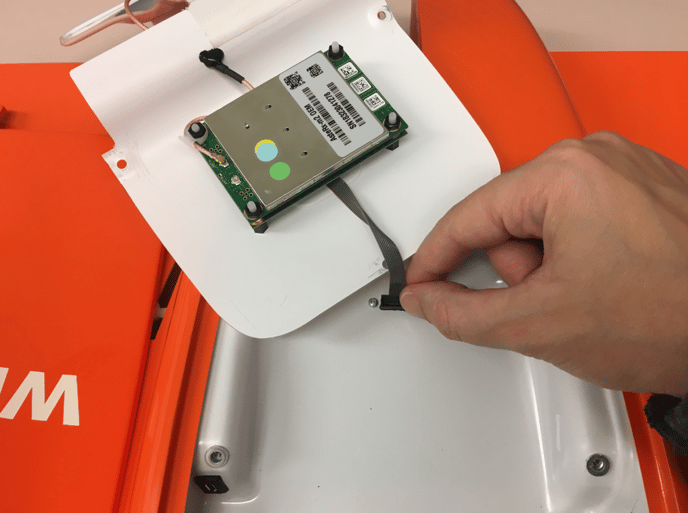
8. Take the PPK topcover and close the WingtraOne payload area