Get some tips and tricks to make the video editing life easier at Wingtra
TIP #1! Always keep ONE folder for the whole project and put everything in there, including images, audio, video, titles, graphics, songs, and whatever else you use. It makes it so much easier for someone else to take over editing
I would recommend editing locally (with an external hard drive and everything stored there) rather than file stream. File stream could cause issues if people move things around on the drive. You can always upload the whole folder somewhere like here once you think you're done on a project
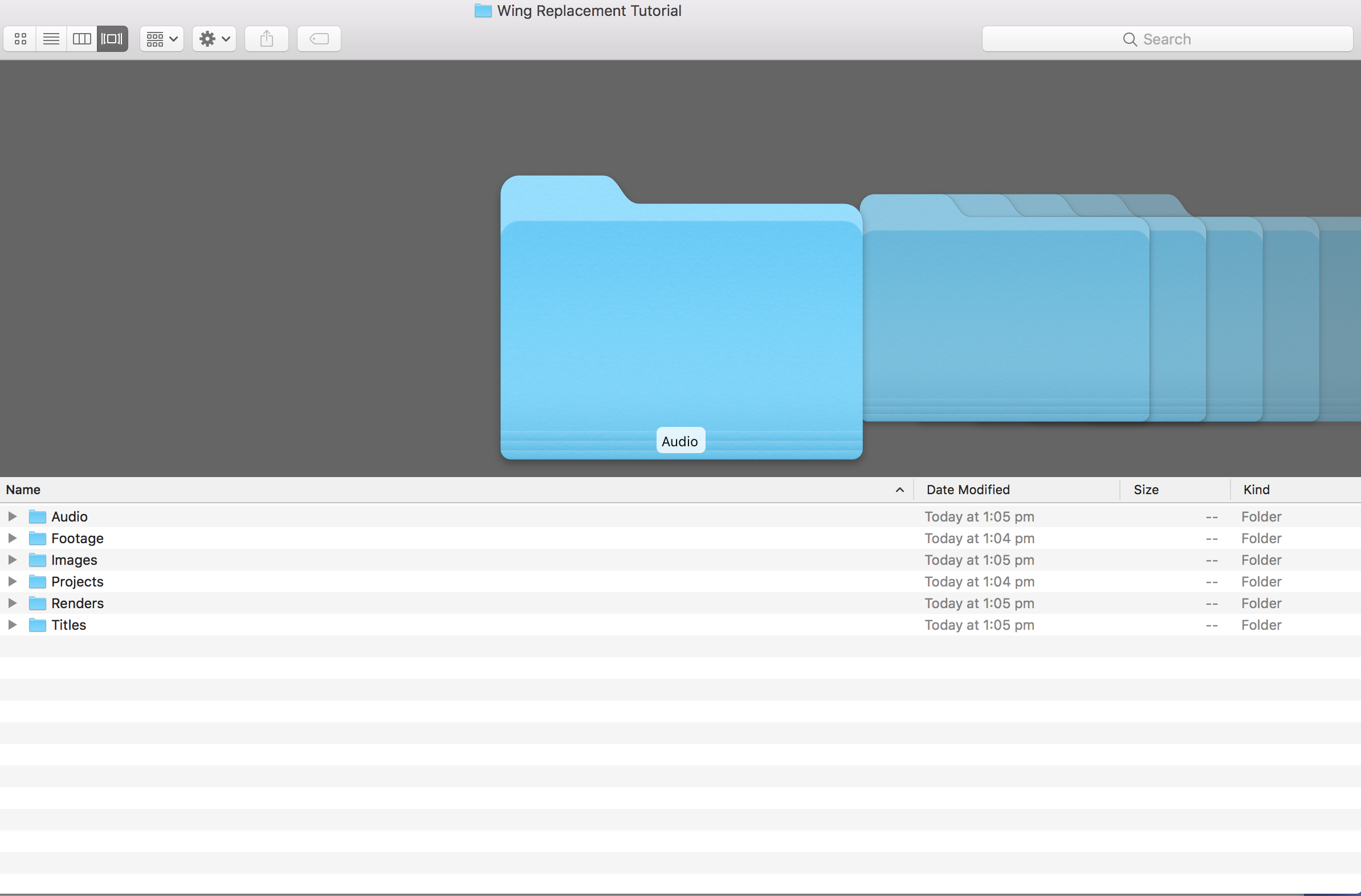
Here's an example of a folder structure for a video project
When you get a new image, video, audio file or anything -- make sure you add it to this folder, otherwise people cannot link it later.
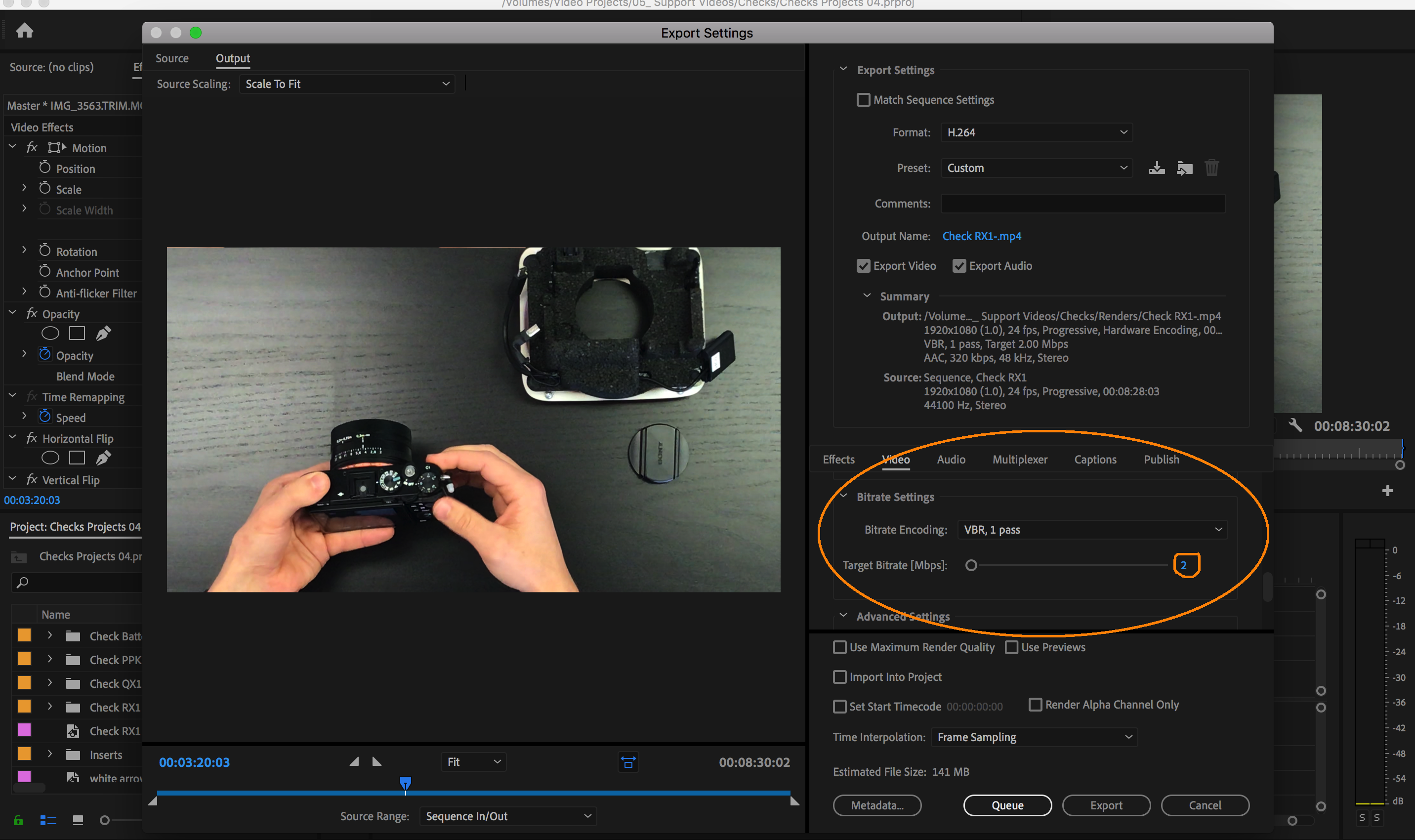
TIP #2! If you want to export your video to publish and make the file size smaller, you can always lower the bit-rate. A bit rate around 2 or 3 is ok for projects that are more practical than beautiful.
TIP #3! Every time you open your new project, duplicate the recent one and rename it in a sequence. Because one day you might need to go back in time

TIP #4! Try not to rename any files in your project folder, it will mean that the renamed files need to be relinked to the project. Rename them before you even open Premiere for the first time
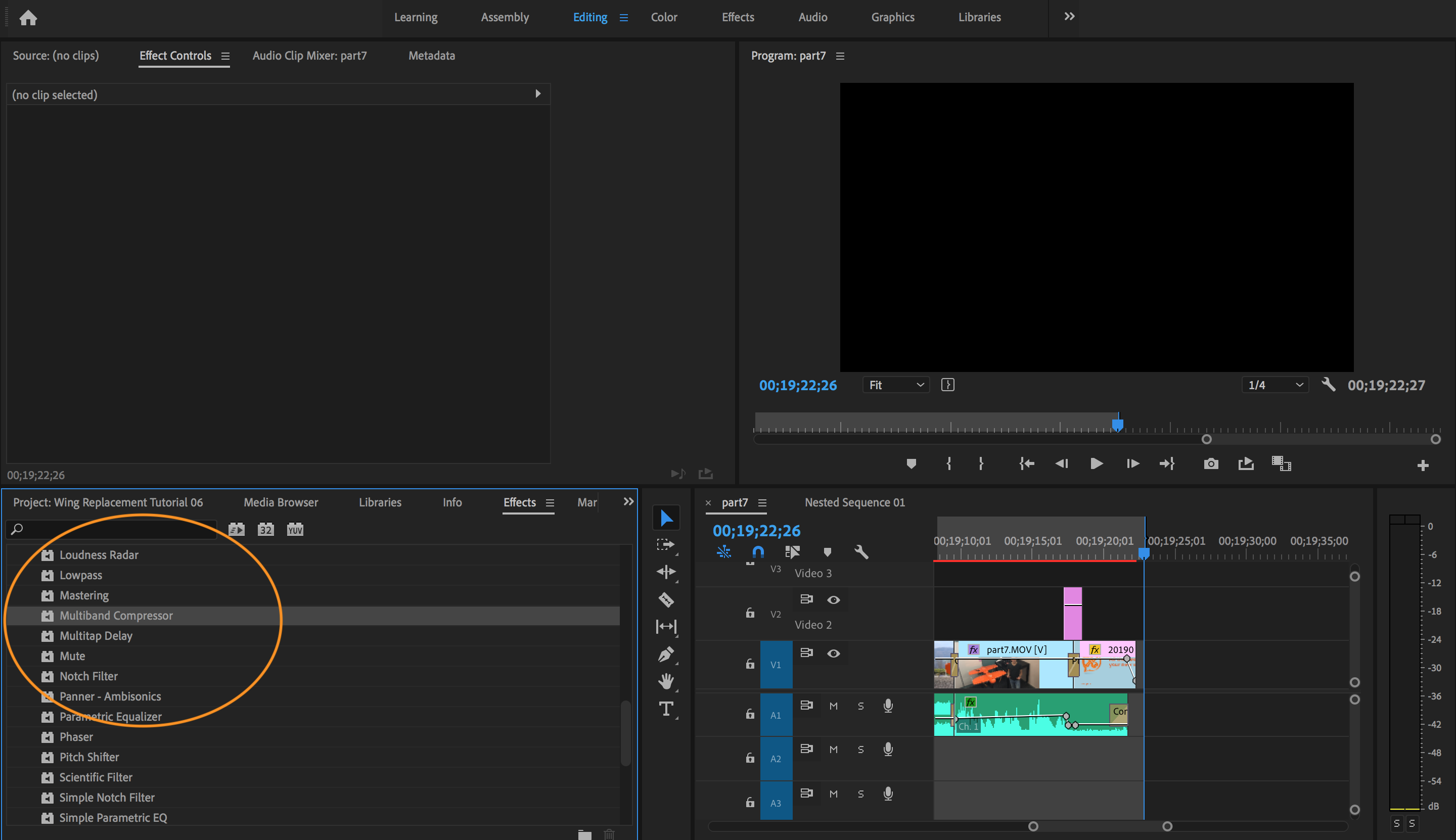
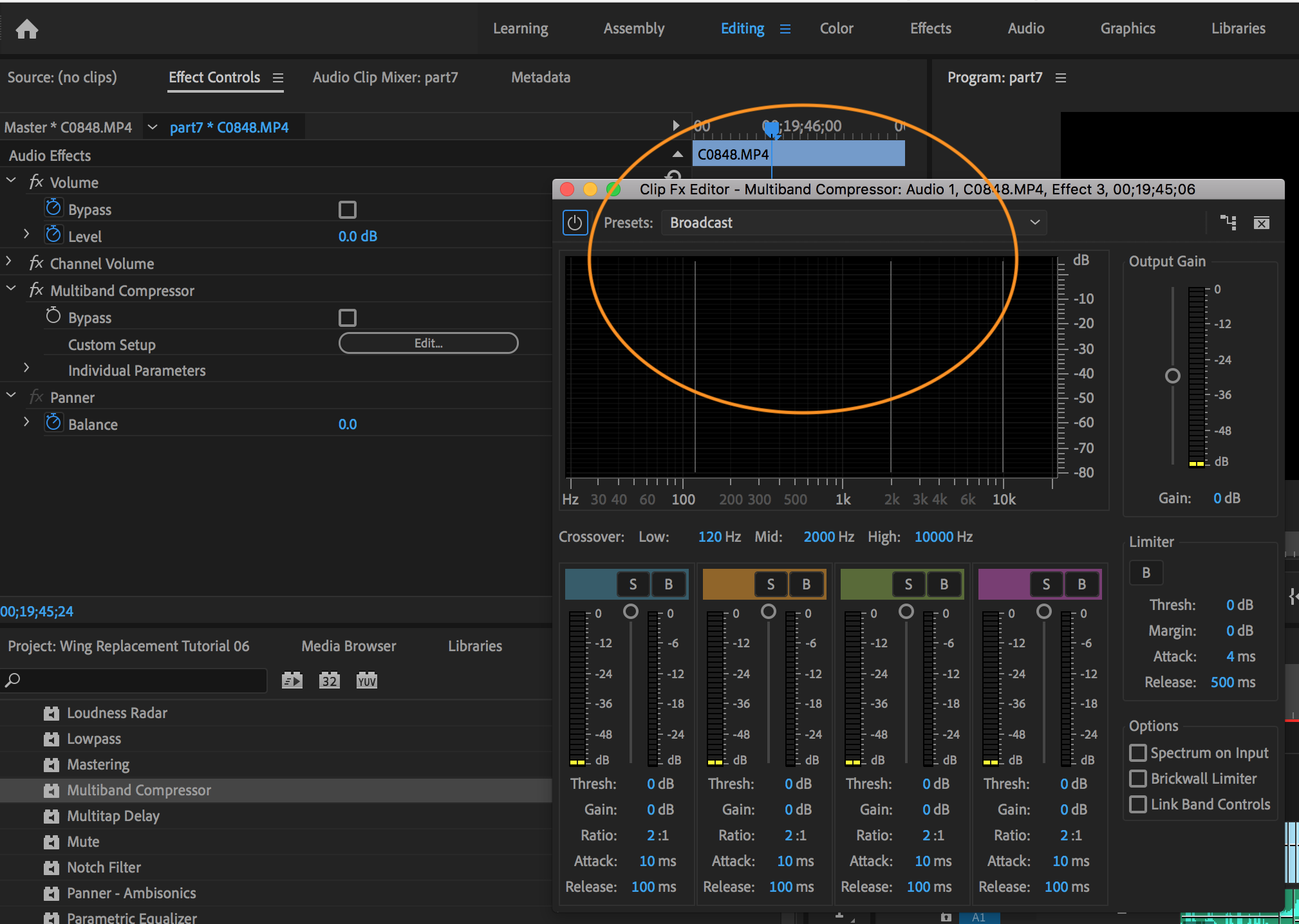
TIP #5! If you want to make speech sound better, just add the "Multiband compressor" effect. Find it in the "Effects" tab and add it to your clip. Go to "Effect Controls" and make sure it's set to the preset "broadcast". It will sound better immediately.
TIP #6! Youtube Tutorials! You will find pretty much anything you need with a bit of google-searching and through youtube tutorials. It just takes some time to get used to. Good luck!