At Wingtra, the marketing and sales team use Hubspot to track customers throughout their lifecycle stages. Learn everything about it from SQL, MQL, all the way to lead scoring.
- What does the funnel enable us to do?
- Wingtra's funnel
- Lifecycle stages
- Lead status
- Lead scoring
- Loss reasons
- Drip campaign (contact nurturing) explained
What does the funnel enable us to do?
1. Lower the barrier to contact
Lower the barrier for a website visitor to give their contact details. This is done by asking website visitors for their email address against access to gated content (White Paper, Webinars)
2. Nurture contacts with targeted communication
Classifying contacts and leads into different stages of the buying process. Nurturing these contacts who are not ready to enter the sales process yet, with automated ongoing communication (email drip campaigns)
3. Educate leads about Wingtra
Depending on the buying stage, the contact gets different type of educational content about drone surveying, the WingtraOne and its applications
4. Get lead scoring
Each lead is assigned a dynamic score that represents its level of engagement with Wingtra. It can help sales reps identify the warmest leads.
5. Save time for sales reps
Sales reps can focus more on selling instead of identifying the warmest leads. The leads they get are also more educated about Wingtra.
6. Do Marketing re-targeting
Leads classified as “Maybe Later” can at some point be re-targeted with either advertising or automated marketing email campaigns.
7. Do Better reporting
Enable Marketing and Sales to evaluate the impact of their activities and campaigns on the bottom line and focus on the most effective activities.
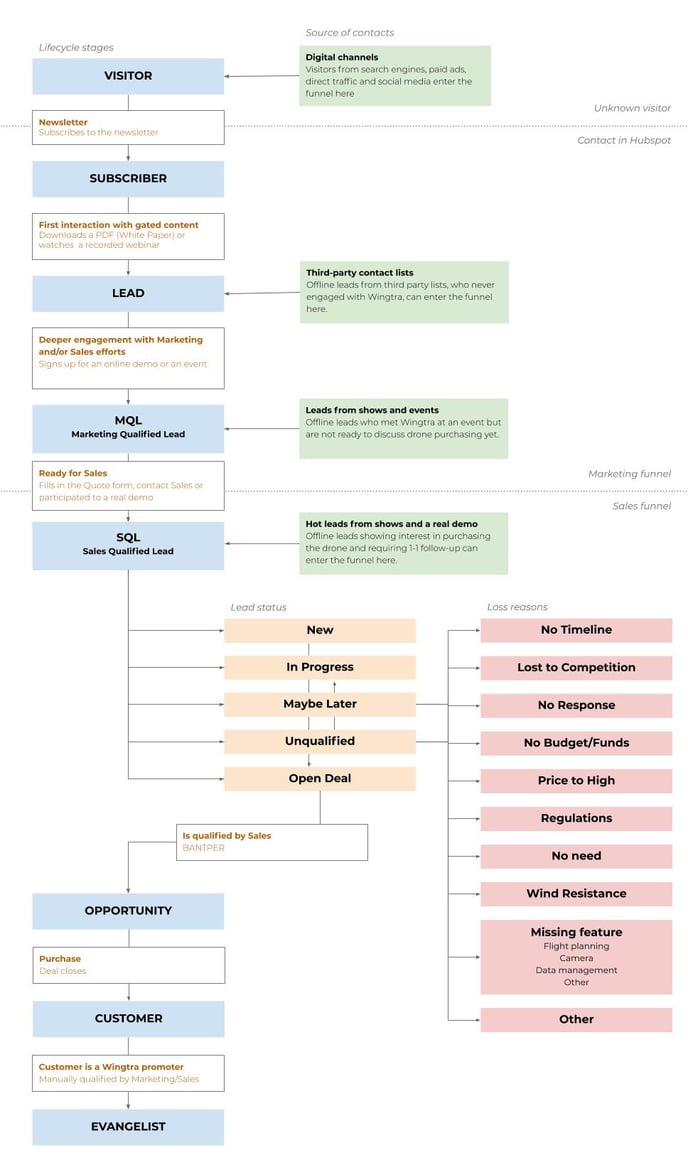
Wingtra's marketing and sales funnel
Lifecycle stages
2 new stages are introduced. The biggest change is that Sales will mostly work with “SQL - Sales Qualified Lead” instead of “Lead”.
Although it is also important to understand the other stages in order to correctly assign contacts that are not ready for Sales follow-up yet.
Which Lifecycle stages should you use when uploading offline contacts?
Sign-up forms
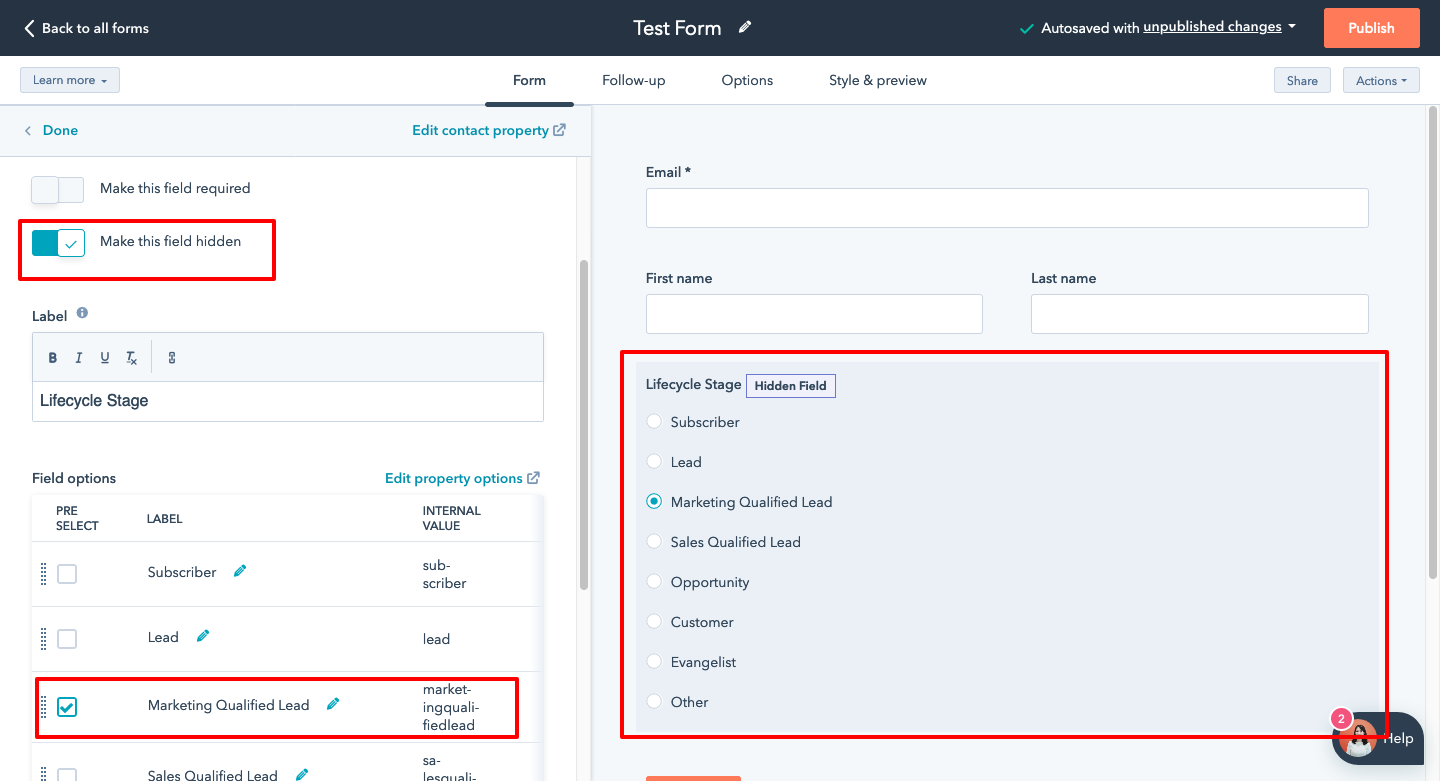
If you are using a sign-up form (for an event, demo, webinar, etc…)
→ Add a hidden “Lifecycle Stage” field pre-set as “Marketing Qualified Lead”
Uploading a list of contacts
1. Purchased lists of contacts or contacts you’ve never talked or met before (=these contacts never engaged with Wingtra before):
→ Set the Lifecycle stage as “Lead”
2. List of leads whom you had contact with but have not shown readiness to purchase a drone:
→ Set the Lifecycle stage as “MQL - Marketing Qualified Lead”
3. Leads with whom you had contact with and whom expressly shown interest to purchase a drone and with whom you will follow-up on 1-to-1 basis:
→ Set the Lifecycle stage as “SQL - Sales Qualified Lead” and the lead status as “New”
Lead status
The Lead Status property describes the sub-stages within a SQL- Sales Qualified Lead lifecycle stage and should not be used for other Lifecycle Stages.
Lead scoring
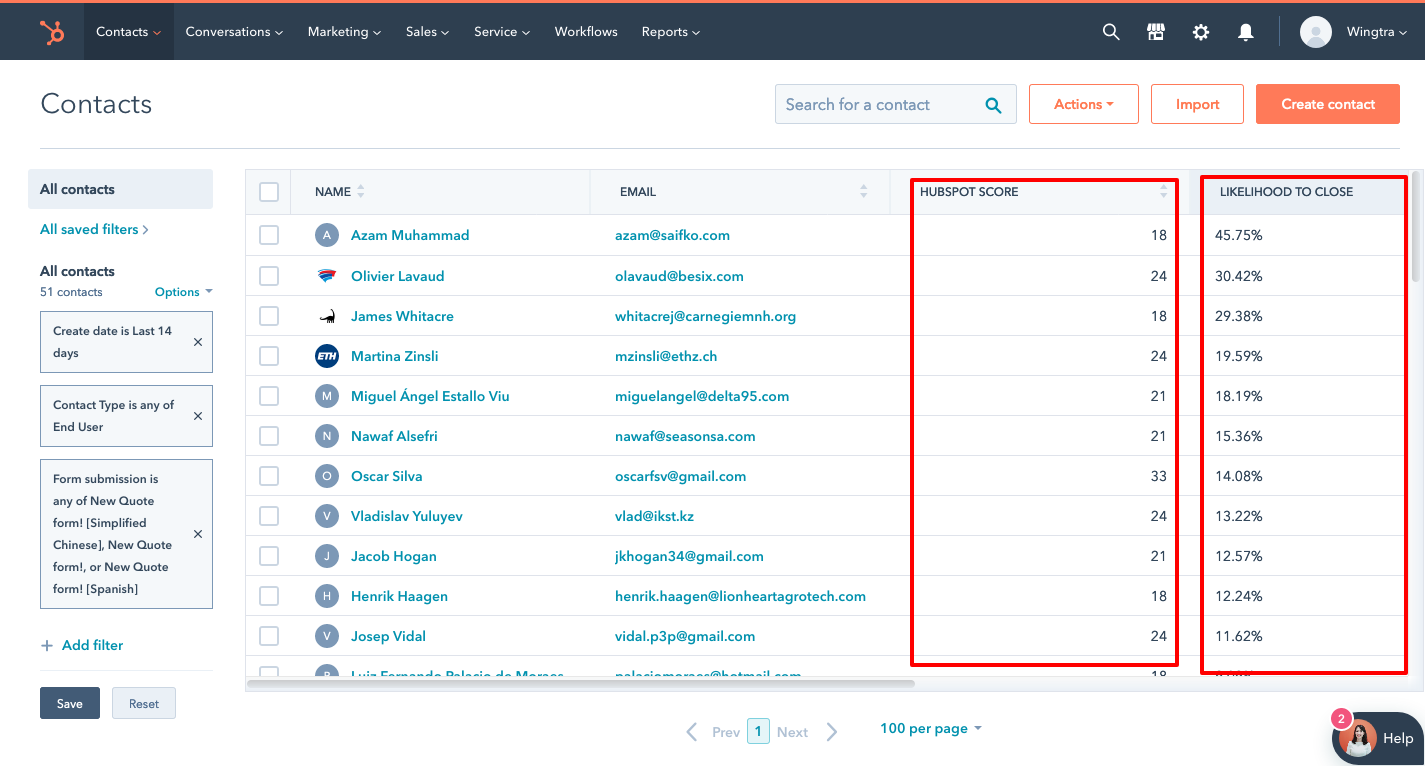
You can display two different kinds of lead scoring in Hubspot, one based on a formula determined by us and that can be adapted anytime. And a second one, based on Hubspot’s own algorithm.
Hubspot score (Traditional lead scoring)
The “Hubspot score” represents the level of engagement of a lead with Wingtra’s marketing and sales efforts based on a Wingtra-made formula. This level of engagement can help you to identify the warmest leads. The formula can be optimized according to sales feedback. Current formula is available here.
Current scale: 0 - 99 points
(In some edge cases, up to 123 points is possible)
Some examples:
Current average score of existing contacts
Likelihood to close (Predictive lead scoring)
Likelihood to close is a lead score that represents the percentage probability of a contact closing as a customer within the next 90 days based on standard contact properties and behavior. Hubspot uses machine learning algorithms to calculate this score.
For example, contacts with a close probability value of 22 have a 22% chance of closing as a customer in the next 90 days. The Likelihood to close is based on predictive machine learning algorithms.
Loss reasons
Each lost lead and each lost deal must be assigned a loss reason. This helps Marketing to do retargeting of leads that still might convert and helps Sales and Management to better reporting/statistics to improve WingtraOne offering.
Drip campaign (contact nurturing) explained
When a visitor gives his email address to access gated content (White Paper, Webinar) he is automatically enrolled in a series of workflow. An email series of educational and promotional content (Use cases, applications, product feature, drone comparisons,...etc) will be sent on a weekly basis.
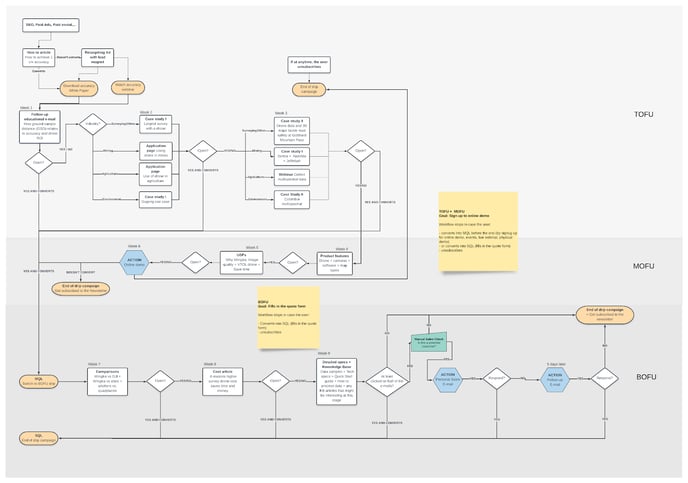
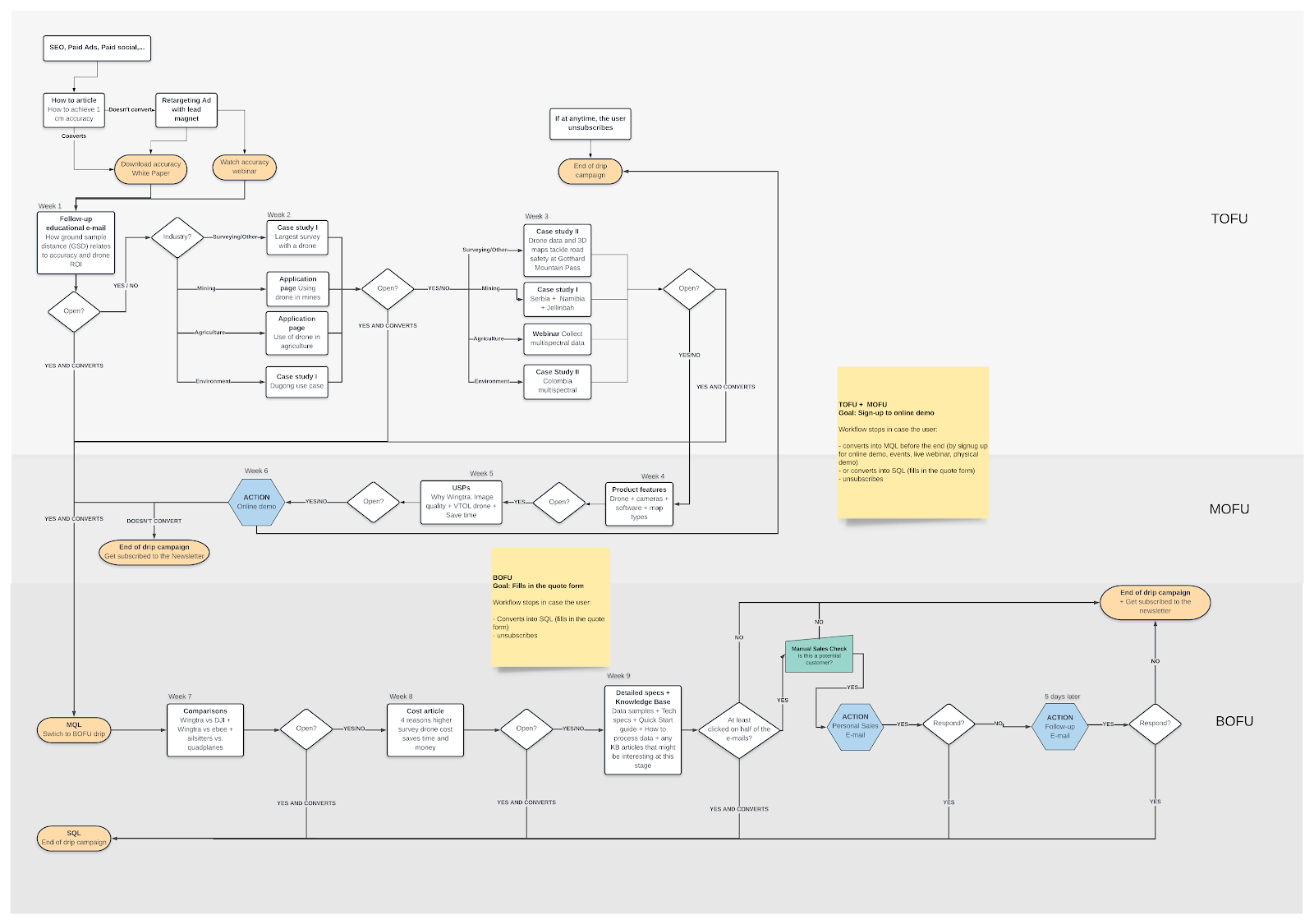
Examples of topics/emails:
Conversion
If a contact converts, i.e meets the goal of each workflow before the end of the email drip (such as signing-up for an online demo or filling in the quote form) the workflow stops and the contact falls into the next Lifecycle stage.
How to check if a contact was enrolled in a drip campaign and if he interacted with the emails?
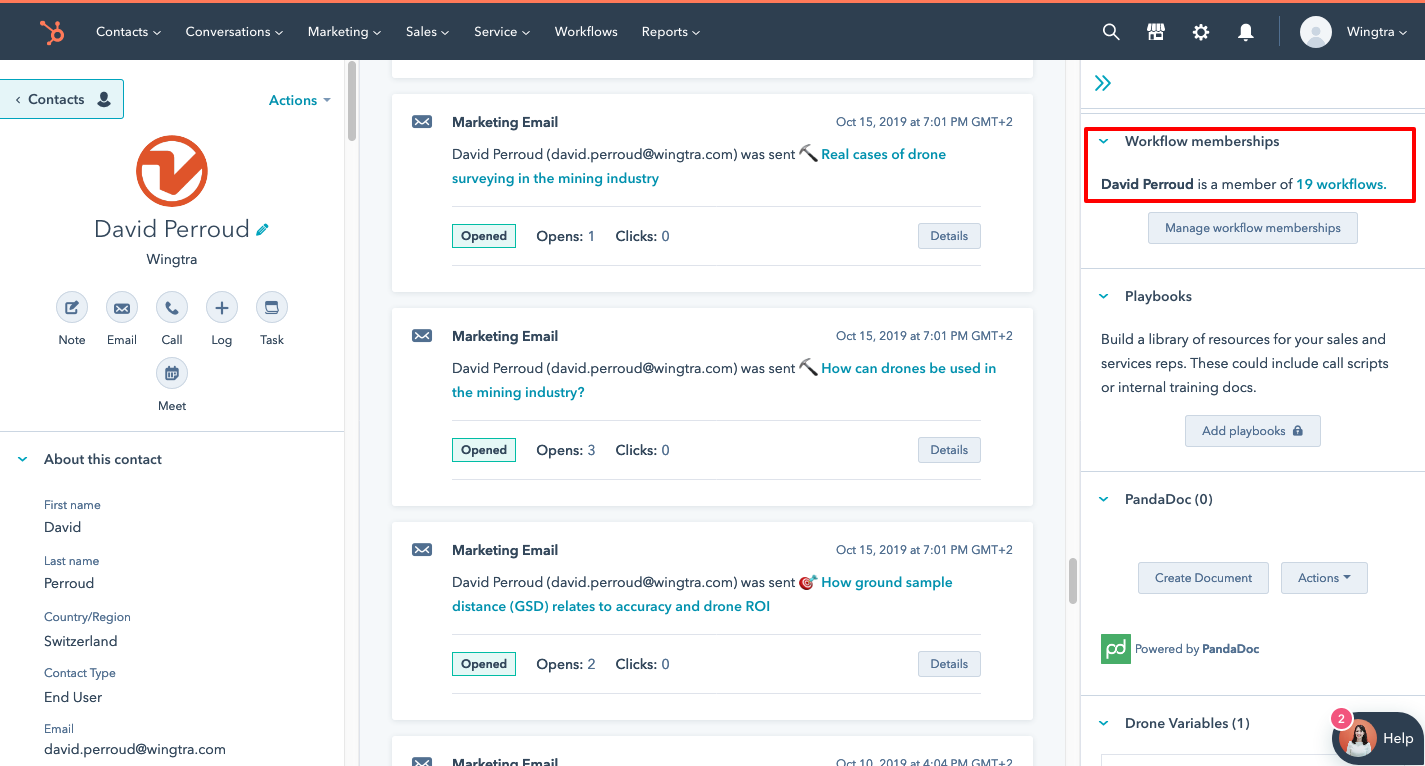
→ In the contact profile, open the Workflow memberships:
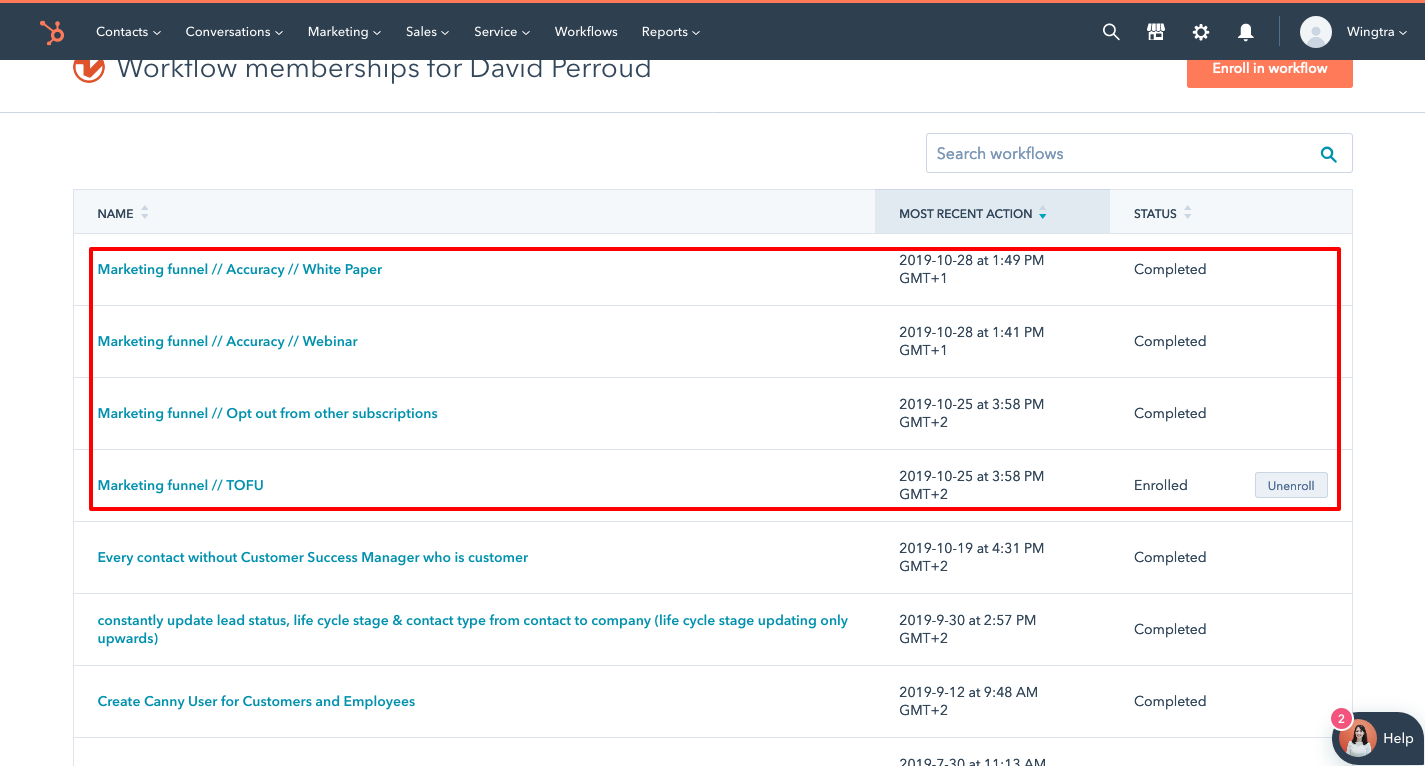
→ The drip campaigns are called “Marketing funnel //….”. Here you can see if the contact has been/is still enrolled in one of them. Please consider this when sending them out content from your end.
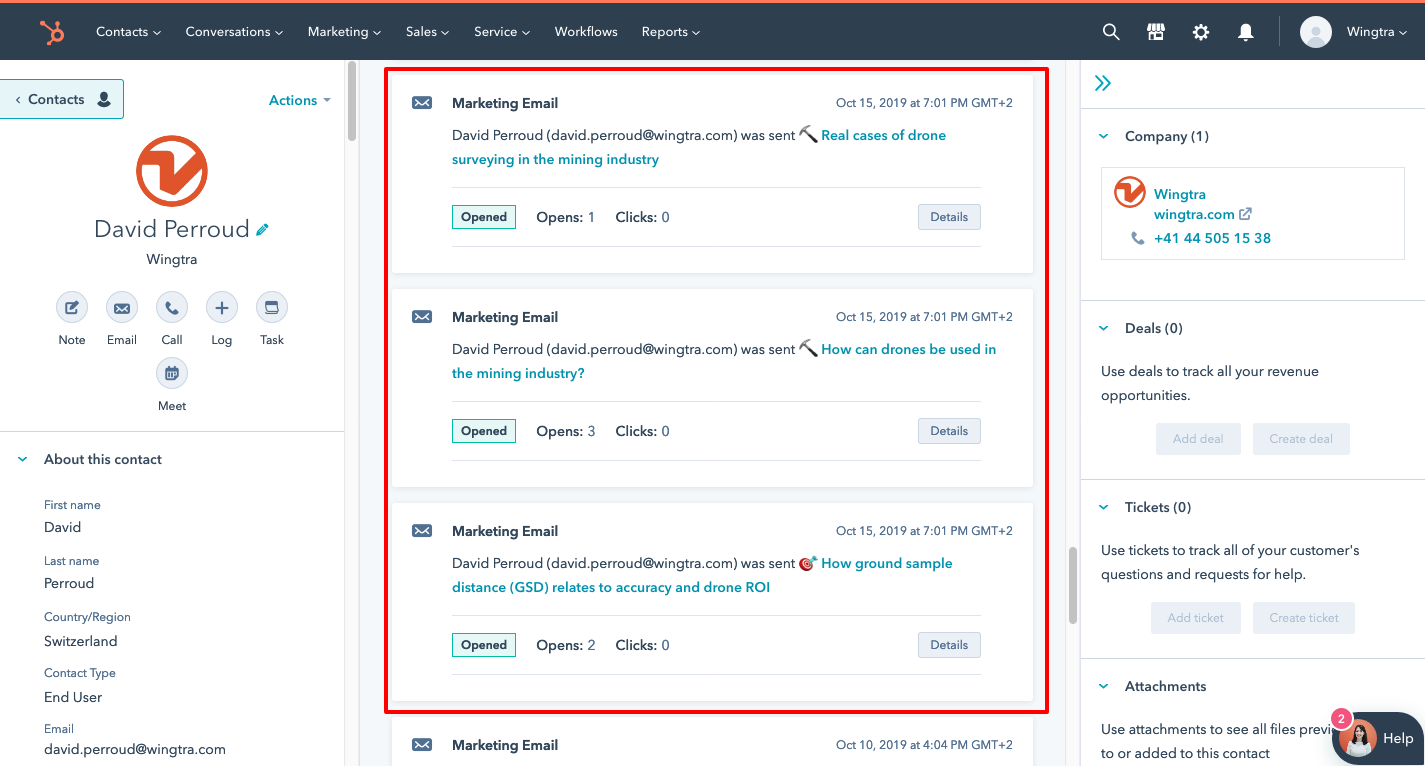
→ You can filter the activities in the main panel to check if a contact has interacted with the marketing emails or not.