- Help Center
- Wingtra Internal
- Known issues
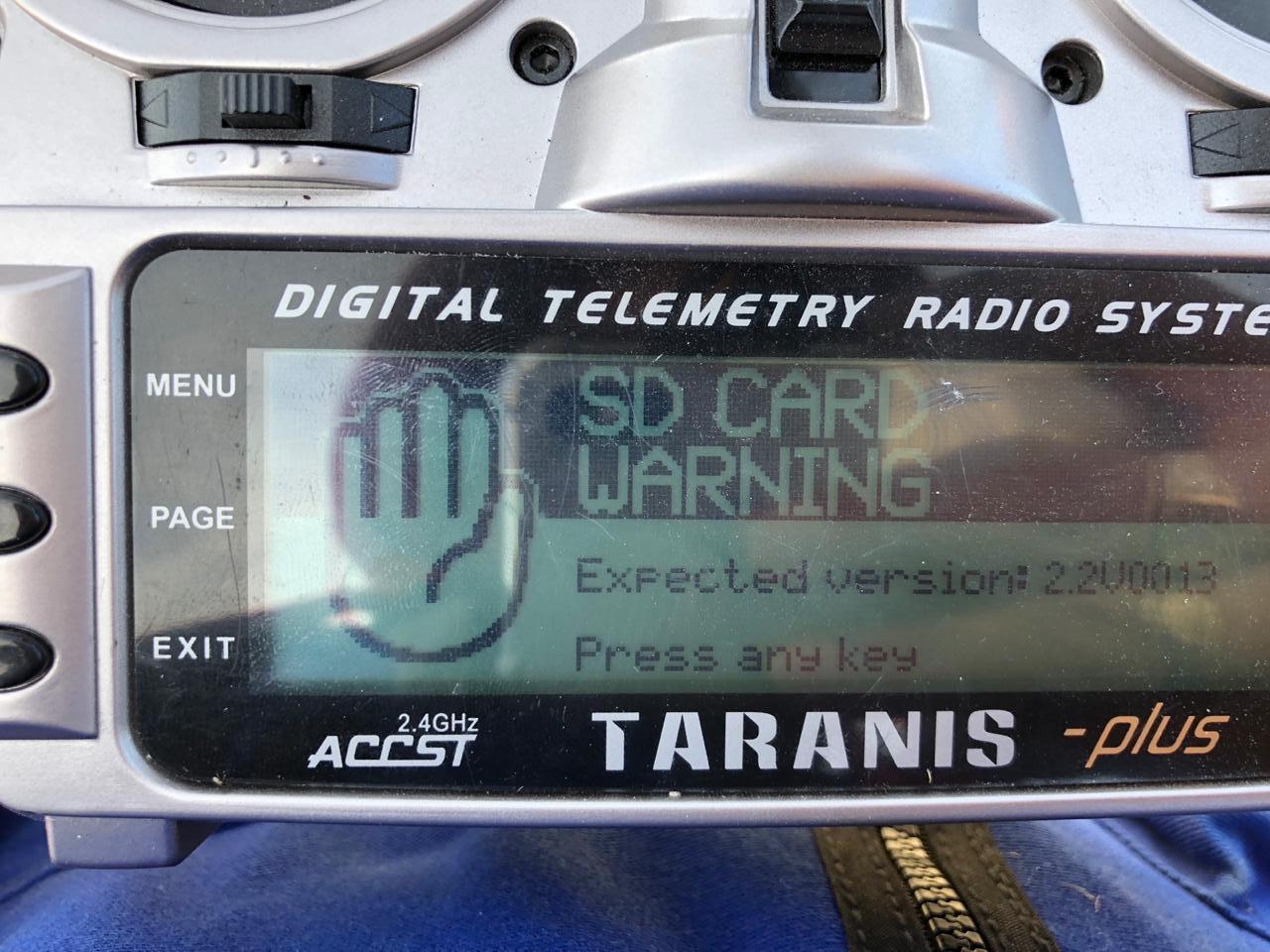
Known Issue: RC screen shows "SD CARD WARNING"
Unclear how, but for some customers, the RC can show an "SD card warning, Expected version: 2.2V0013"
Typically this warning does not ground a customer and by clicking any button the RC can be used to fly. Check if they purchased this RC from Wingtra and help them setting it up with the correct firmware and SD card file structure.
Always create a ticket for this case.
Sample Communication
Firstly, I wanted to ask if you can not use the RC at all due to the problem or if this is rather an annoyance and the RC can be used if you click any button on the RC to make the warning go away?
And secondly, did you purchase this remote control (RC) from Wingtra or an official Wingtra reseller? If not, it is expected that you run into warnings like this.
The warning points towards a problem with the root structure of the SD Card. Likely, we can fix the problem by flashing the firmware again and fixing the SD card file structure.
Here is the process for flashing the RC firmware:
- Take the SD card out of the RC battery bay and plug it into your Windows computer.
- Format the SD Card by right-clicking on it and selecting format.
- Press start.
- Copy all folders and files in sdcard-taranis-x9-2.2V0013 to the SD card. https://drive.google.com/open?id=1pzUPVGC-LPdMM9IODDBy_0hRjHOBRwvW
- All the folders and files in the link should be on the SD card which will make the Warning to disappear
Let me know if you need further assistance or help!