This article lists different cases where the RINEX file could not be successfully read by WingtraHub. The issues can be resolved by modifying the files in a text editor.
A badly formatted RINEX file can lead to different failures. As a first step, WingtraHub converts the RINEX file to an .sbf file (FlightName Base.sbf). If this step fails, WingtraHub crashes. In some cases, the RINEX file can be processed successfully, but in the end a warning indicates an issue.
Possible solutions/fixes:
- Removing the additional/unexpected lines in RINEX
- Only using the observation file (.o), without the navigation file (.n)
- Ask the base station manufacturer if they can help to solve these imperfect RINEX files
- Remind the customer to update their GPS base station firmware or try another RINEX converter as these programs, if not updated, can cause issues
- Analyze observation file for any kind of data missing or corrupted timestamps, and remove them
RINEX failures
Extra comment lines in the header (.o file)

Multiple headers in the files (.o and .n files)
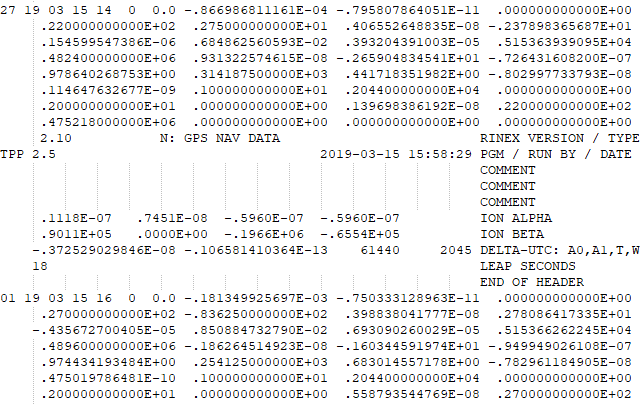
Wrong date formatting (.n file)

Example of correct date formatting in navigation file:

Unknown device descriptor (.o file)
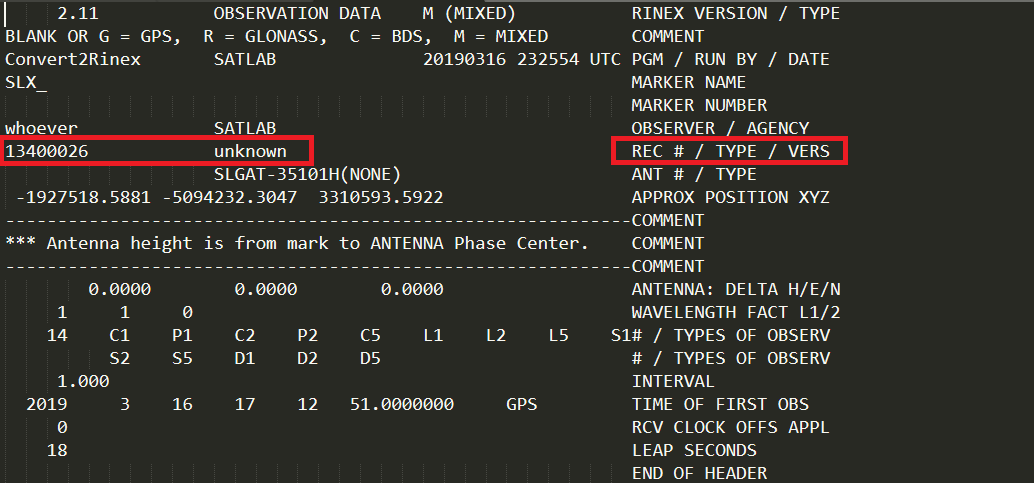
Example of correct / known device descriptor in observation file:
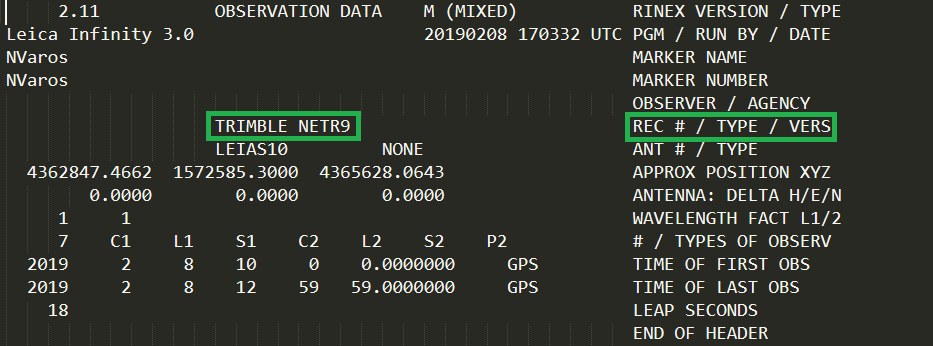
Column format error in file. Left side is format error compared to right side which displays normal structure.
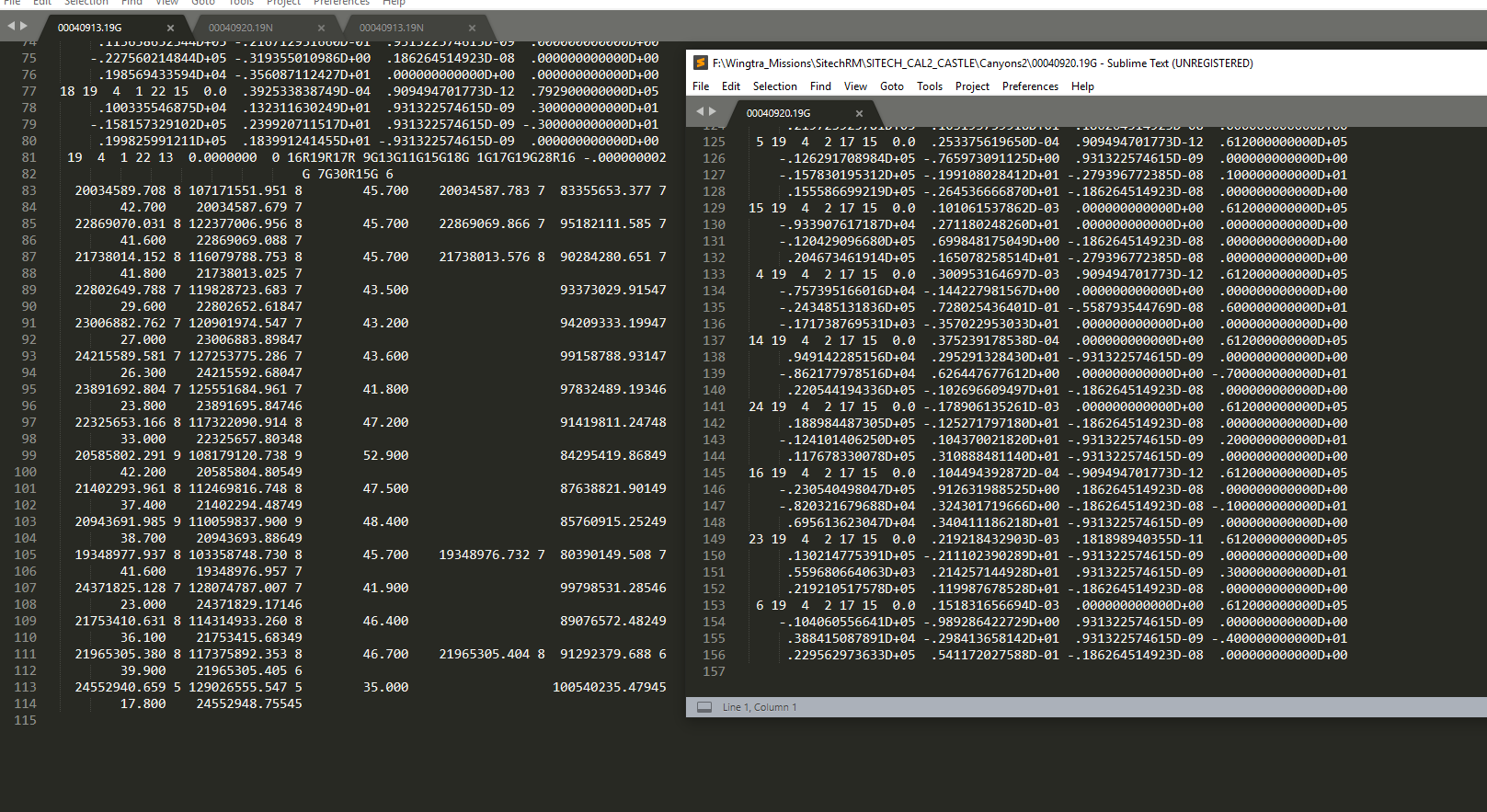
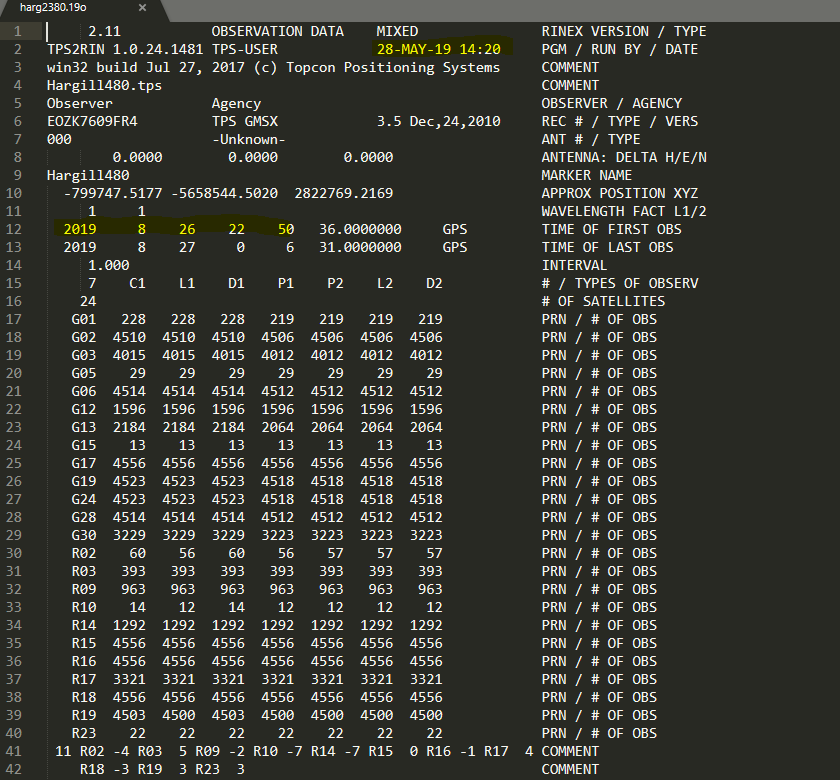
The date is wrong. In this case the RINEX is 6 months into the future, which is impossible unless time travel is invented.
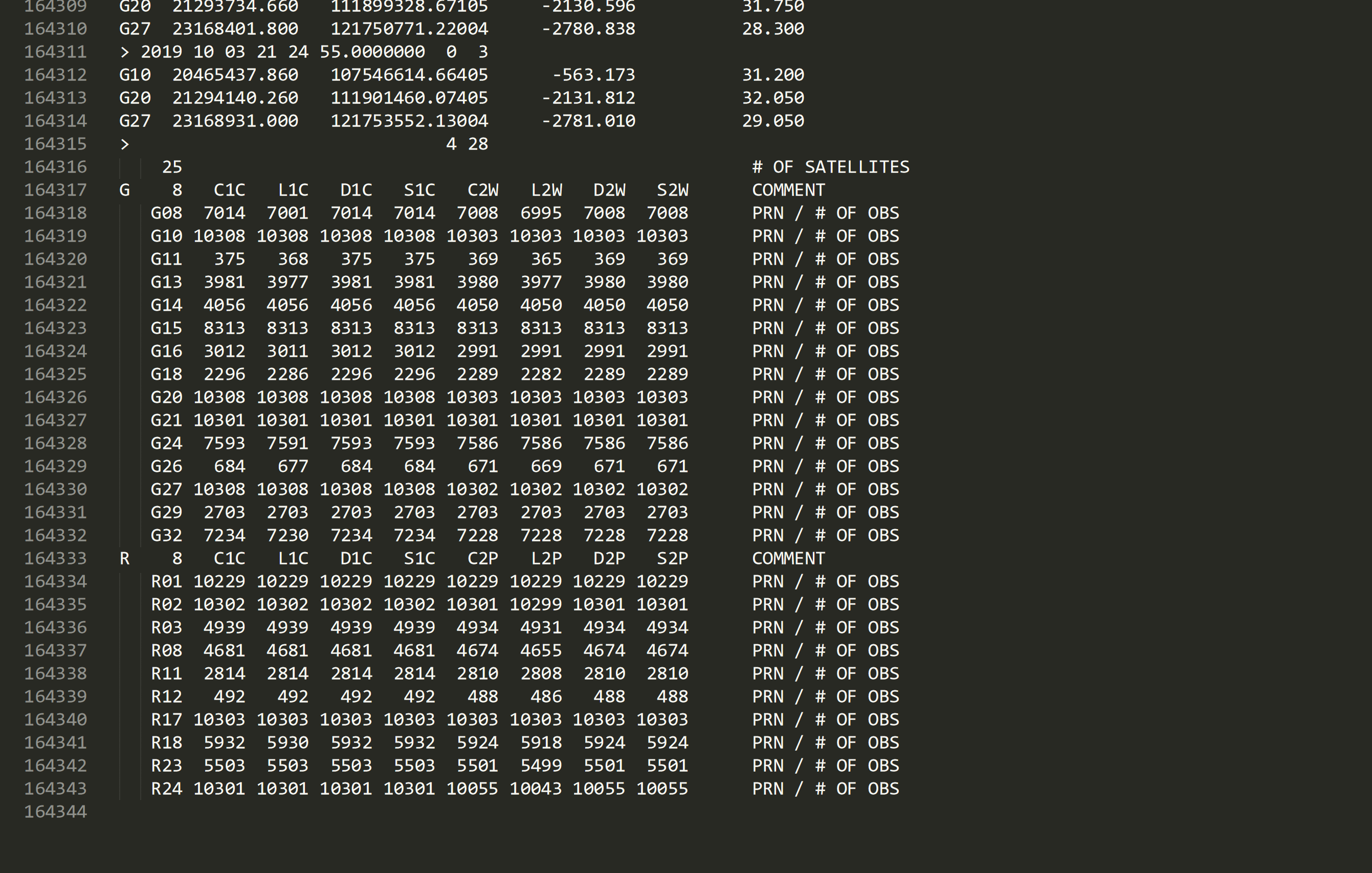
Extra section at the end of the observation file which needed to get deleted in order to process.
If there is a new cause not described in this email please contact support@septentrio.com to figure out why the PPSDK is crashing. We'll then add it to the list in this article. Support will ask for the RINEX files in question to test, and it helps if there are good RINEX files from the same position or equipment that they can compare it to.
WingtraHub Error: PPK processing failed, no valid solution found
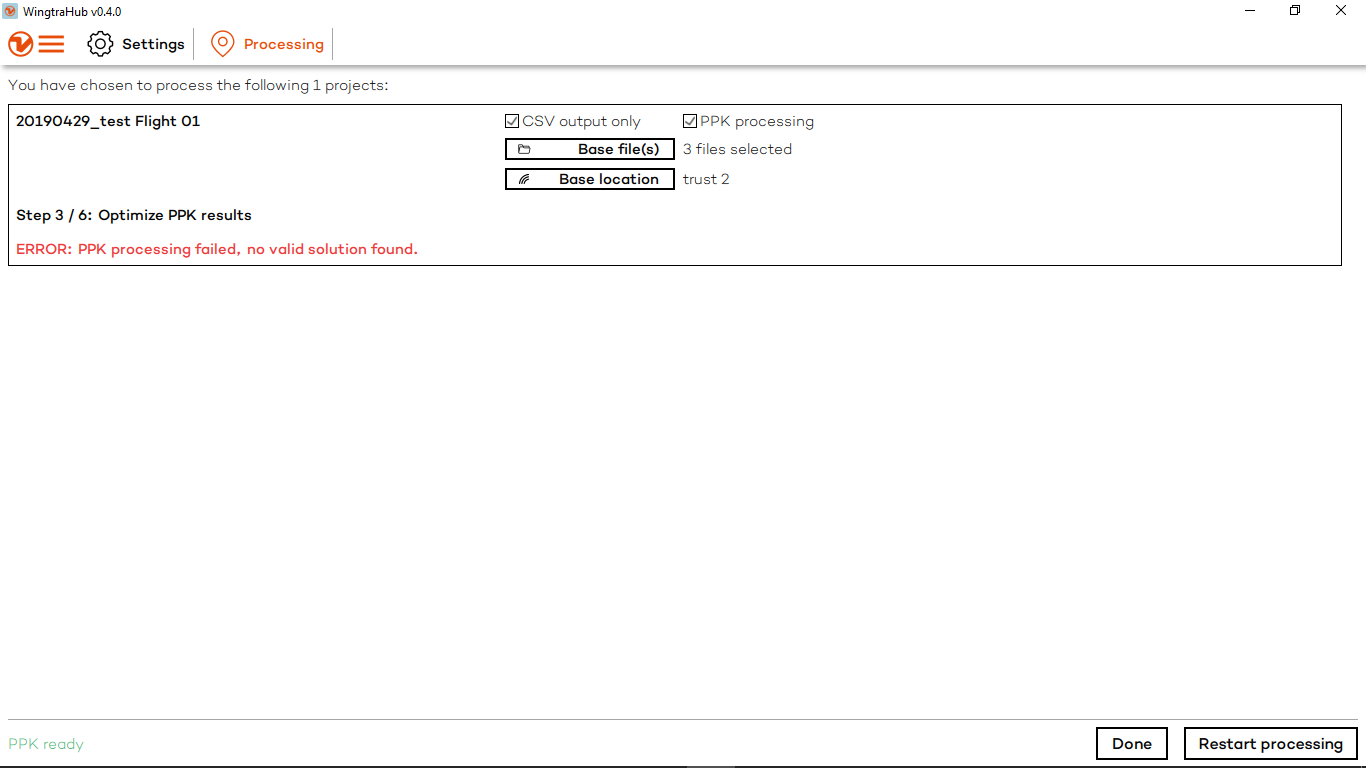
Explanation from Septentrio:
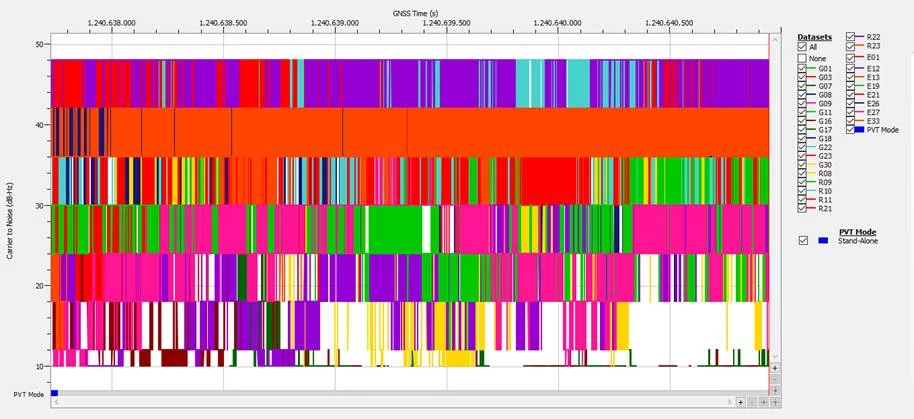
The C/No values are really low for most of the satellites and there is very high variation in the values as you can see in the first figure. The multi-path errors can also be observed from the second figure, errors were low at the start but then they increased drastically for an unknown reason. It may be due to bad installation of a base receiver and antenna setup or due to interference, etc. Ask your customer about the base station setup, how they have installed it and if they can try to geotag images using files from another base station.
The error is approximately 50 meters between the base station coordinates in the observation file and the actual coordinates due to these bad measurements.
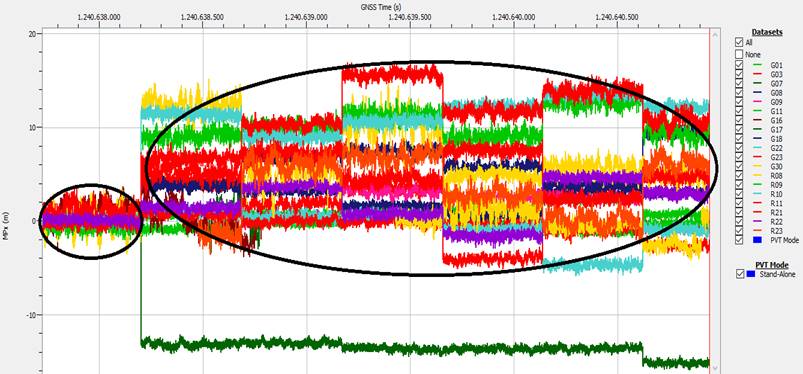
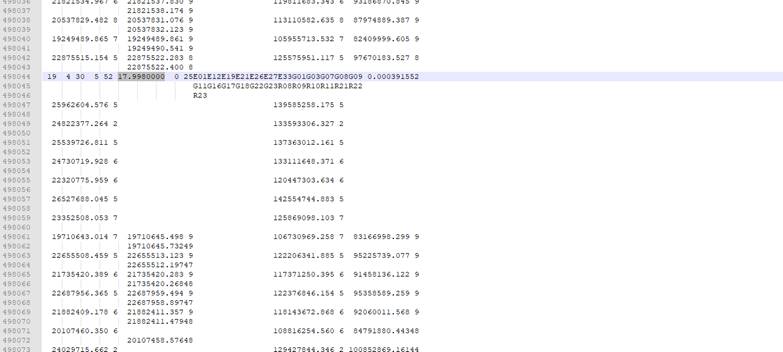
Exact reason why geotagging failed:
The measurement rate was set to 10Hz for the base file, which means that after every 100ms, measurements should be obtained. But due to some issues in base receiver, the timestamp was not in integer multiples of 100ms, i.e it should be like 17.800, 17.900, 18.000, 18.100. As it can be observed from the figure that the timestamp of seconds is 17.998 instead of 18.000 (difference of 2 ms in the timestamp) so GeotagZ software cannot process data with these strange timestamps and it was one of the reasons why geotagging failed.
WingtraHub Error: PPK processing failed, error converting base RINEX file
In some cases WingtraHub is unable to transform an observation file to .sbf file due to the faulty structure of the timestamps, resulting in the ERROR shown on the image below.

The cause of the error is wrong timestamps in this observation file. On the image below, you can see an example of a correct timestamp (green rectangle) and an example of a faulty timestamp (red rectangle).
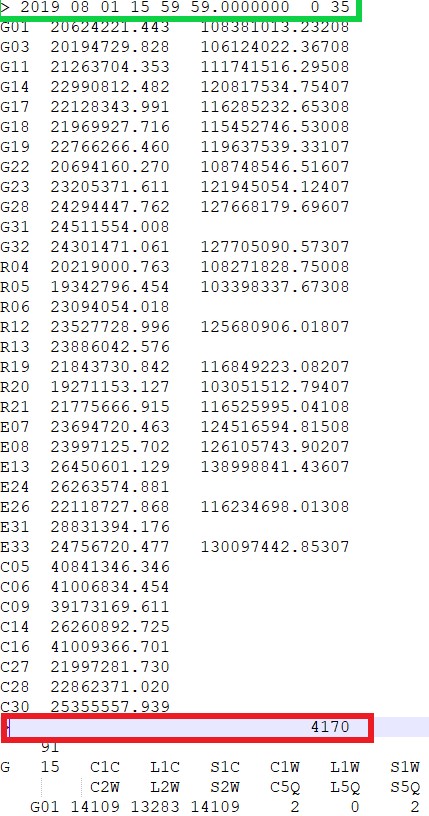
The solution to this issue is to remove whole useless observation containing the faulty timestamp. On the image below you can see the example of the faulty timestamp that needs to be removed.
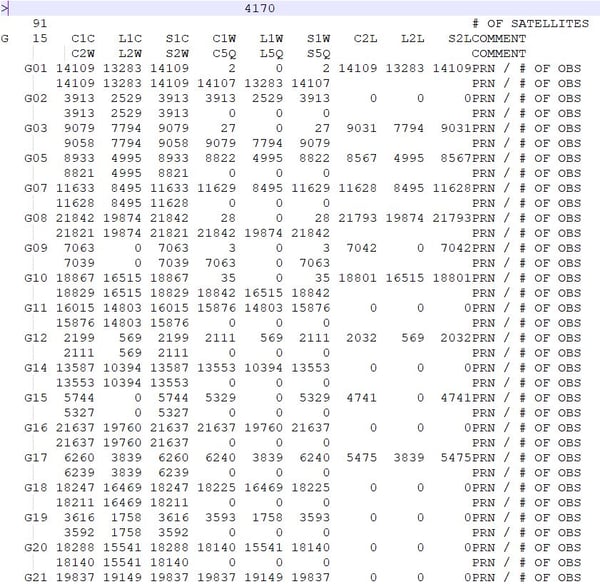
After removing the observation, import corrected observation file in WingtraHub and start processing. Now WingtraHub should be able to successfully transform the observation file.
WingtraHub WARNING: generating a map using this dataset might fail. The base file may have an irregular time interval. There might be gaps, or the different base files have different update intervals.
Sometimes transformation in WingtraHub will produce a WARNING as you can see on the image below. Possible reasons for the lack of recorded data from all SVs during the observation time frame could be:
- Receiver turned off and later turned back on
- Internal error of the receiver itself
- Communication breakdown between the receiver and SVs
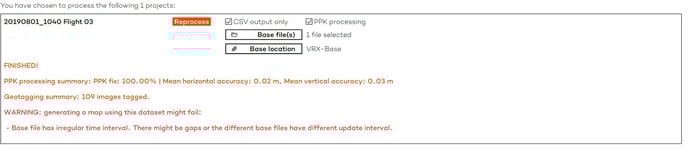
Here you can see the time gap, resulting in a WARNING during processing in WingtraHub.
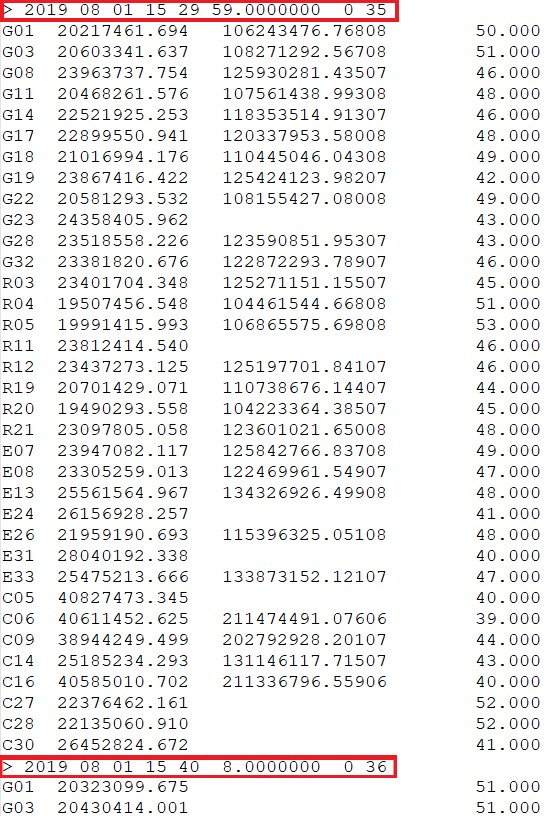
If the gap appears before or after the flight time the warning should not be considered critical. But if the gap appears inside the time frame of the flight it could be problematic and could cause a lower PPK fix percentage, which can have an impact on the accuracy of the geotags.