- Help Center
- Wingtra Internal
- Known issues
Known issue: Bad or missing PPK data after flight
What to do in case there is bad or missing PPK data
Check if antenna is screwed properly
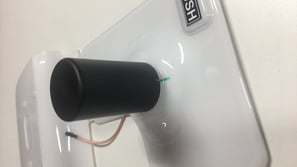
After a hard landing or even after several flights, the PPK antenna can slightly unscrew, disconnecting itself from the module and thus, not georeferencing properly. A possible solution to this is to firmly adjust the antenna before every flight. Even unscrewing and screwing again is sometimes convenient to ensure that the antenna will work properly.
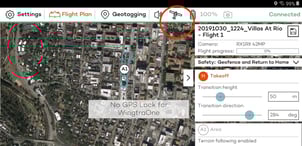
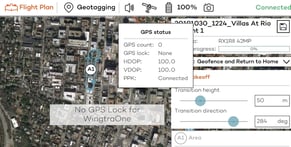
For software version 1.10 and after, the PPK antenna connection can be checked in the WingtraPilot app. Clicking on the satellite icon, the pilot can see how many satellites are being used by the GPS (GNSS) used for navigation and also check if the PPK module is connected. This connection refers to the connection of the module to the drone but does not assure that the antenna is tightly screwed.
PPK modules released after October 2019 come with a mark made on the antenna so that the pilot can be sure if it is correctly adjusted.
If the mark does not match, please adjust the antenna until both lines connected.