- Help Center
- Wingtra Internal
- Known issues
Downloading offline map or displaying background map failures
WingtraPilot does not load the background map in the flight planning tab. Also downloading offline maps is very slow and WingtraPilot crashes from time to time.
Make sure to check that the tablet has a stable and good internet connection. Furthermore, it might be that certain areas restrict the use of specific map types. Change the map provider and try again.
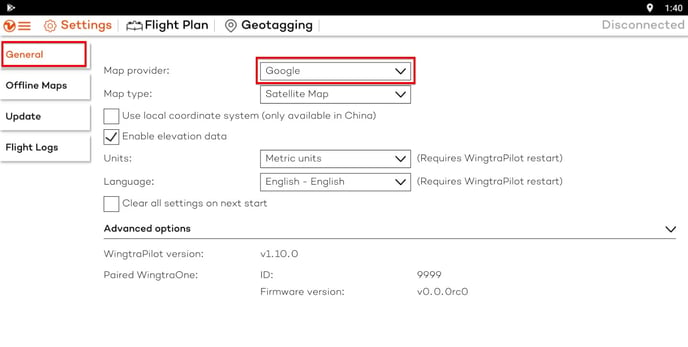
If the offline maps download slow you can try to delete previously downloaded maps.
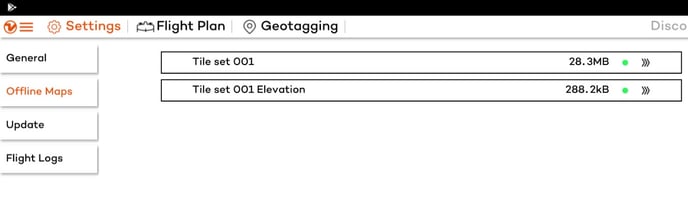
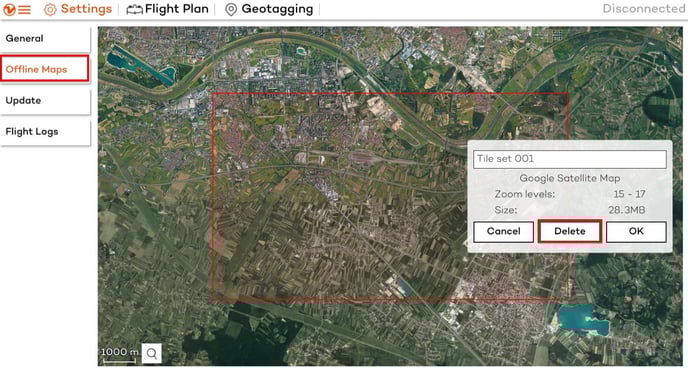
To do that go to the Settings tab and select Offline maps on the left hand side.There you can select which map set you want to delete. After selecting the map set tap delete button to delete the selected map set.
Further debugging steps:
- Delete folder containing previously downloaded maps: My Files > Internal storage > WingtraPilot > Maps
- Uninstall WingtraPilot and reinstall using latest .apk in My Files > Internal storage > WingtraPilot > Releases