Create a shipment using the "shipment application"
Potential problems along the way
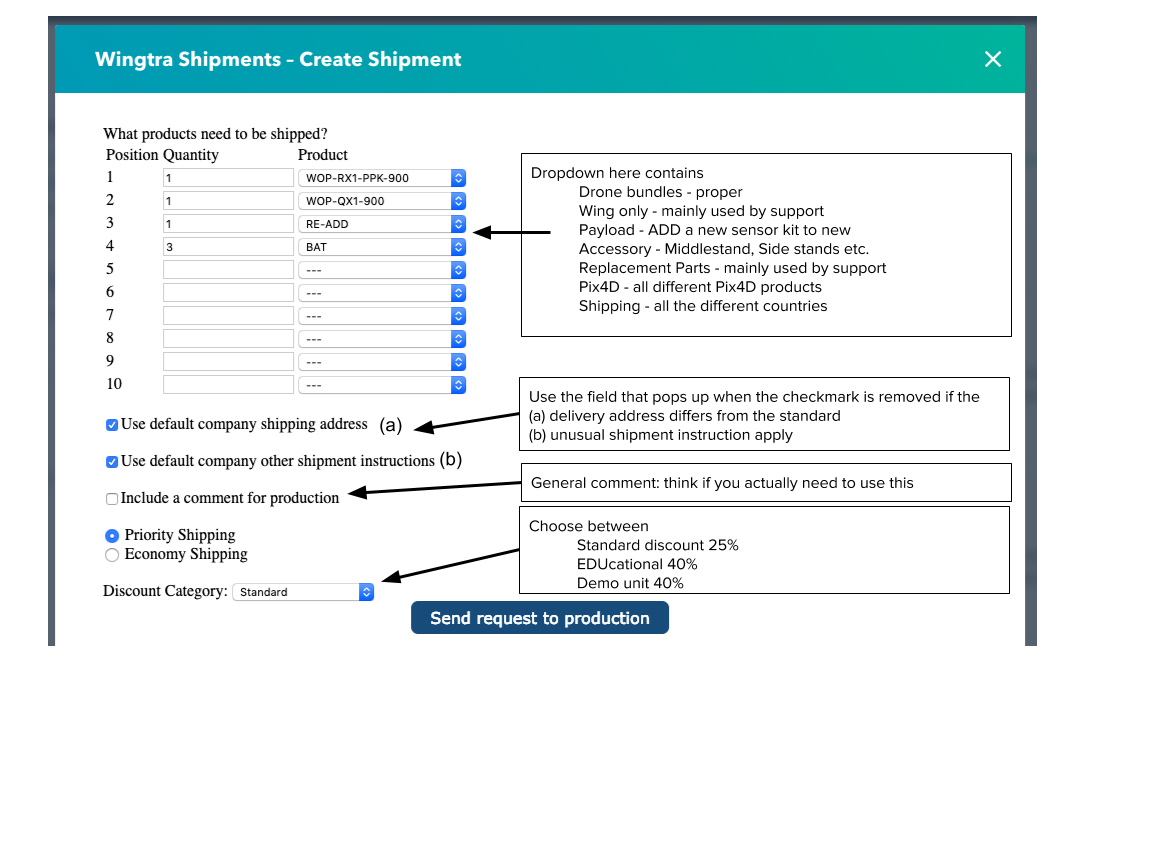
Potential problems along the way
Contact Phone missing
If this message comes up, you probably don't have any "phone number" in the contact details of the persons associated with the deal. Note that the logic here is, that the phone number of the first person to be associated with the deal will be pulled and forwarded to the fulfilment.

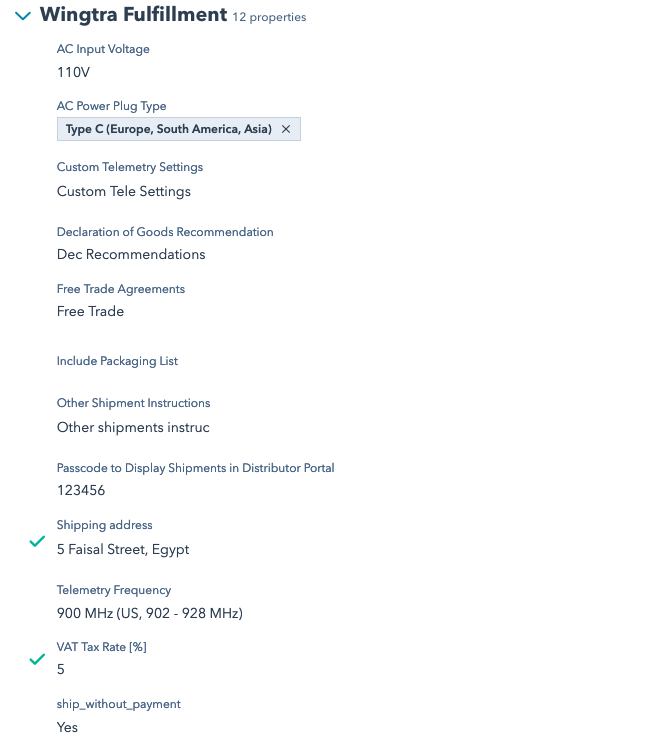
Fulfilment Info missing (AC Power, Telemetry, Power Plug, Free Trade..)
On a company level, each company has to have filled in certain properties in the "Wingtra Fulfilment" category in order to place an order. After all, how should production know what type of telemetry to equip a drone with, or how / where to ship to?
The standard process to fill these in is via the customer answering to our import questionnaire (you can also google wingtra import if you don't remember the link..) HubSpot then matches the email addresses that is used to complete the form with the ones we have on record in the CRM - and magically stores them as a company variable. Of course you can later go back to the company record and make changes if required. In a company record go to "view all properties" --> "Wingtra Fulfilment" dropdown.

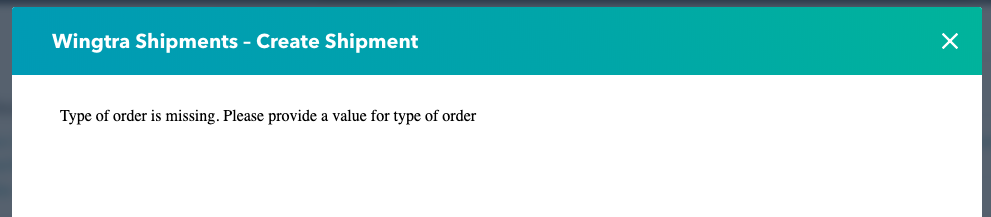
Type of order is missing
There may be different reasons for why you want to place an order (create a shipment). These different motivation are tracked by the variable "Type of Order" and are a mandatory field when placing an order. If you don't fill it in you will see the following error pop-up.
"Paid"
Max:nice, thx. Can you just clarify where "free" gimmick / marketing material for distri orders go? imo, the best is "paid" with zero value (sounds a bit counter-intuitive but reflects best where it should go). Then it is also in line with „mixed“ orders, e.g free hardcase with a bundle also will be in „paid“
What happens afterwards?
Once the shipment is specified, the script enters a new line in the shipmentv2 sheet.
Training Task
Whenever you feel uncertain along the way - note it down or ask one of your peers directly. But first do think about it and try out. Don't do this when you fear that you might break something.
1. Company: Create a new company called "TESTNAME company", set the "type" to "other" and "lifecycle stage" to "other" as well.
2. Contact: a new, ficticious contact for this company.
3. Deal: with "TESTDEAL NAME",
XX. Delete the company "TESTNAME company", the deal "TESTDEAL NAME".