We use a tool called Canny to track feature requests. It's accessible on feedback.wingtra.com for customers and can be used directly from Hubspot.
!!! The comments on the "Feature Request" Board are public to customers !!!
Where does Wingtra track feature requests?
- Canny (feedback.wingtra.com) is used to track all product related feature requests. These are visible to customers but not to the public. This is particularly valuable since new ideas also get validated by our customer base.
- There is an internal issue tracker on github for crazy long shot ideas, called ideation repo. These are not visible to customers.
- Google sheet product backlogs are depreciated. Please don't use them anymore.
Join Canny as Admin
- Make sure you are logged into your @wingtra.com Google account
- Then open this link: https://wingtra.canny.io/join?inviteID=303169ad-ab2c-924d-37ee-38adcc3b5c26
- If you see a login window, login using your Wingtra Google Account
- Don't modify privacy or other board settings.
Public / Internal Comments / Statuses
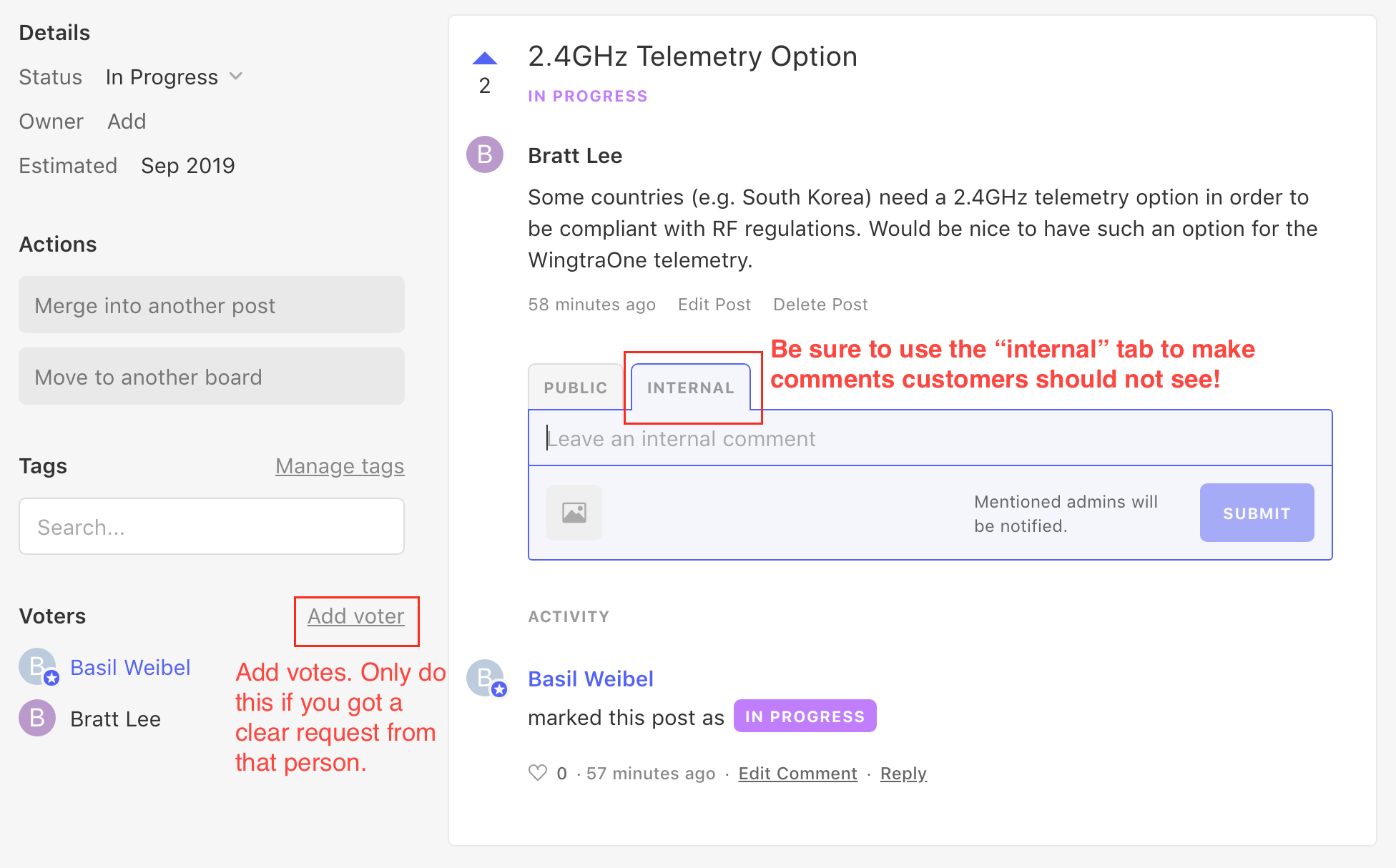
- Everybody is welcome to post internal comments and to @mention other Wingtranauts.
- Everybody is welcome to post feature requests, upvote feature requests or upvote on behalf of customers.
- Only post owner and support owner should write public comments. Don't start discussions about pro/cons of a feature with customers - use canny as a feedback tool.
- Only post owner and support owner should update post statuses!
- If you are a post-owner use public comments for
- Clarify details about a post / asking questions
- Posting a meeting link for research calls (to answer more complex questions / interview for use cases)
- Set expectations if you update the status of a post and you already know it will only be partially addressed or there will be remaining limitations.
Create Posts and Upvote in Canny
You can now create posts and upvote in Canny directly. There are different boards with different access:
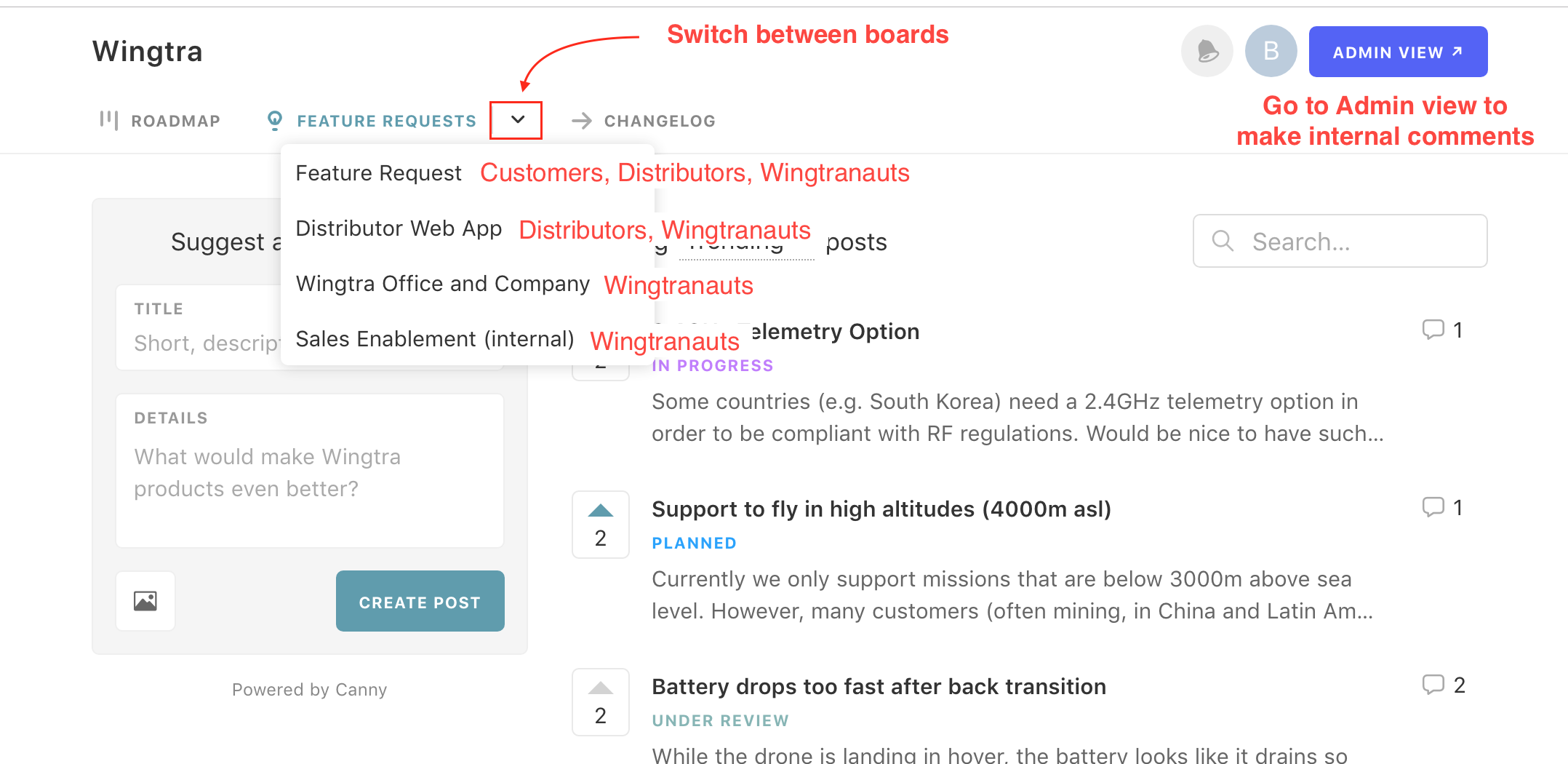
Use the Admin View
In the admin view you can set ETA, assigned post owners, set the feature status, add votes and leave internal comments. Furthermore, you can segment posts and export them.
Please make sure to not alter settings!
Create Posts / Upvotes on Behalf of Customers in Hubspot
If you are on a contact record or a ticket record, you can create feature requests or upvote feature requests on behalf of customers. This is helpful to associate customers and especially tickets with features requests.
You can reorder the cards in the Hubspot sidebar according to your needs:
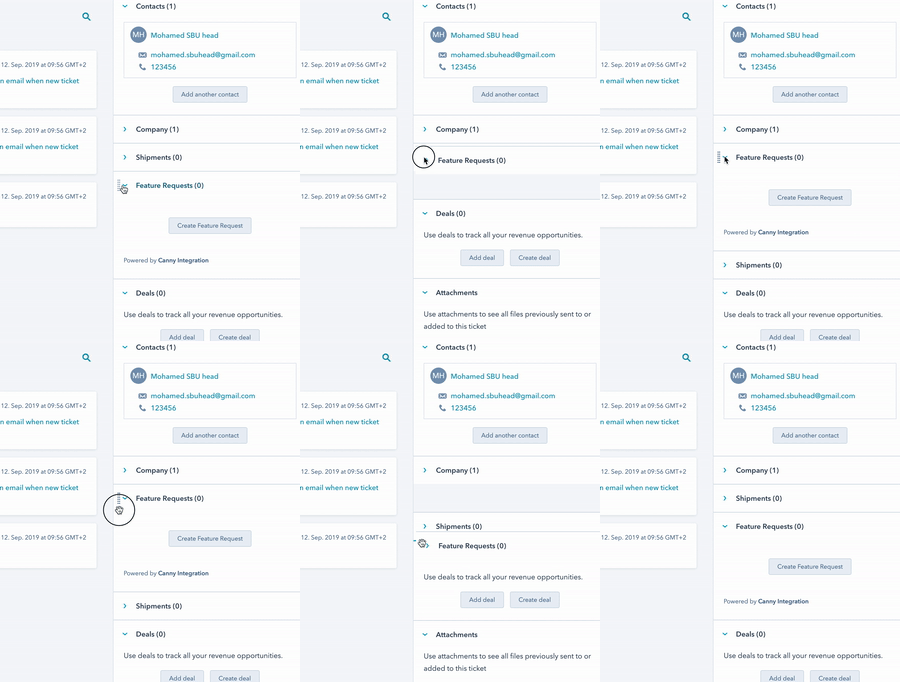
Use  to create a feature request.
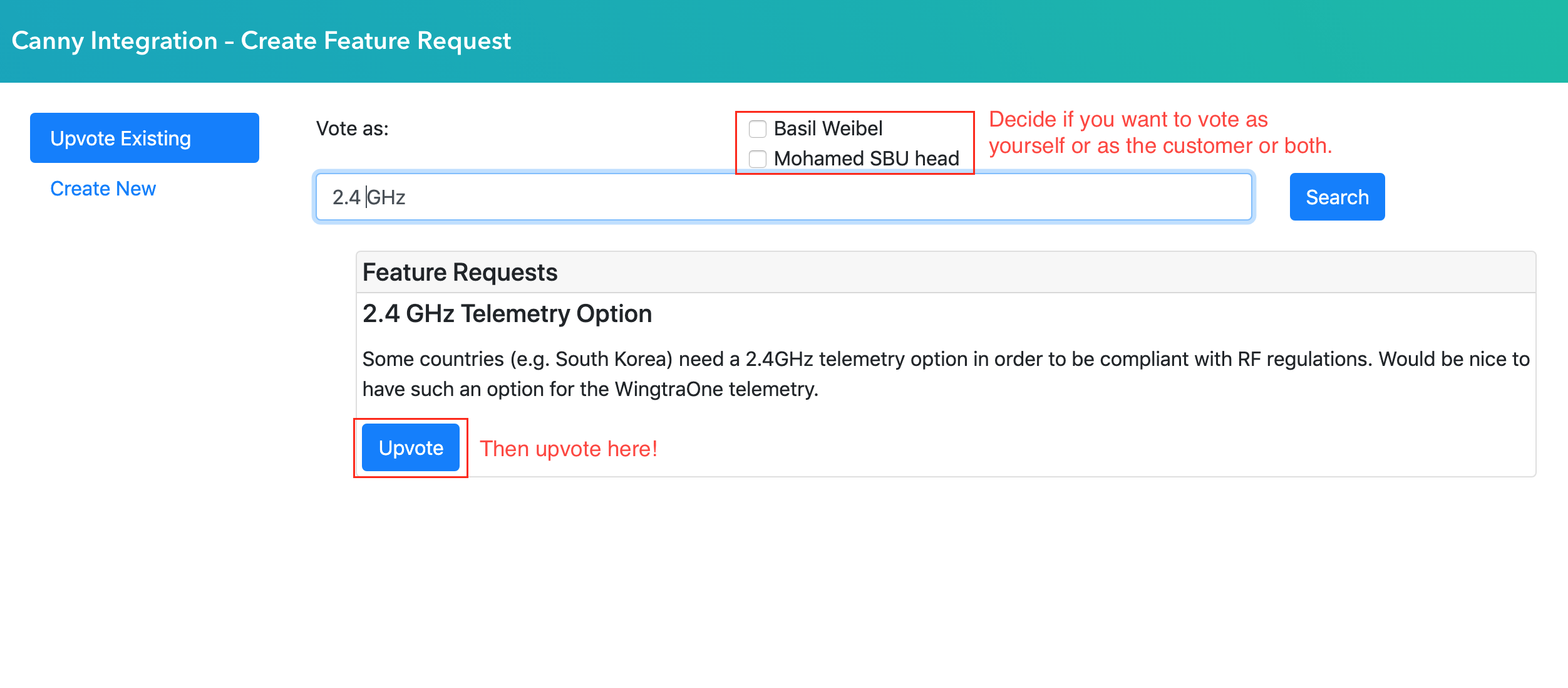
Always check first if the feature request already exists. If it does, upvote instead of creating a new one:
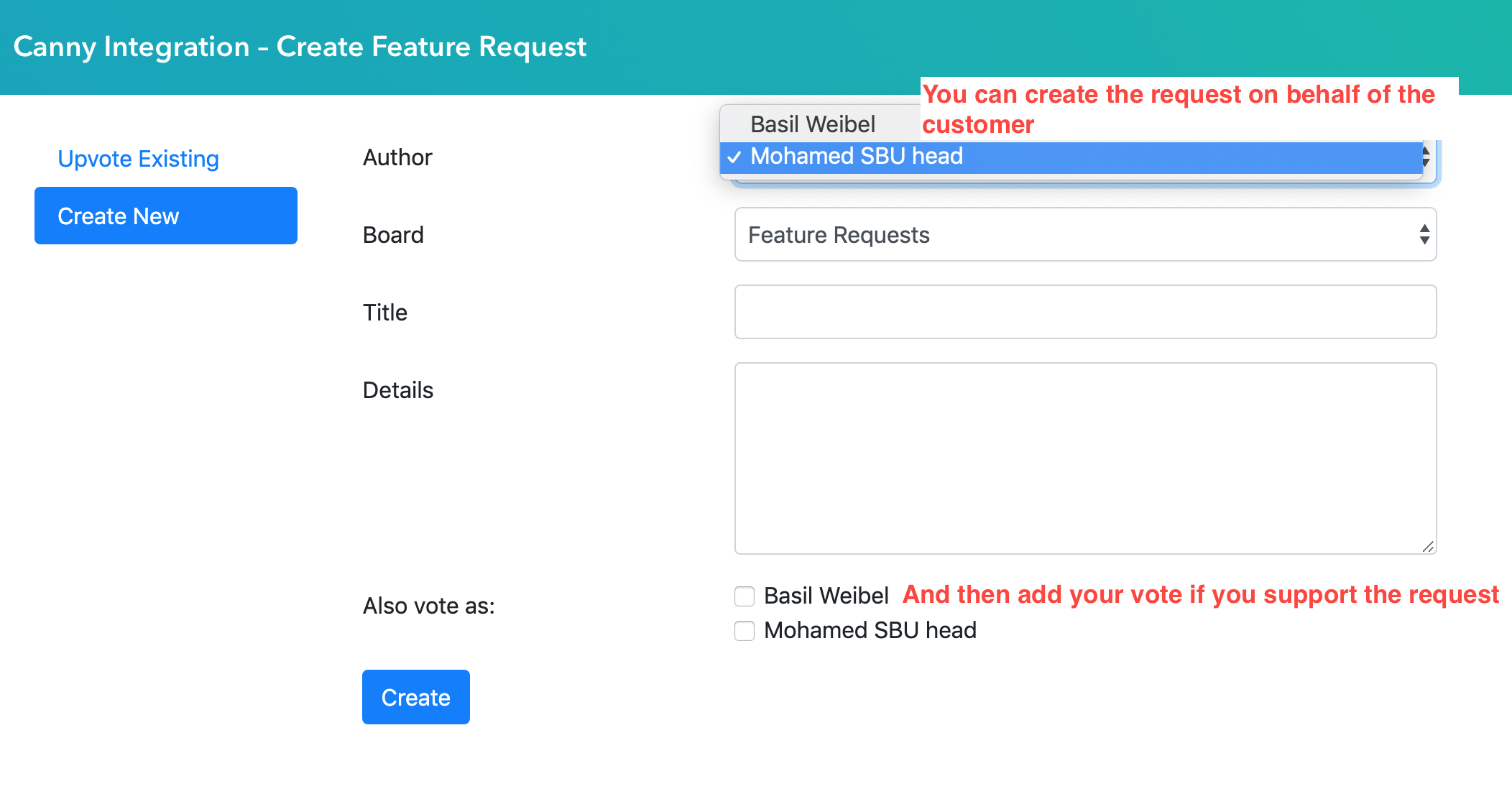
If you don't find a matching feature request, you can create a new one. In most cases you would create it in the name of the customer and then give it also your vote if you support the rquest:
Tell the Customer about feedback.wingtra.com
After upvoting / creating requests on behalf of a customer, let them know
- That you tracked their feedback and give them the link to the relevant canny post(s)
- Tell them that they can login on feedback.wingtra.com to create and comment feedback by themselves and that this feedback is read regularly by our product team.
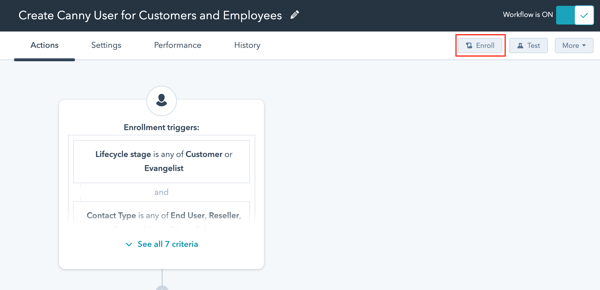
If a customer cannot login, enrol them to this workflow and make sure they have a first name, last name and lifecycle stage customer or evangelist in Hubspot.