In order to release a new features (including hardware and software releases), the sales, marketing and support teams, need to complete many tasks. Learn how to start the process of releasing a feature.
Who Decides on the Release of a Feature?
Generally speaking, the technical teams of Wingtra decide when a feature is ready to be released towards customer teams. This typically happens in
- Software release decisions (Youssef)
- Project flow meetings (AHA & JBAMMC note) for hardware releases
- Ops meeting for smaller releases
In all of these cases, an owner should be decided to start the release process with the customer team (typically this is one of Youssef, Julian, Jonas, Michi, Stephie)
What is a feature?
A feature can be anything that is a noticeable change in the product for
- Wingtra's customer team (e.g. new policy to ship batteries at 60% capacity)
- Distributors (e.g. new distributor apps)
- Customers (e.g. corridor mapping)
You should release one feature at a time i.e. don't release software 1.10 but release (1) corridor mapping, (2) landing softer touchdown, (3) improved PPK device connectivity as separate features.
Where are release notes published
A feature can be released for 3 different audiences
- Feature Release (Wingtra internal) --> Wingtra internal KB article and team meetings
- Feature Release (internal & distributors) --> distributor newsletter archive, distributor portal
- Feature Release (internal, distributors & customers) --> Canny changelog, (public) KB
How can you start the release process?
1. Open clickup
If you don't have an account, request one from Basil or any other clickup admin.
2. Release Dissemination List
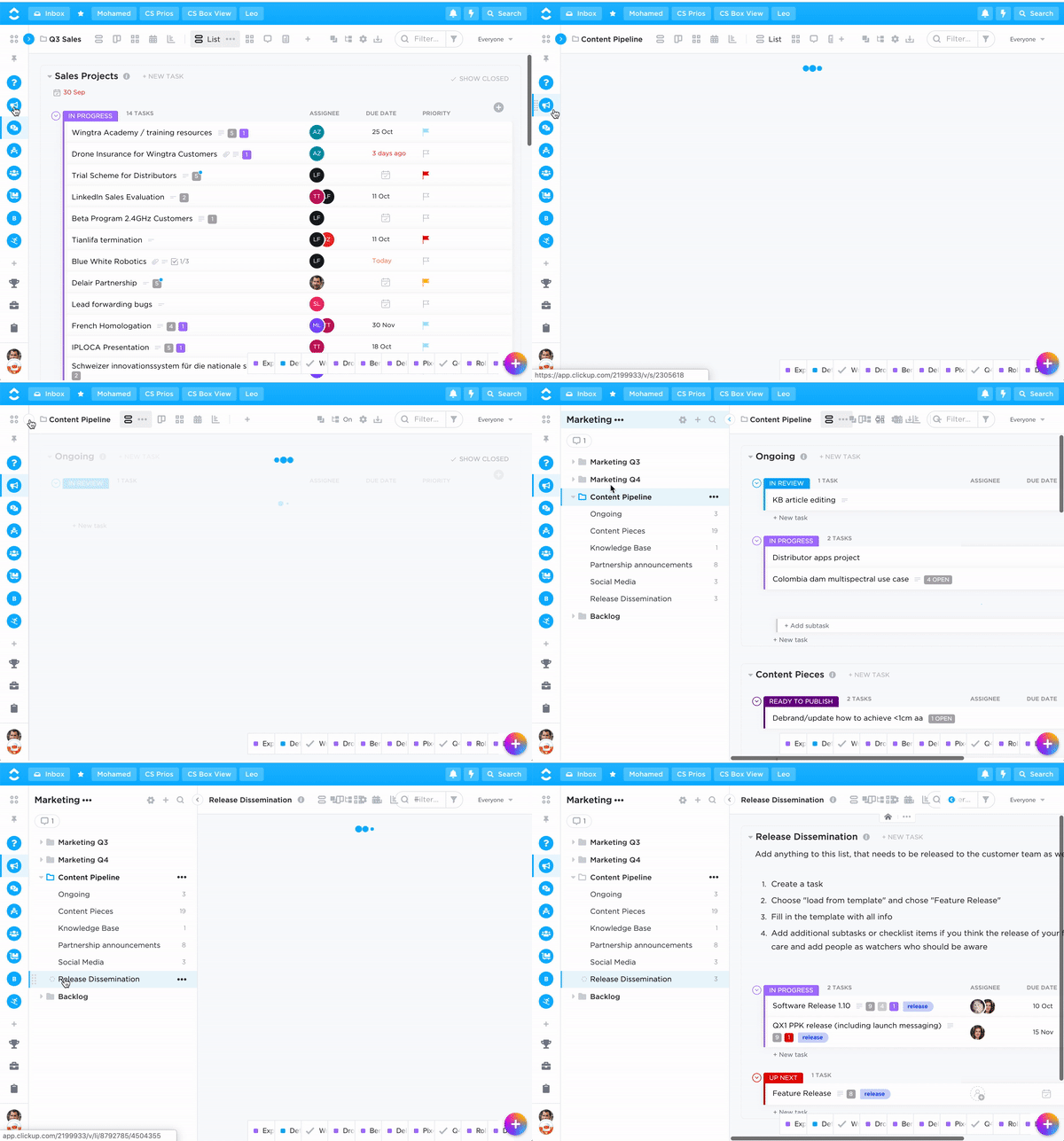
Navigate to the release dissemination list in the content pipeline
3. Create Release Task
Type t to create a new task. Choose "Load from template" to bring up the list of templates that are available. Choose the template that corresponds with the intended release audience.
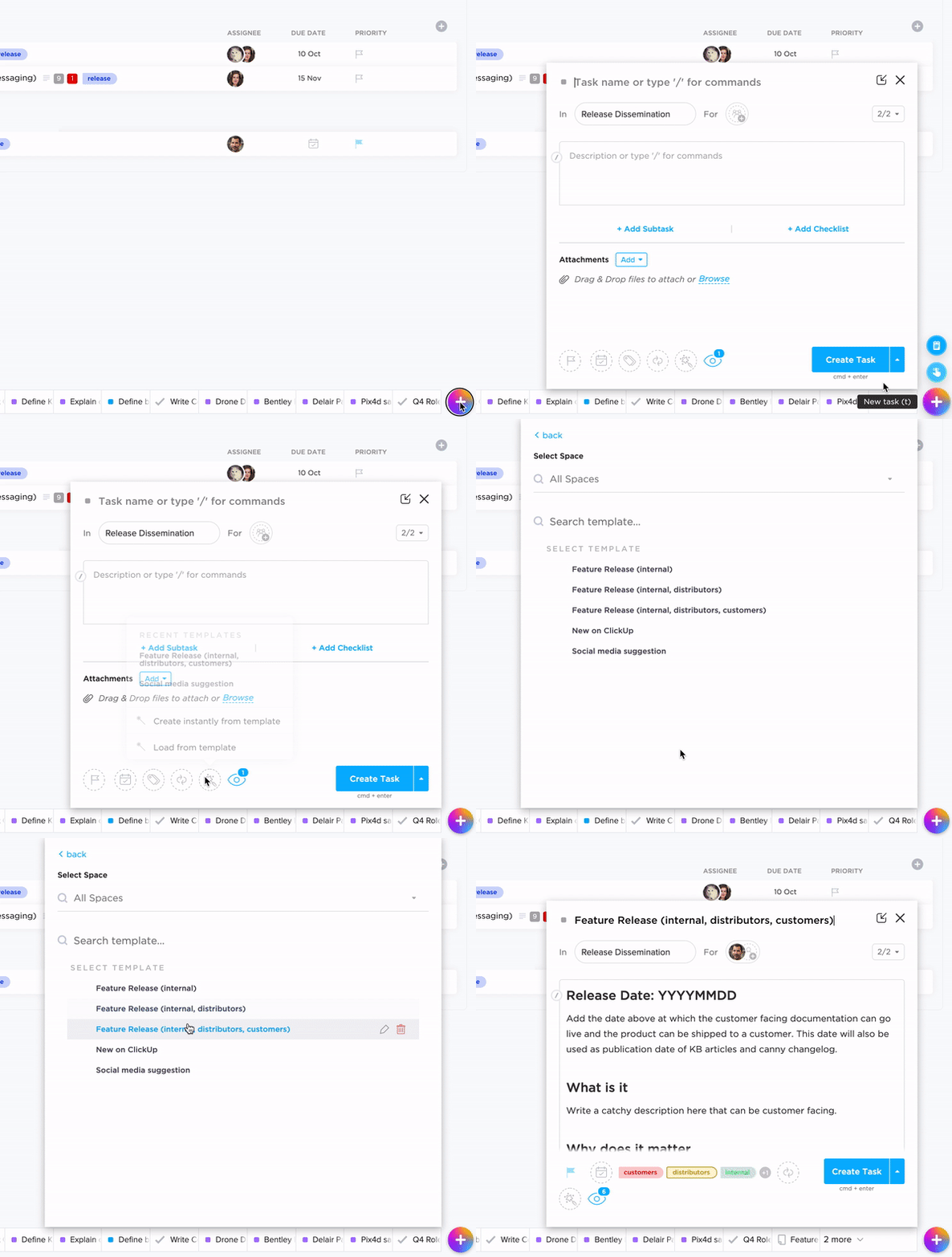
You will need the following info for this:
- Release date = the date customer facing documentation can go live and products can be shipped to customers
- What is it = Write a catchy description here that can be customer facing.
- Why does it matter = Write a catchy justification here that can be customer facing. Try to explain the gravity of this feature.
- Canny Changelog labels = label values used to filter our changelog
- Image = an image or screenshot of the feature
- Links = links to relevant documentation
Add additional subtasks and/or suggest due dates. When you create the task, make sure it is on status open and assigned to Basil.
4. Review / Cleaning Assignments
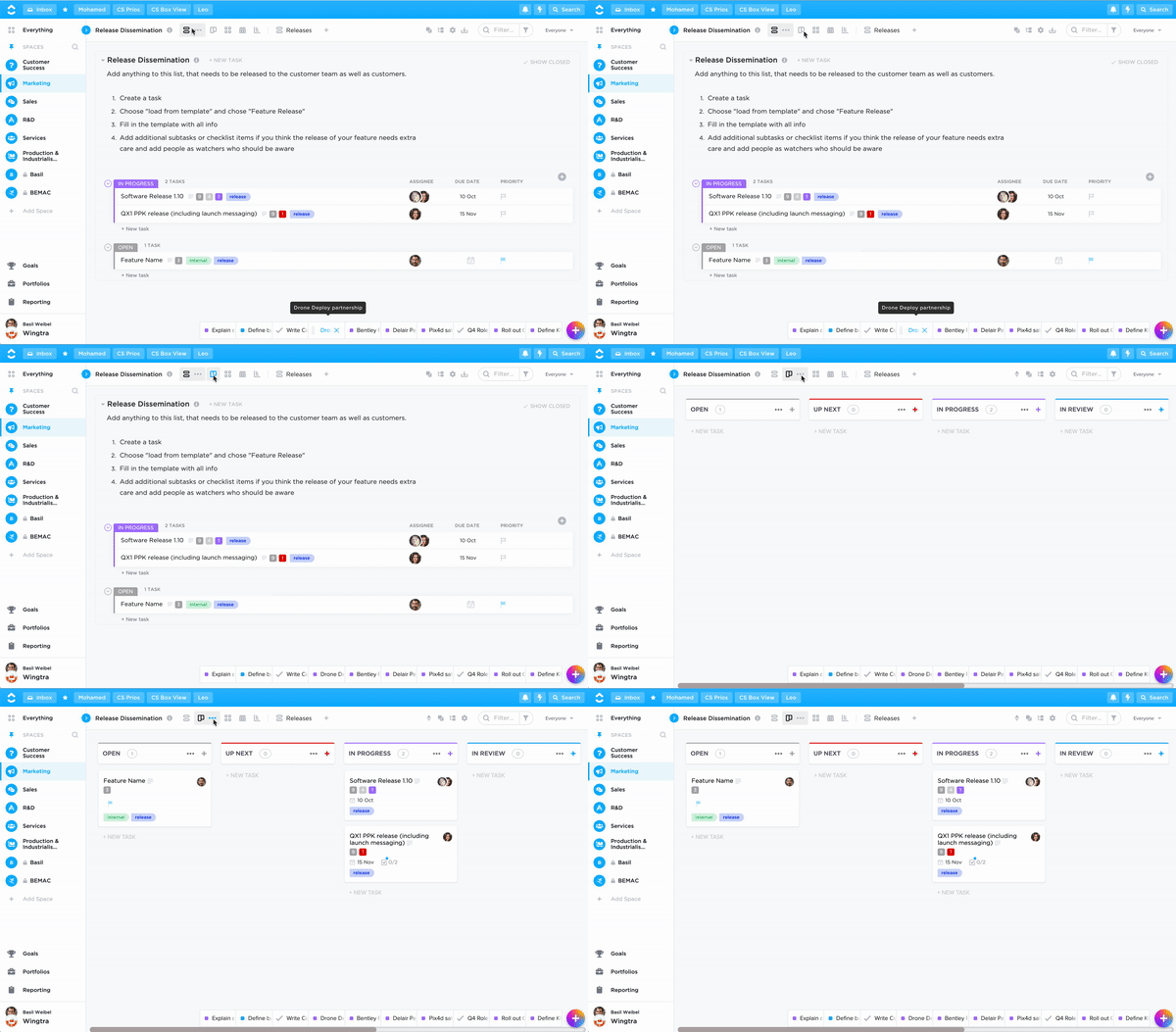
After creating a release task, it will have status open (please do not yet work on it). As soon as it is reviewed, revised and approved (typically by Basil) it will get status "up next" (which means you can now work on it). You switch to board view to see progress of the releases.
5. Add Inputs and Comments
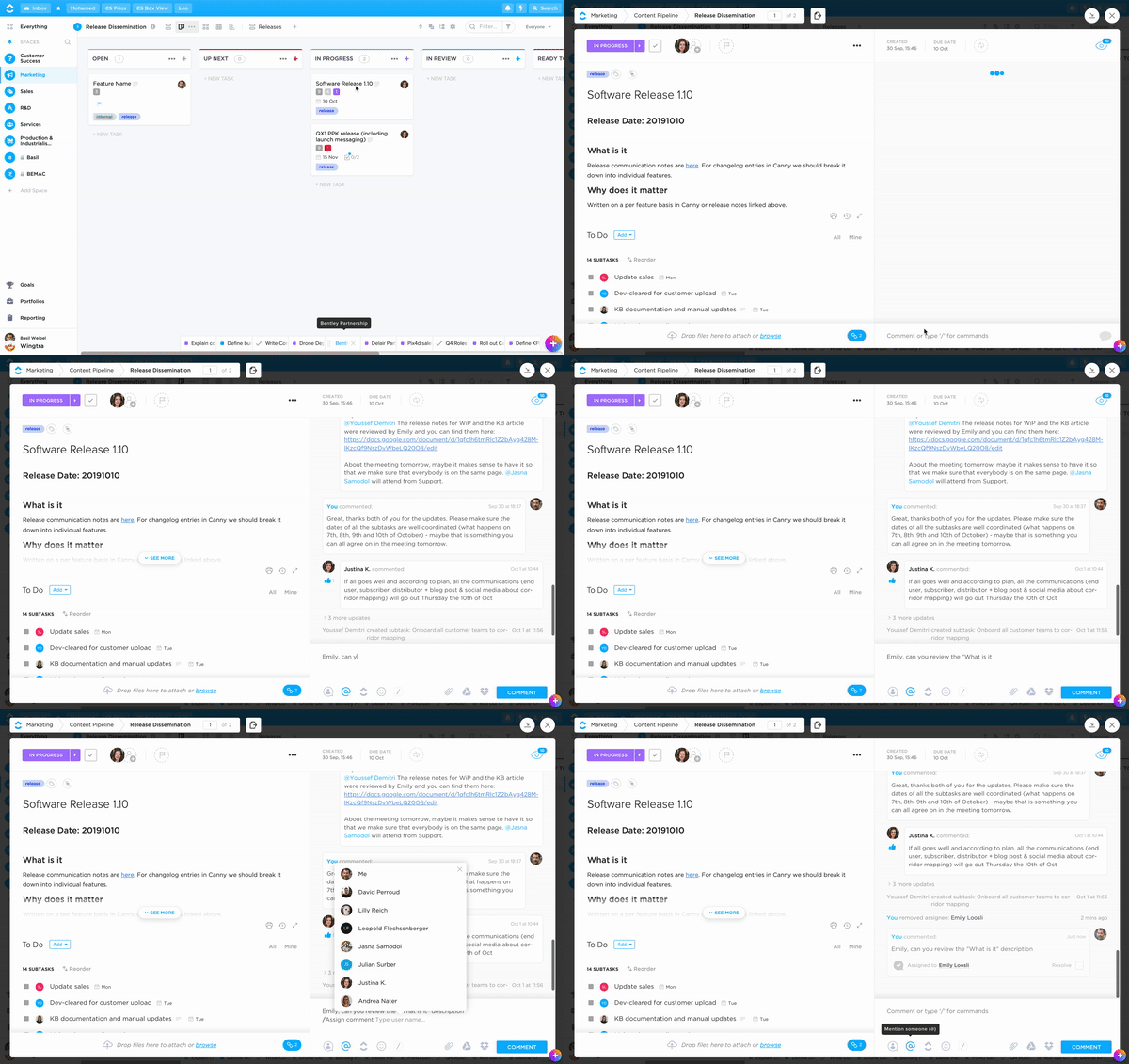
If you have comments or inputs, use the comments field of the release task.
How does this relate to other meetings and information flow in the company?
To be written