- Help Center
- Wingtra Internal
- Customer Success
[Zagreb office internal] How to download PPK correction data in Croatia
This article explains how to download PPK correction data via CROPOS for Croatia
If you need the PPK correction data for postprocessing, you can use the Croatian Position System network of reference stations (CROPOS).
We should pay for sessions and the price depends on the time frame: Price list.
To download the data open http://195.29.198.194/Map/SensorMap.aspx
Username: wing301
Password: bs5p1nd
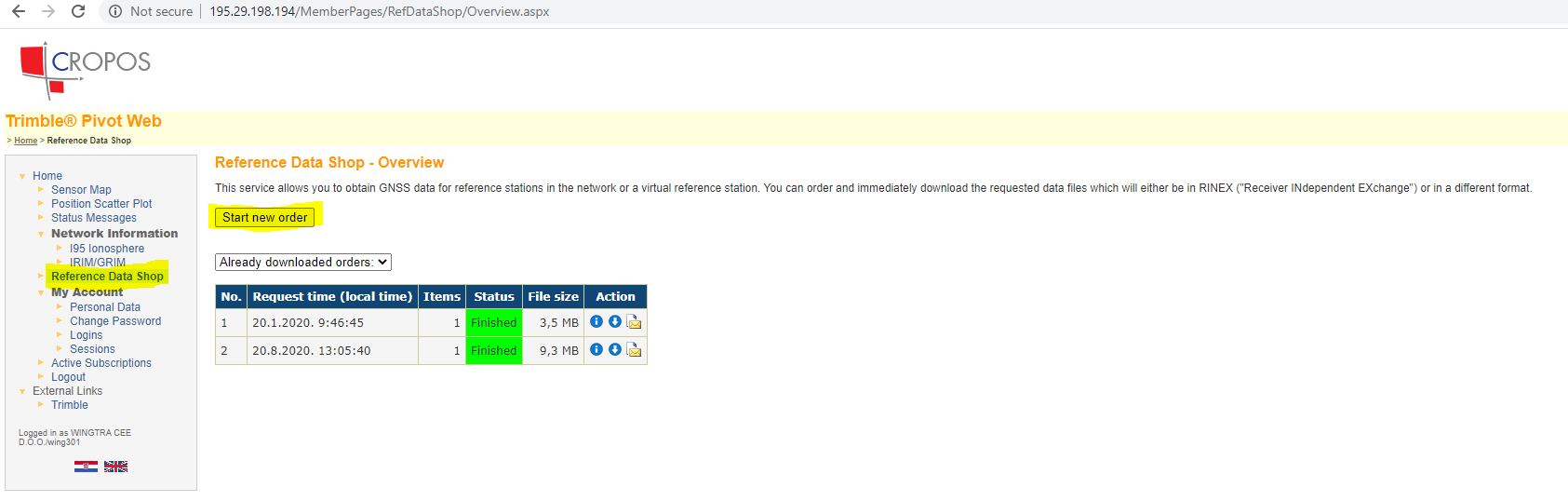
1. Navigate to Reference Data Shop - Start new order.
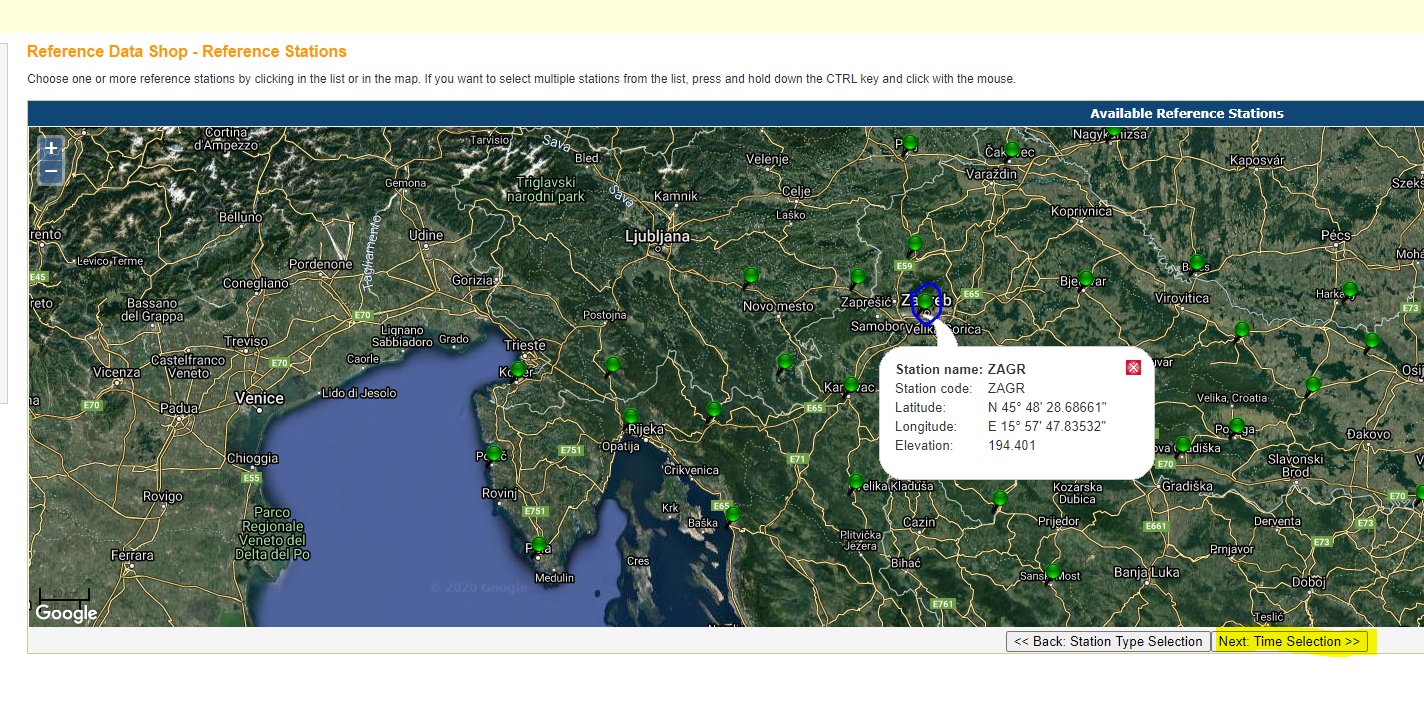
2. If you are flying near Zagreb, select Continuously Operating Reference Station (CORS) and select Zagreb green pin on the map and then Nex: Time Selection.
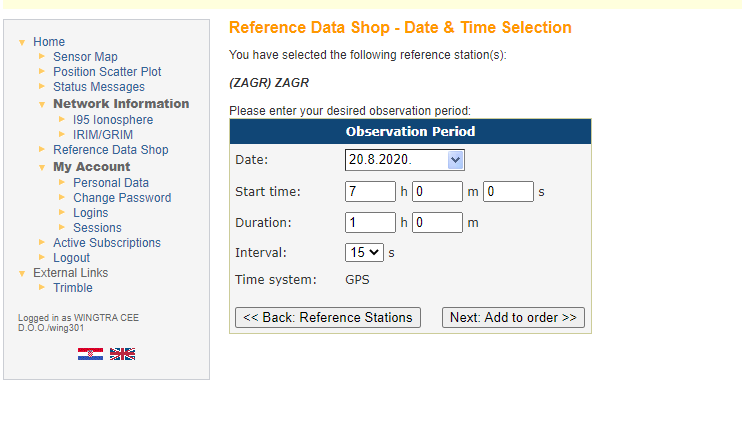
3. Select Dat and Time (make sure that time is in GPS system). Click Next: Add to order.
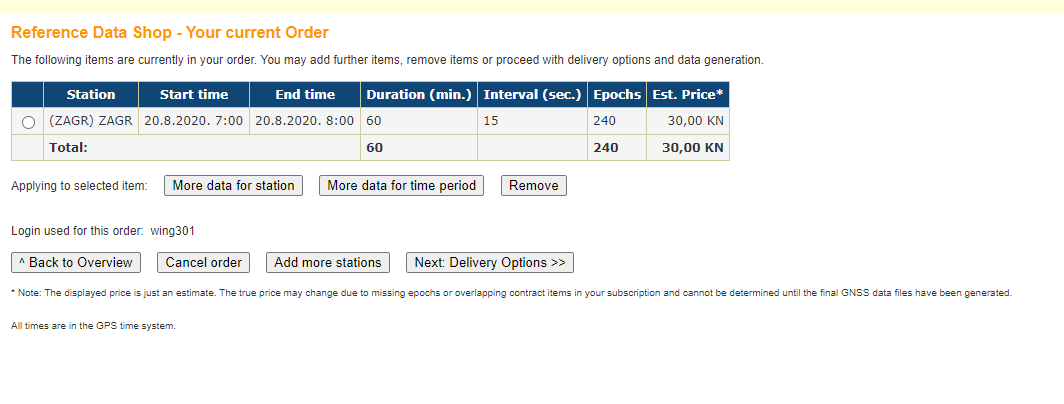
4. Check if the data is correct and click Next: Delivery Options.
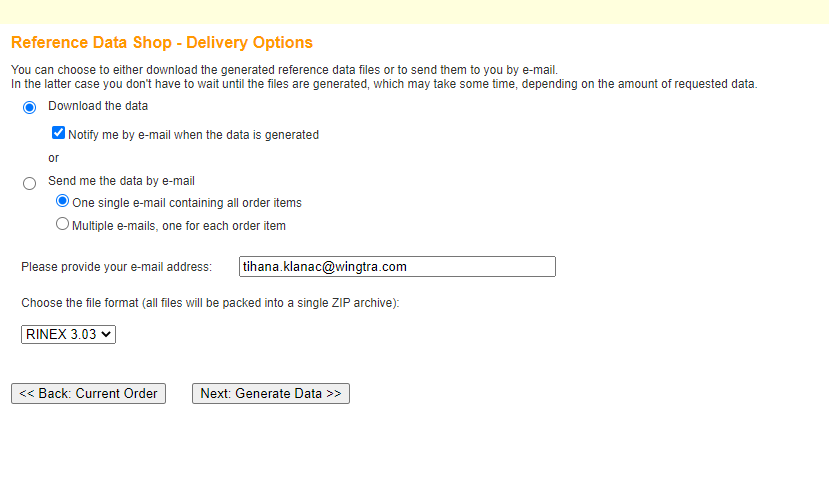
5. Select Delivery options and file format and click Next: Generate data.
6. Download the data once it is generated.
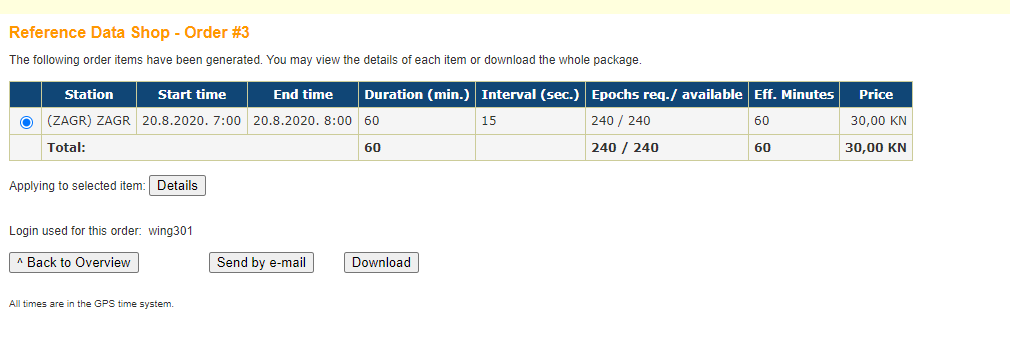
The invoice will arrive via snail mail.