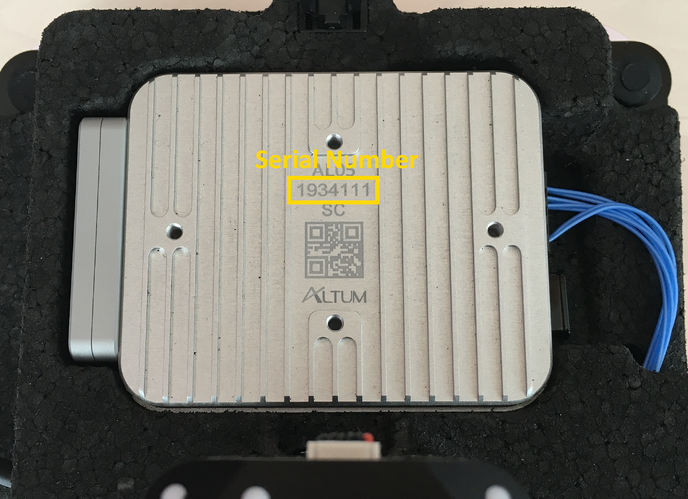
This article describes how to find the camera, camera mount and PPK module serial numbers.
System Overview tab
The electronic serial numbers of the WingtraOne components can be found in the System Overview tab in WingtraPilot.
For WingtraOne GEN I units here you can check the drone’s, camera and PPK module IDs,
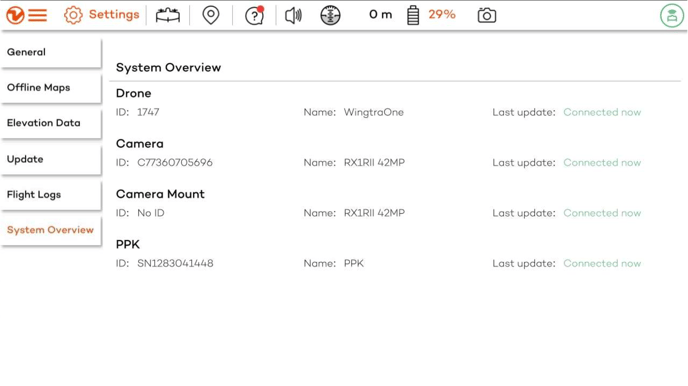
while for WingtraOne GEN II units you can find more information in addition, like the camera mount ID, which type of PPK license has been activated, and whether the WingtraOne SD card has been connected.
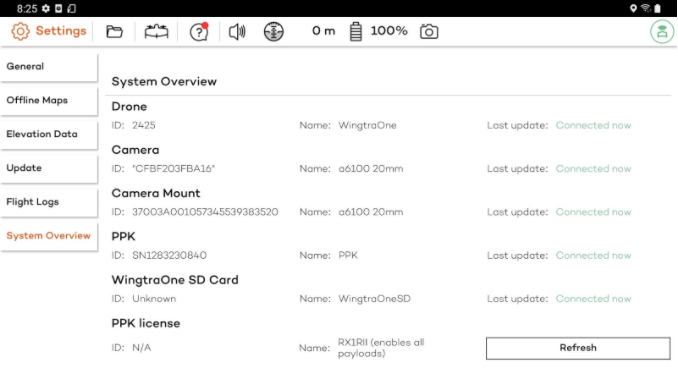
The support team may additionally request this information for the purpose of debugging problems with the hardware.
Camera mount serial number
The serial number of the camera mount on WingtraOne GEN I units is not tracked in WingtraPilot. If requested, you need to check this ID on the mount itself. You'll find it on the front side:
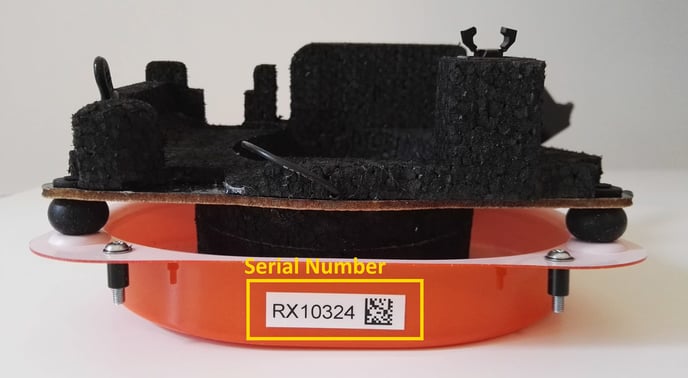
For WingtraOne GEN II units, camera mounts do not have an ID sticker label, so the only way to provide it is by checking the ID visible in the System overview tab.
Camera serial numbers
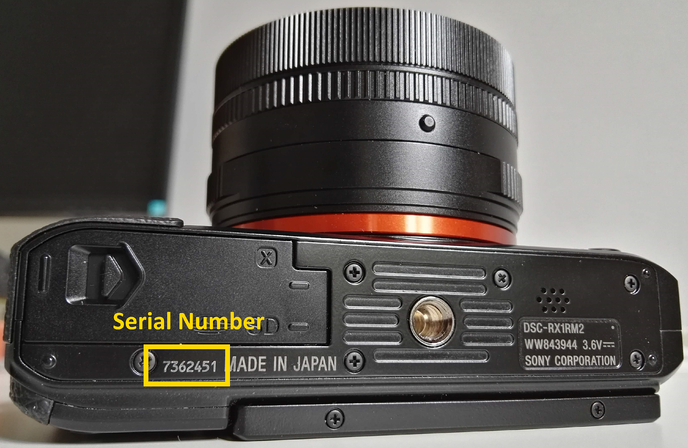
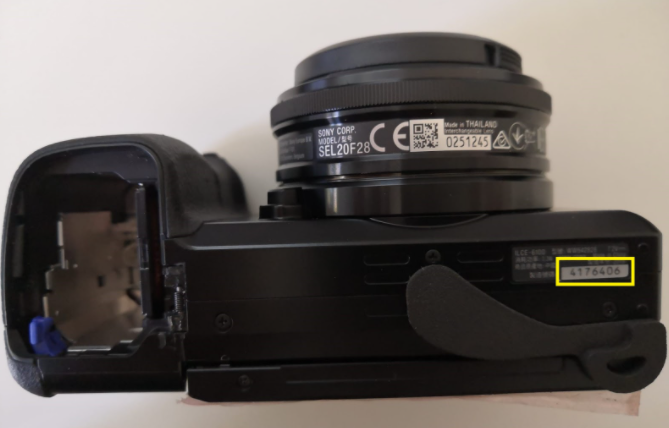
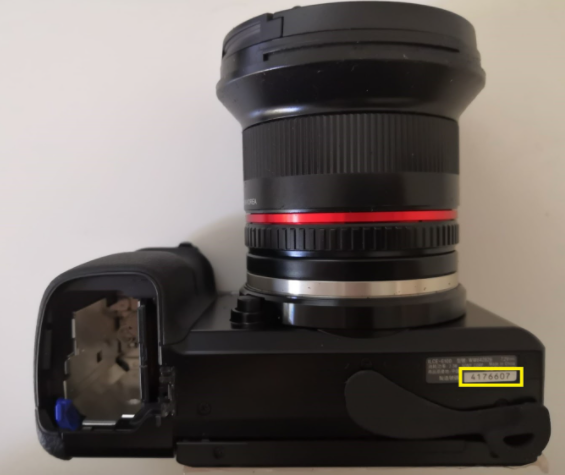
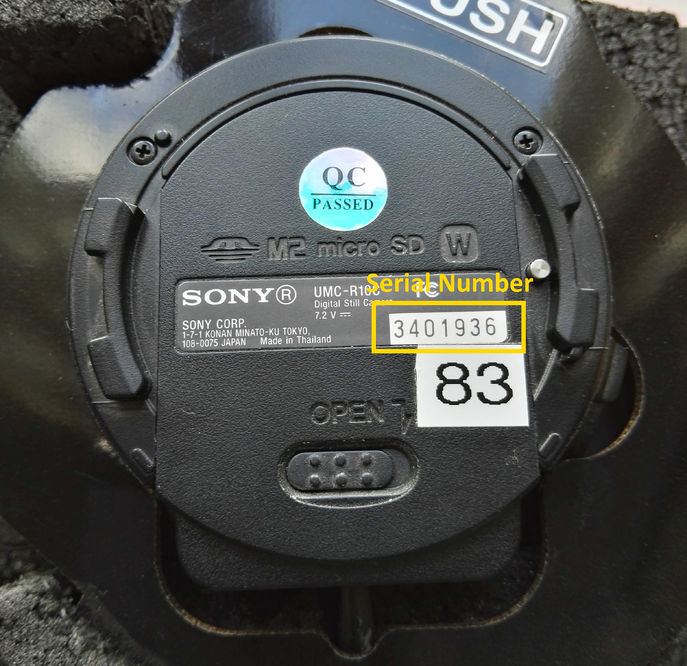
You can find the camera serial numbers on the cameras as shown below.
Sony RX1RII—the camera serial number can be found on the bottom of the camera next to the battery and SD card opening:
Sony Alpha 6100—the camera serial number can be found on the info sticker on the bottom of the camera:
Sony Oblique Alpha 6100—the camera serial number can be found on the info sticker on the bottom of the camera:
Sony QX1—the camera serial number can be found on the info sticker on the bottom of the camera:
MicaSense RedEdge MX—the camera serial number can be found on the bottom of the camera:
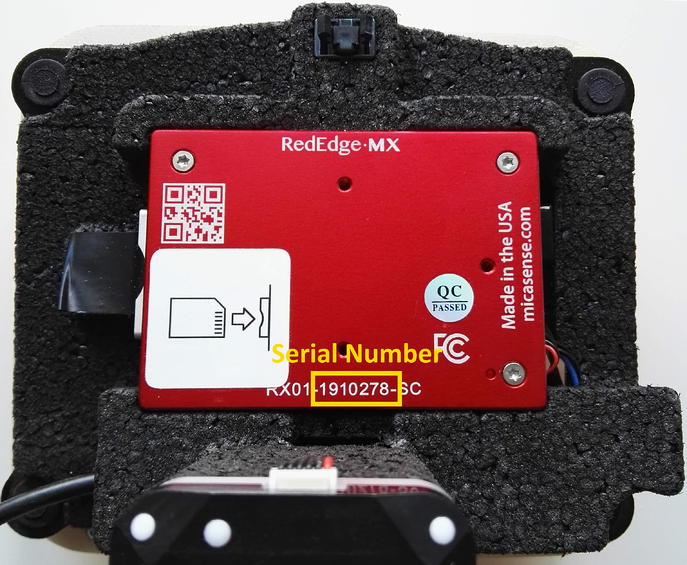
MicaSense Altum—the camera serial number can be found on the bottom of the camera: