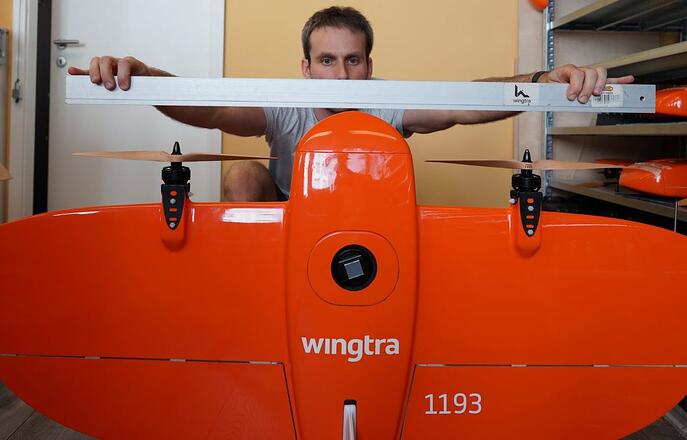
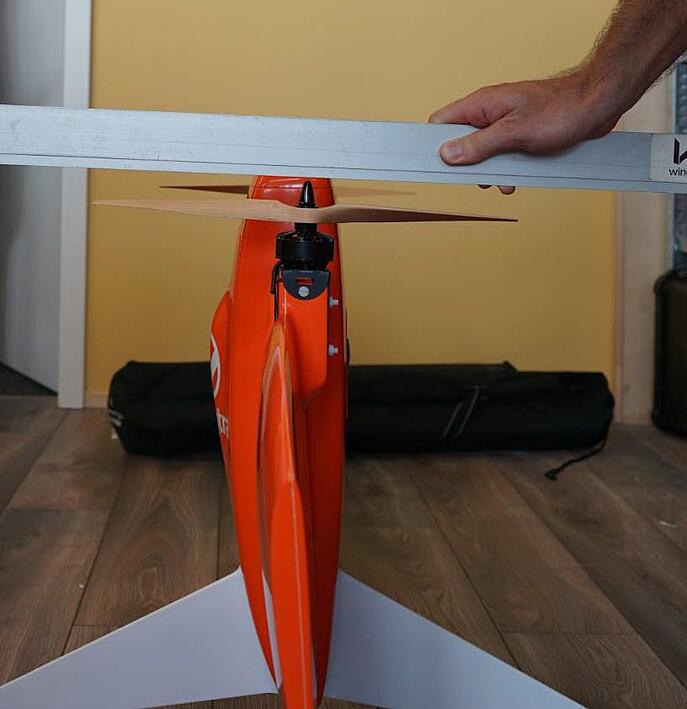
Learn how to check if a drivetrain is damaged and how you can replace it.

Wingtra recommends customers to perform replacements themselves in order to minimize downtime. Wingtra's warranty is not affected by performing the below steps carefully.
Contact your local distributor if you prefer the replacement to be done as a paid service on your behalf.
Select your drone version
1. Replace the power unit on 2.4 GHz telemetry drones
The 2.4 GHz drones have 2 battery data cables connectors on the drone.
2. Replace the power unit on 868/900 MHz telemetry drones
The 868/900 MHz drones have only one data cable connector on the drone.
Step by step instructions
1. Replace the power unit on 2.4 GHz
Step 1 Prepare the WingtraOne for the replacement
- Make sure the WingtraOne is not powered. Power off the drone is necessary to avoid short circuits when the electronics are exposed.
- Insert the middle stand and place the WingtraOne on the ground or on a table.
- Locate the drivetrain to be replaced.
Do not place parts or tools on your drone. This can cause surface damage. A mouse pad is a good alternative if you want to keep things on your drone while performing replacements.
Step 2 Remove the damaged drivetrains
Step 3 Place the new drivetrains
- Reattach the propellers if required following the instructions in the article Service: propellers.
- Make sure that the propellers and the plane colors match and that the propellers are straight.
2. Replace the power unit on 868/900 MHz telemetry drones
Step 1 Prepare the WingtraOne for the replacement
- Make sure the WingtraOne is not powered. Power off the drone is necessary to avoid short circuits when the electronics are exposed.
- Insert the middle stand and place the WingtraOne on the ground or on a table.
- Locate the drivetrain to be replaced.
Step 2 Remove the damaged drivetrains
Step 3 Place the new drivetrains
- Reattach the propellers if required following the instructions in the article Service: propellers.
- Make sure that the propellers and the plane colors match and that the propellers are straight.
If you are unsure, take the following two pictures and send them to the Wingtra Support: