- Help Center
- Troubleshooting
- WingtraOne Hardware
Reglue battery connector
Learn how to reglue the battery connector on your WingtraOne
Required Equipment
- WingtraOne
- Cyan-acrylat rapid glue
- Watch: Wingtra Support Video - Reglue Battery Connector
Step by step instructions
The instructions should be followed carefully. Deviating from the described procedure can lead to blockage of the battery connector which makes it impossible to power WingtraOne.
- With the narrow gap present you will have excellent „tack“ of
the cyan-acrylat. So the connector should already be in place
in the right location or only 2-3 mm in front of the final position.
Otherwise you run the risk of having a rock solid stuck connector
too far front - Take care so no adhesive gets into the connector itself, apply it to
the outside just below the „edge“ of the connector - If adhesive will get to the outside of the plastic part it will be
functionally unproblematic but tends to leave ugly stains.
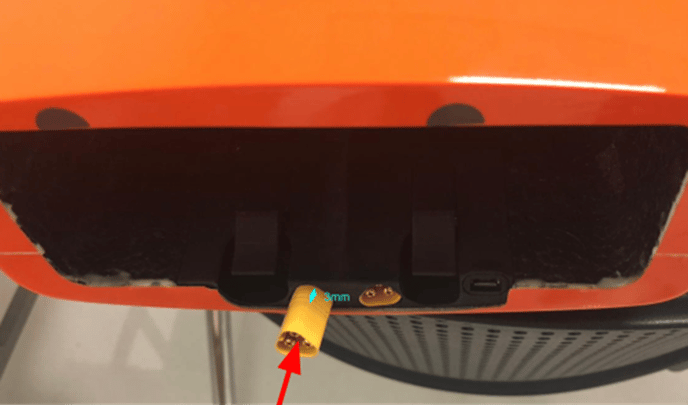
1. Make sure the WingtraOne is not powered
2. Take the batteries out
3. Push the battery connector so that only 2-3mm is sticking out
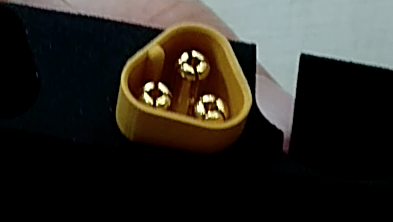
4. Apply cyan-acrylat rapid glue to the edge of the connector
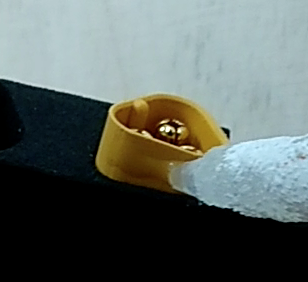
5. Carefully push in the battery connector until it is flat with the surface.