- Help Center
- Maintenance and Replacements
- Basic Replacements
Position lights
Learn how to install the position lights on your WingtraOne
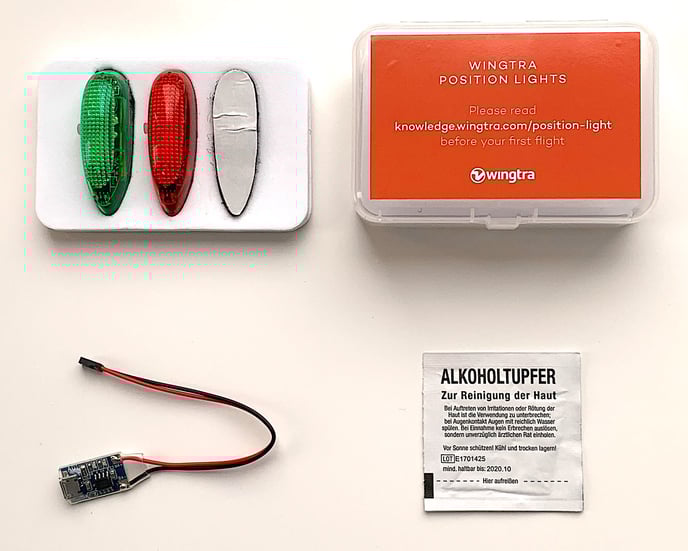
Attach the lights
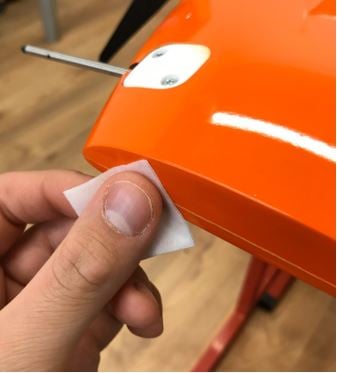
1. . Clean both wing tips with an alcohol wipe and let it dry—do not touch the cleaned area until it is dry
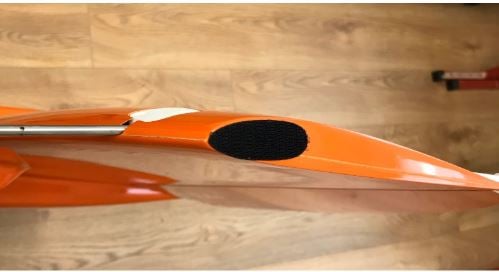
2. Take the provided hook (male) Velcro pads and attach them to the pre-cleaned wing tip on each side
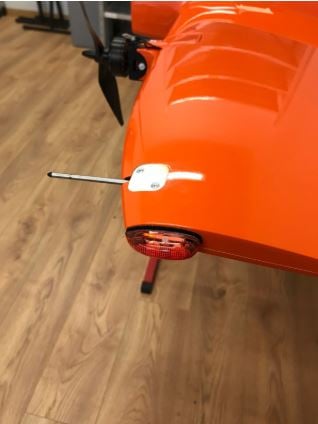
3. Attach the green light on the right (green-labeled) wing and the red light on the left (red-labeled) wing
Charge the position lights
1. Insert the Micro USB adapter into the position light charger socket. Pay attention to correct polarity (red/plus and black/minus)
2. Charge the position lights with a Micro USB charger
3. The indicator on the Micro USB adapter:
- Red LED: battery being charged
- Blue LED: battery fully charged
The charging time is approximately 1h, and the fully charged position lights can be used for approximately 1h 30 minutes.
Operating modes
You can change between three different light modes by pressing the button on the side of the lamp.
- First mode: double flash
- Second mode: single flash
- Third mode: slow flash