- Help Center
- Wingtra Internal
- Known issues
Autopilot and OBC SD cards getting loose (v3)
We experienced few incidents where an SD card from the e-plate got loose during transport or it was inserted but was corrupted.
If you encounter an issue that can be resolved by the steps described below, tag Jonas as Ticket owner engineering. As Damaged / Malfunctioning Parts select "Avionics / Autopilot".
Autopilot SD Card
Symptoms
- Single long beep after powering WingtraOne
- Error message in WiP "unable to write to SD card"
Resolution
- Make sure WingtraOne is not powered
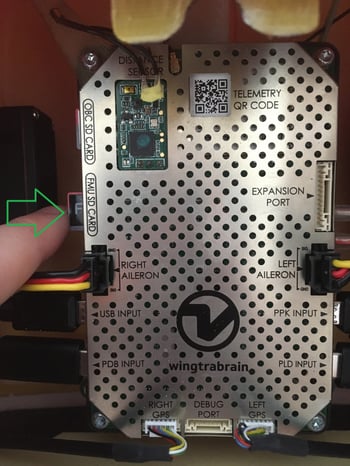
- Locate the FMU SD card slot
- If FMU SD card is inserted, remove it and reinsert it
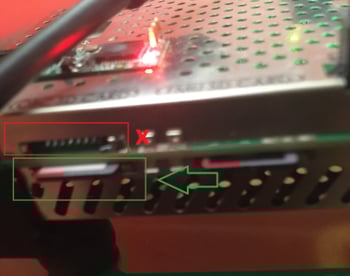
- If it is not inserted, find the missing SD card in the e-belly and insert it in the correct slot.
- Instructions to share with the customer: Access flight logs from the autopilot SD card
OBC SD Card
Symptoms
- Camera icon has "X" that never disappears
.png?width=478&name=2021-01-11%2015_00_46-CannotConnectCamera_jpg%20-%20IrfanView%20(Zoom_%201613%20x%201210).png)
- Camera and PPK checks are grey in Checklist and cannot even start

Resolution
- Make sure WingtraOne is not powered
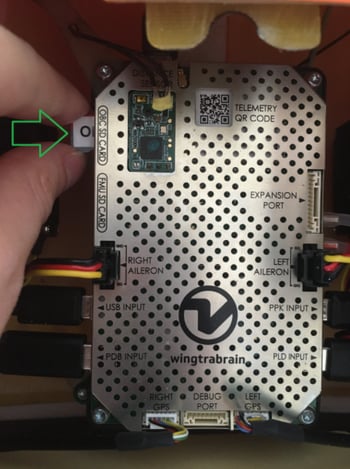
- Locate the OBC SD card slot
- If OBC SD card is inserted, remove it and reinsert it
- If it is not inserted, find the missing SD card in the e-belly and insert it in the correct slot.
- Instructions that can be shared with customers: Follow steps 1-2 and 4-5 of the following article: Access flight logs from the OBC SD card