Technical details on the automation to associate drones with the end-user company as soon as the drone is sold
To automate the association of drone with end user company, we are using several scripts and workflows that are triggered based on the registration form and tickets input:
1. Improve reassociation based on drone registration.
- If a drone is registered, and a company with a matching name is found, then the script will associate the drone with that company.
- If the domain of the used email matches a company domain the script will reassociate the drone to that company.
- If a script finds a matching first name / last name combination, then the script will create a task assigned to the Customer Success Manager
- Task Title: Detected a person with the same name but different email in drone registration.
- Task Body: Somebody used the same name as this person but a different email address when registering a drone. Please search Hubspot for this name and check if the people are one person and should be merged or if it is two separate individuals with the same name (then no action is required).
- If the script cannot identify a company to associate the drone with, then the script will create aa HS task assigned to the Customer Success Manager of the drone and if not available Tomislav Maslac
- Task Title: Drone could not be auto-associated with a company.
- Task Body: The drone cannot be associated with a company by automation upon the drone registration. Please find the company manually. If needed, follow up with the customer email address
- Daily script checks if drone IDs of tickets contain drones that are not correctly associated
- Query all contacts of type:drone && emailFromDroneRegistration:IsKnown && associated CompanyType=Reseller
- Extract the domain of the email from "email from drone registration
3. If you find an HS company with the same domain, then reassociate the contact with that company.
- Run daily script
- Check if there are tickets with any open status (=none of closed pipeline stages) that contain a drone ID AND are associated with a company of type end user
- If yes, check if the drone contact of the same ID is associated with the same company. If this is not the case, reassociate the drone with that company.
- Remove the association to the other company
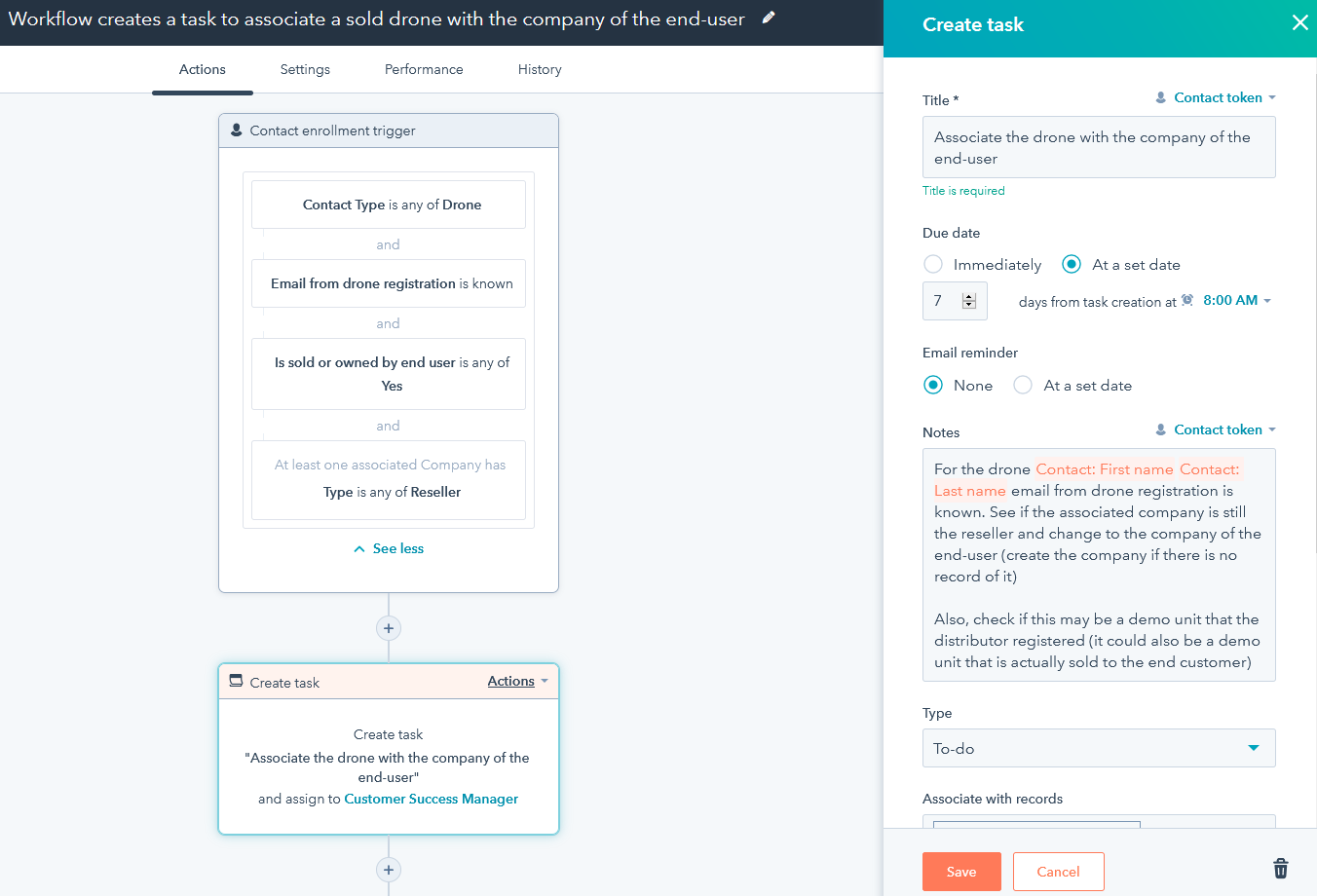
4. Workflow creates a task to associate a sold drone with the company of the end-user
- The workflow will create an HS reassociation task, in case the drone is labeled sold or with end user, but associated with the distributor.