This article describes how to exchange the electronic components bay cover(E-Cover) which sits below the PPK module.
In the event that the E-cover is damaged, there are 2 processes to follow depending on the plane version.
The most common issues that happen to the E-cover are:
1.) Screw cross-threaded- If the screw is applied at an angle, the threads can engage the threaded hole in such a manner as to cut through the existing thread, creating a poorly sliced section. As the screw is turned, it will proceed into the hole, but typically not straighten out and will become stuck. If enough force is applied to remove the screw it will pull out the threaded rivet.
2.) Rivet dislodged - On rare occasions, the glue holding the rivet in place comes loose and the rivet pops out. The chances of this happening increase the more times the PPK module is installed and removed.
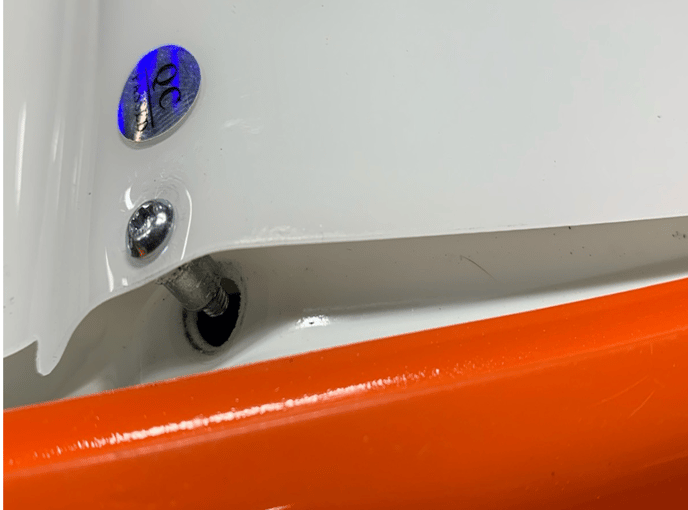
Both of these instances require the e-cover to be swapped.
Remove the cover - both versions
The process for removing the damaged e-cover is the same on both versions up to a point, but then the process for reinstalling is different.
- Unscrew the 3 Torx screws with a T10 screwdriver (provided in the pilot box).
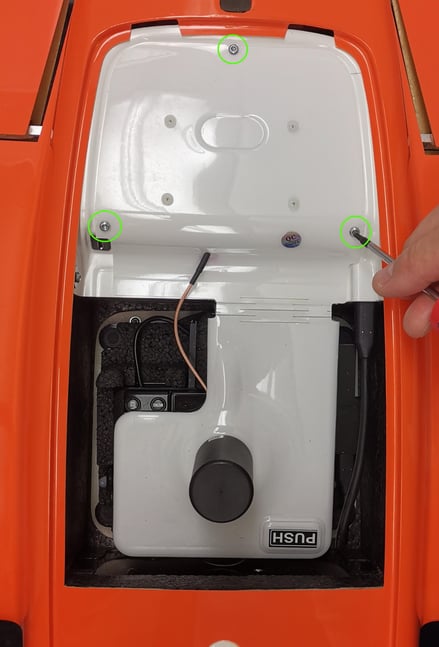
- Unplug the cable between the PPK module and the E-cover.
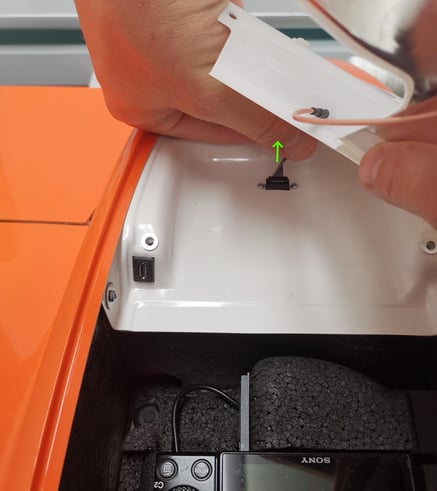
- Unscrew the 2 screws on each side of the E-cover.
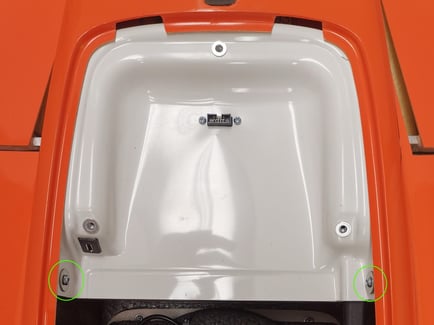
- Pull the E-cover to the front to take it out. You will need to bend the sides to slide it out. Be very careful during this step!
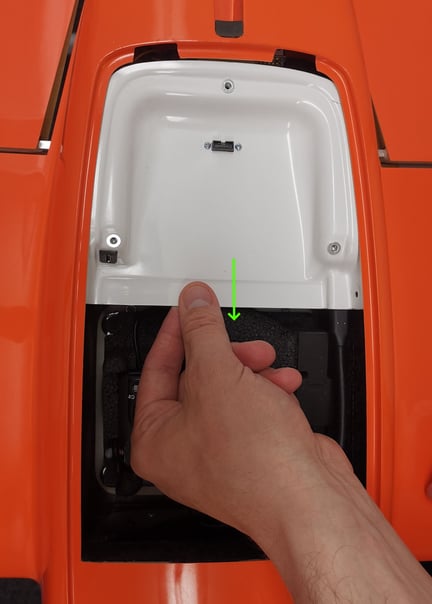
The process from here is now different for the 2.4GHz than for the 868/900MHz telemetry. To identify what version you have to send a picture of the telemetry to support and provide the plane ID in the support ticket.
For WingtraOne with 2.4GHz telemetry
- Unplug the cable going into the E-cover.
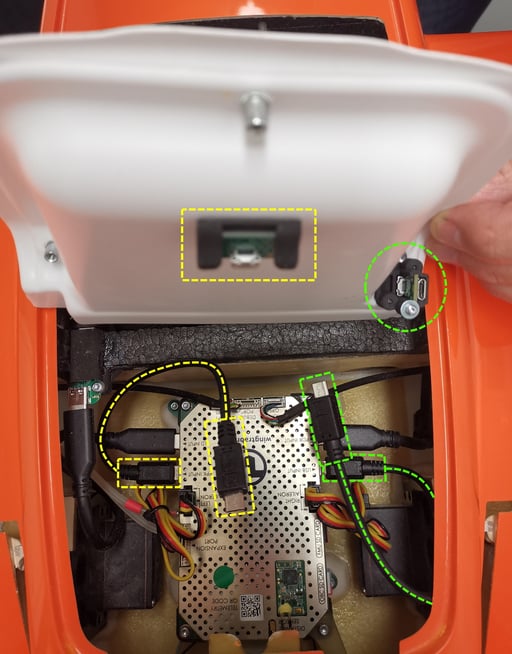
- Remove the damaged E-cover and replace it with the new one.
- Plug the cables in the new E-cover:
- Yellow cable to the yellow connector.
- Green cable to the green connector.
- Insert the E-cover in the drone by sliding it into place.
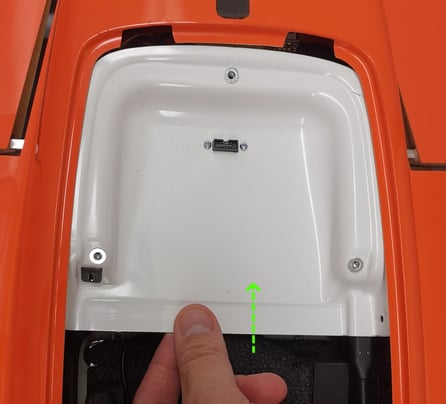
- Screw back the torx screws. Only tighten them very lightly.
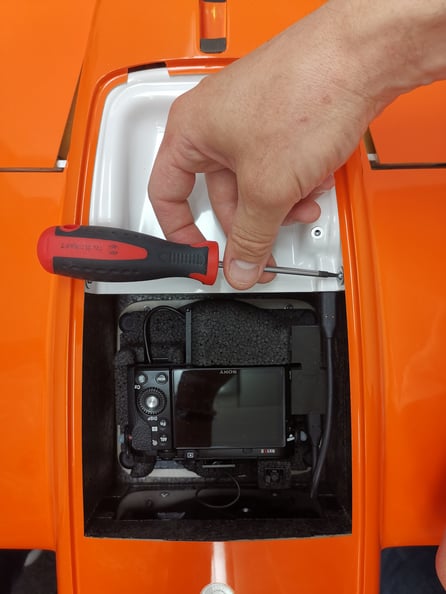
- Mount back the PPK module. Plug the connector first.
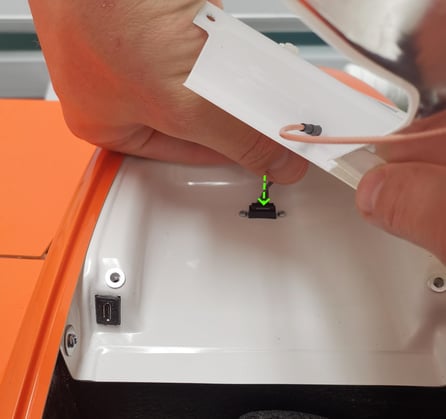
- Screw back the PPK module with the 3 screws. Make sure to screw them perpendicular to the rivet to avoid any cross-threading.
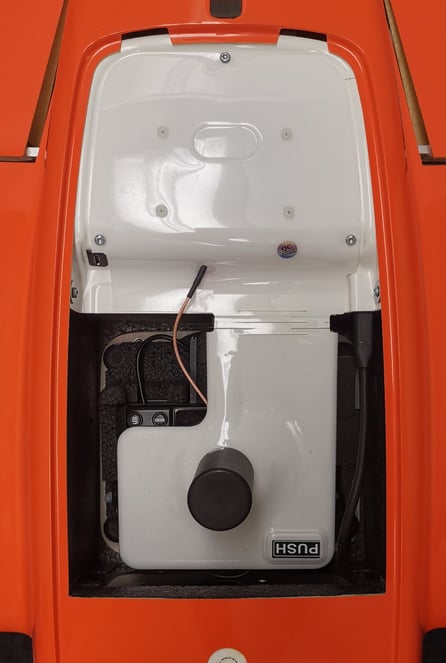
For WingtraOne with 868/900MHz telemetry
Go through the removal process first.
- Unplug the USB connector by pulling it out in the direction of the arrow.
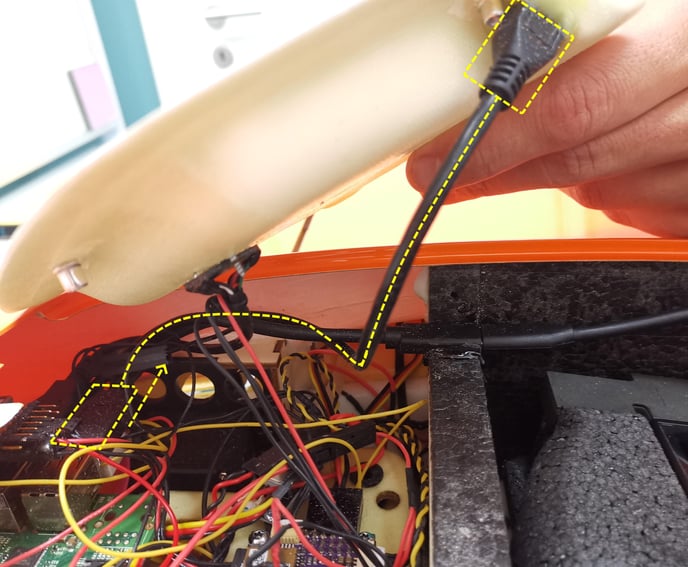
- Remove the 2 top connector screws with a Phillips screwdriver.
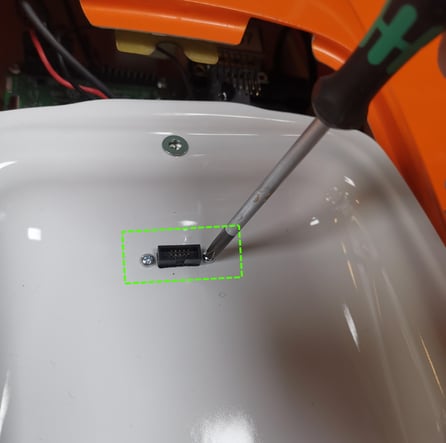
- Take the connector out of the E-cover.
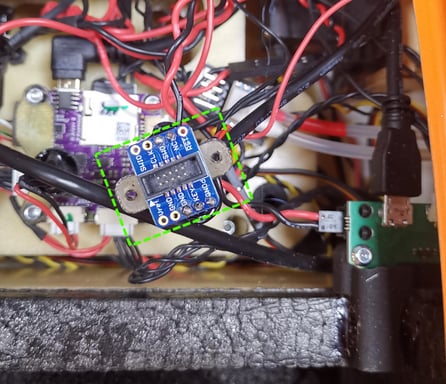
- Take the new E-cover and insert the USB plug into the same plug as before.
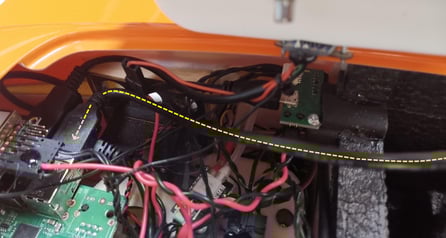
- Insert the connector from step 3 into the new E-cover.
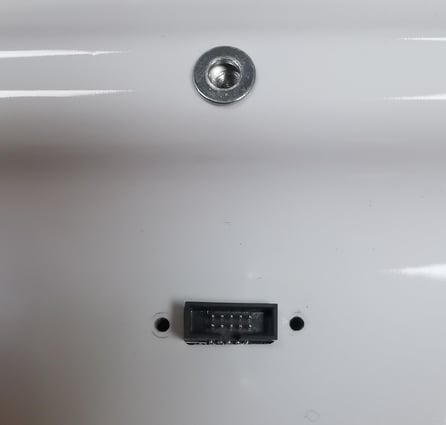
- Put back the 2 top connector screws with a Phillips screwdriver as shown during step 2.
- Put back the side torx screws. Only tighten them very lightly!
- Mount the PPK module back on. Plug the connector in first.
- Screw the PPK module back in with the 3 screws. Make sure to screw them perpendicular to the rivet to avoid any cross-threading!