- Help Center
- Maintenance and Replacements
- Payloads and SD cards
Move the Altum camera to a WingtraOne GEN II mount
Find in this article the step-by-step instructions on how to remove an Altum camera from a WingtraOne GEN I Altum mount and insert it in a WingtraOne GEN II compatible mount.
Step-by-step instructions
Step 1. Remove the Altum camera attached to the mount from WingtraOne GEN I
Step 2. Remove the Altum from the mount
Step 3. Place the Altum camera into the GEN II mount
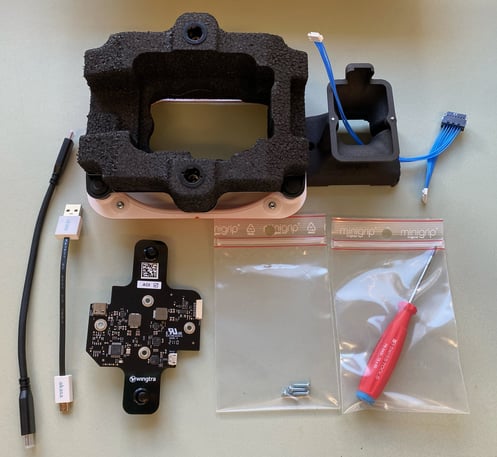
Put the GEN I mount aside and take the Altum GEN II upgrade kit, which includes the items you can see below:
Step 4. Place the Altum attached to the new mount into WingtraOne GEN II
- Use the Torx screwdriver to tighten the four screws in the four corners of the payload area
- Plug the USB-C universal payload connector into the drone
- Close the top cover
- Do a test flight